 Packetbrew
Default Gateway vs Default Route — What’s the Difference?
You type packetbrew.com into your browser. Your computer resolves it to an IP address. Now it has to answer one simple question:
Is this destination on my network — or somewhere else?
If the answer is “somewhere else,” two things kick in to get your data where it needs to go: the default gateway on your device, and the default route on your router. They’re closely related, often confused, and together they’re responsible for getting virtually every packet off your network.
Let’s break both down clearly.
What Is a Default Gateway?
The default gateway is an end-host concept. In plain terms, it’s the IP address of your local router — the device your computer sends traffic to whenever the destination isn’t on the same network.
Think of your network like a suburb. If you want to visit a neighbour two houses down, you walk there directly. But if you need to travel to another city, you head to the highway. The default gateway is that on-ramp — the exit point from your local network to everywhere else.
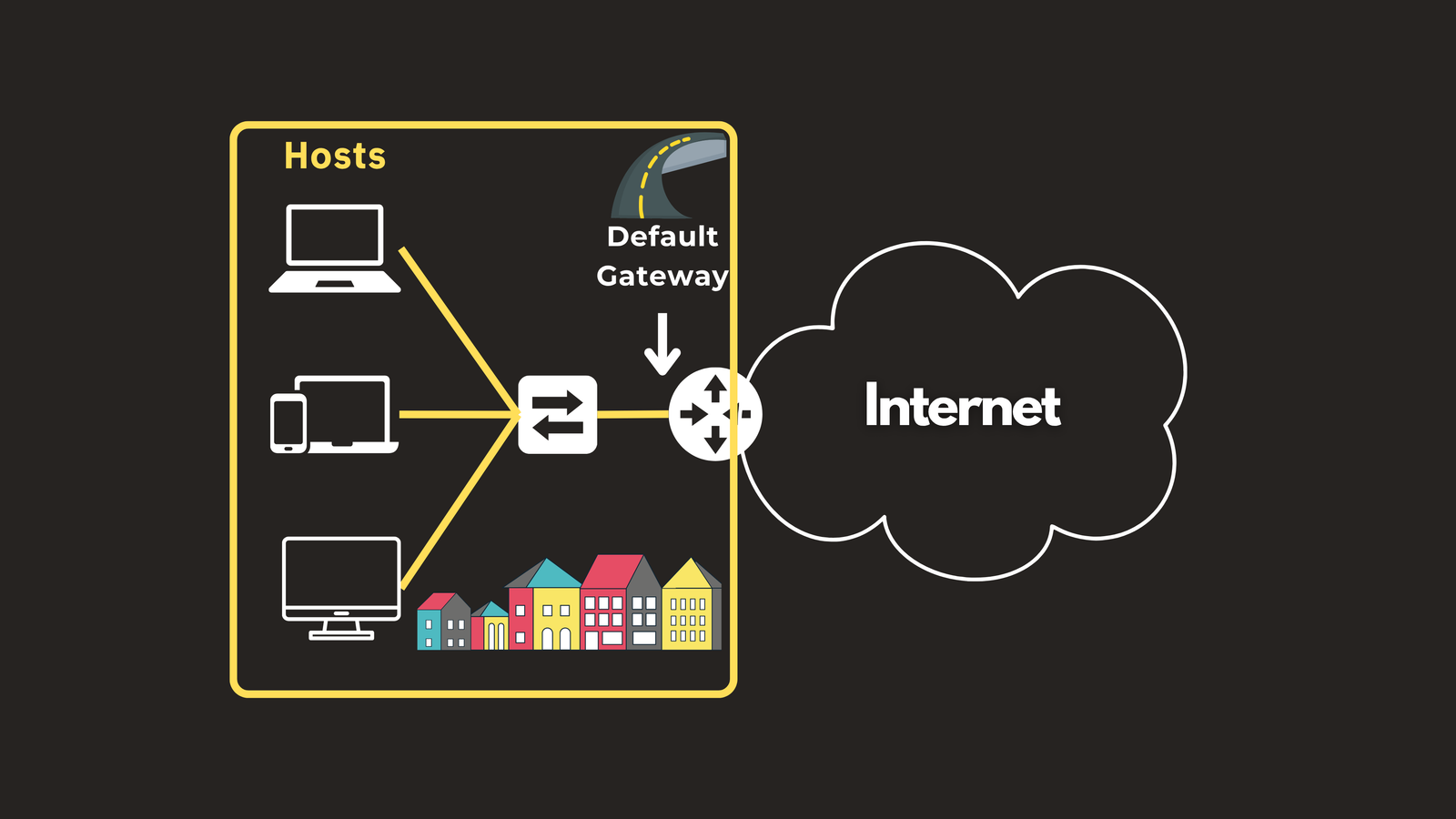
You can see your default gateway right now. On Windows, open a command prompt and run:
ipconfig
You’ll see output like this:
IPv4 Address. . . . . . . . . : 192.168.1.10
Subnet Mask . . . . . . . . . : 255.255.255.0
Default Gateway . . . . . . . : 192.168.1.1
That 192.168.1.1 is your default gateway — typically the first usable IP address of the subnet, and the LAN-side interface of your router.
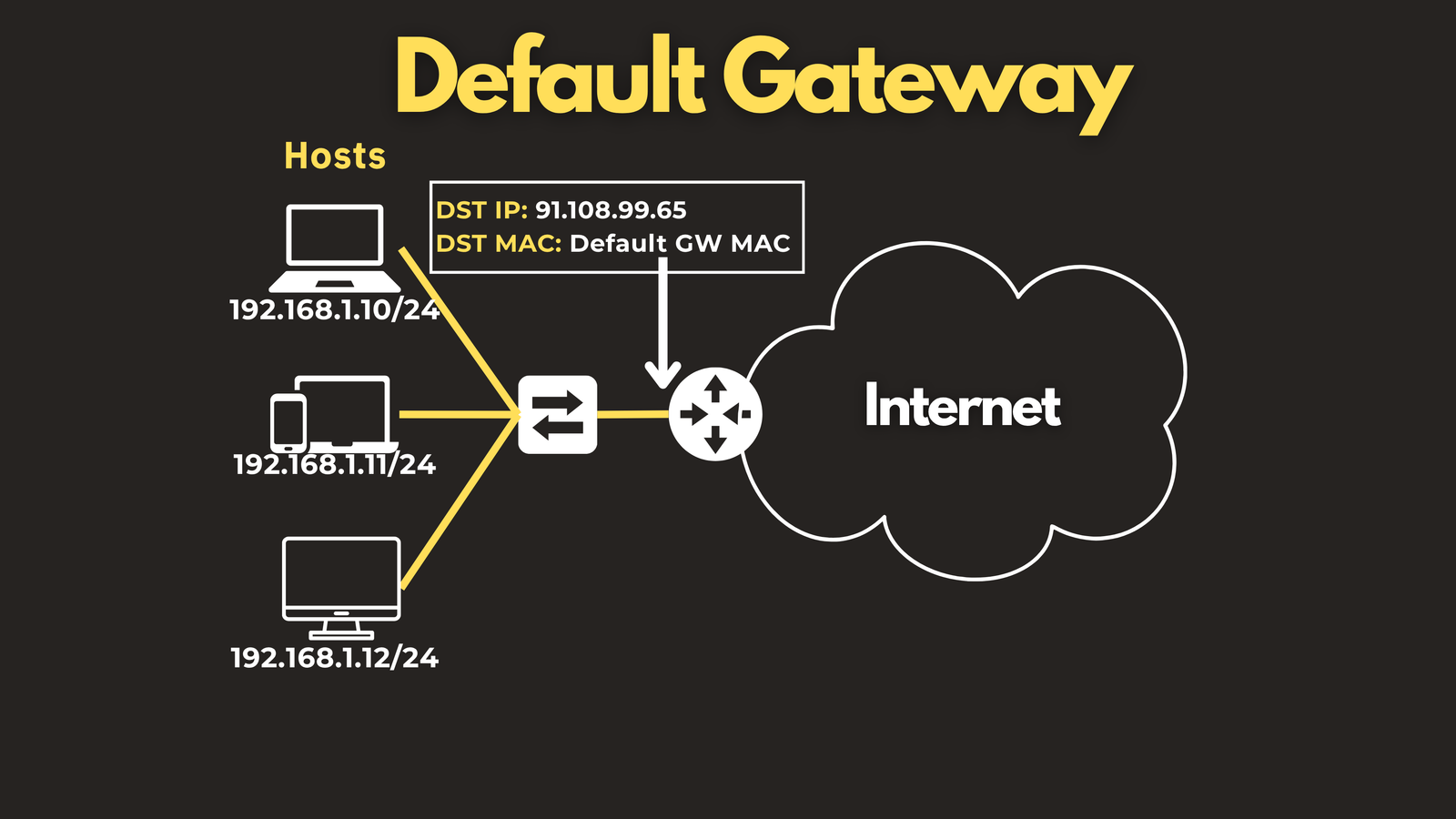
What actually happens when you visit packetbrew.com?
Here’s the step-by-step packet flow:
- DNS resolves
packetbrew.comto an IP address — say,91.108.99.65. - Your PC compares that IP to its own subnet. Using its IP address (
192.168.1.10) and subnet mask (255.255.255.0), it determines91.108.99.65is not on the local network. - Since the destination is remote, your PC wraps the packet in an Ethernet frame — but addressed to the gateway’s MAC address, not the website’s.
- The router receives the frame, strips it off, and looks at the IP packet inside. Now it has its own decision to make: where do I forward this?
That’s where the default route comes in.
What Is a Default Route?
The default route is a router concept. Every router maintains a routing table — a list of known networks and where to forward traffic for each one. When a packet arrives, the router scans the table for the best (most specific) match.
But what if there’s no match at all? Without a catch-all entry, the packet would simply be dropped.
That catch-all is the default route: 0.0.0.0/0.
The /0 means zero bits of the address need to match — so it technically matches every IP address in existence. But because it’s the least specific possible route, it only wins when nothing else in the routing table matches. It’s the last resort.
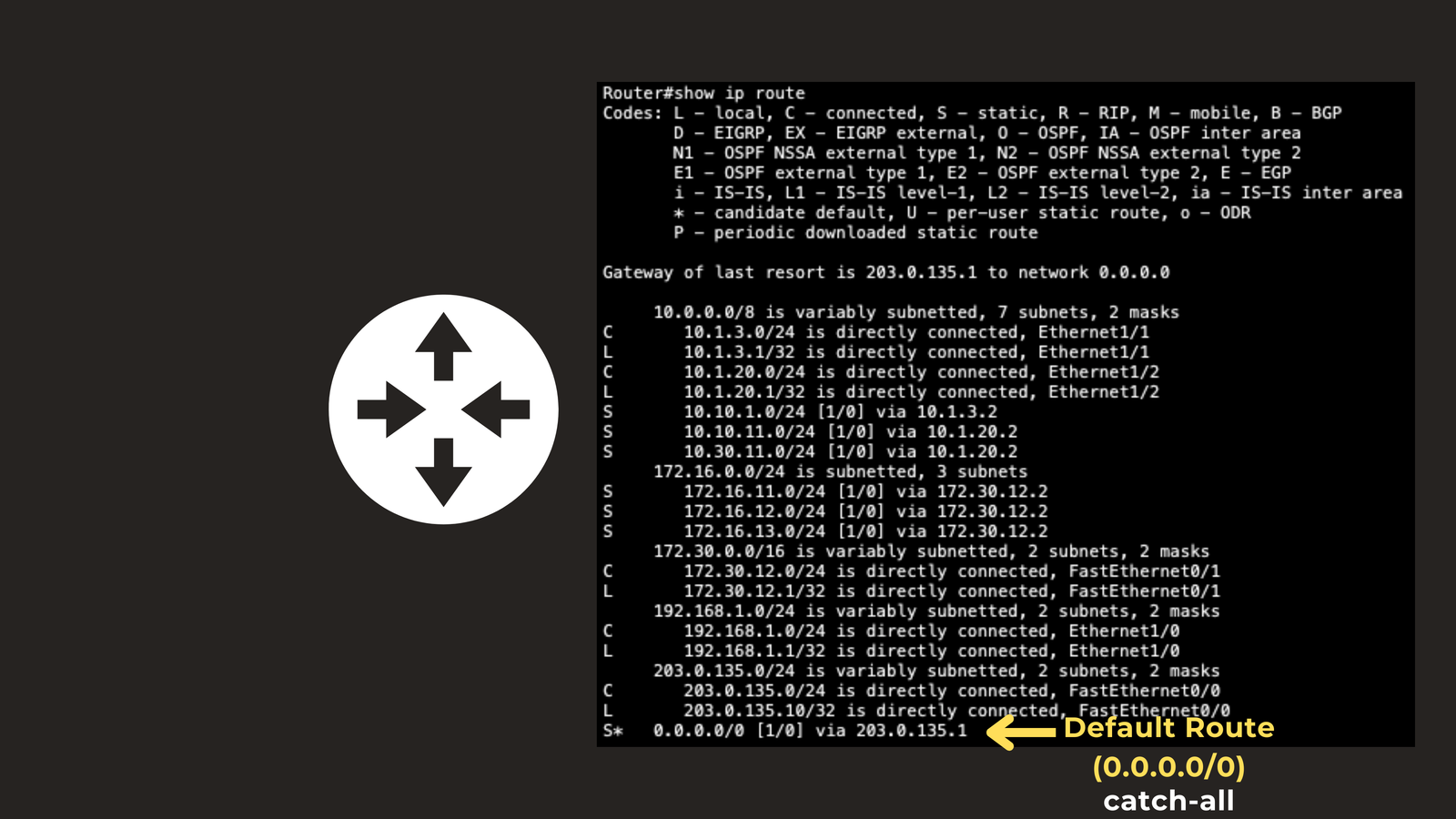
Configuring a default route on a Cisco router
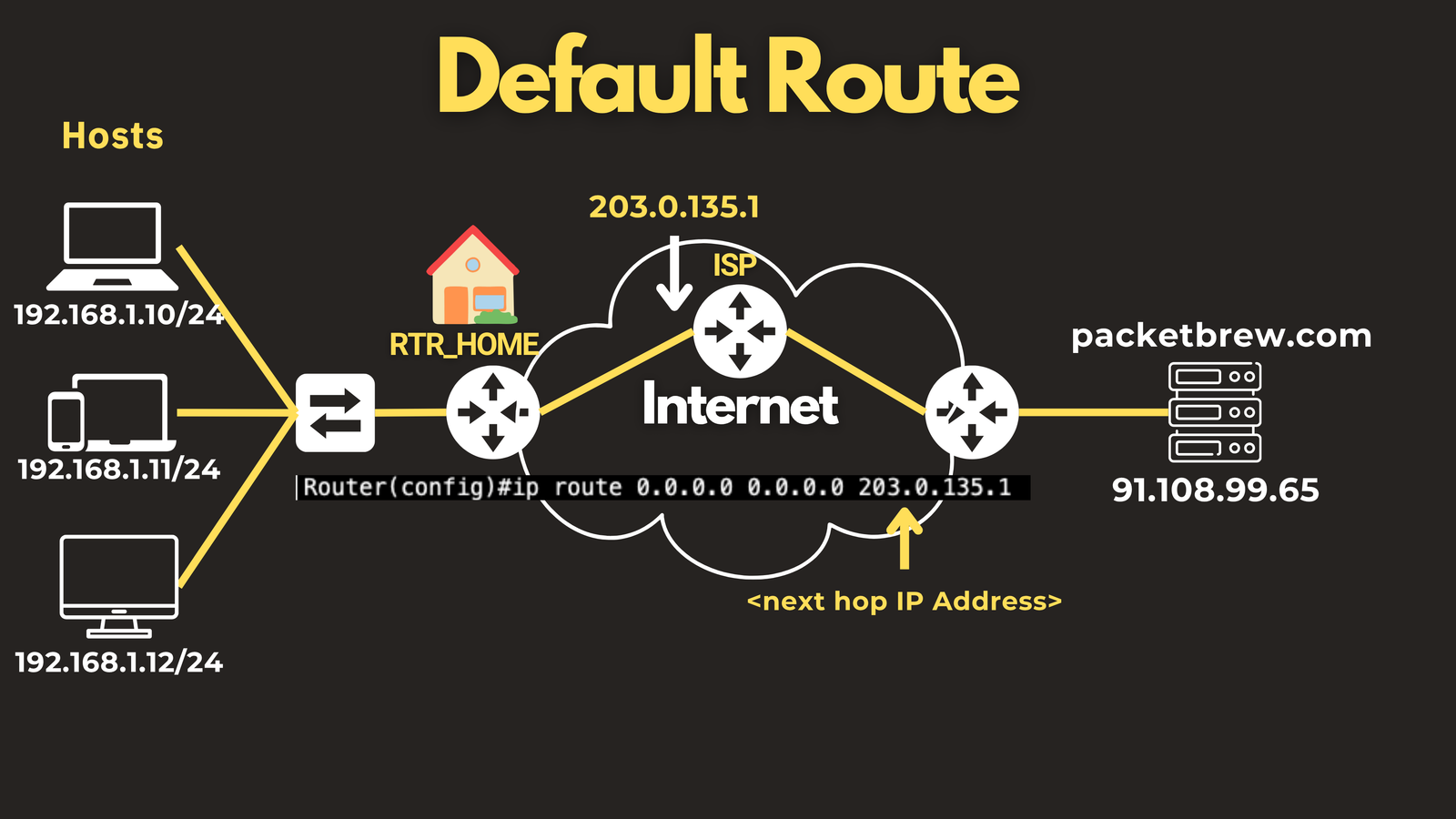
ip route 0.0.0.0 0.0.0.0 203.0.135.1
This tells the router: for any destination you don’t have a specific route for, forward it to 203.0.135.1 — typically the next hop toward your ISP.
Your home router does exactly this. It has a default route pointing at your ISP’s equipment, which has its own routes pointing further upstream, all the way to wherever your data needs to go.
The Key Difference
Both concepts solve the same fundamental problem — what do I do when I don’t know where something goes? — but they live at different layers:
| Default Gateway | Default Route | |
|---|---|---|
| Lives on | End host (PC, phone, server) | Router |
| What it is | An IP address | A routing table entry (0.0.0.0/0) |
| Configured via | DHCP or manual setup | CLI, DHCP, or routing protocol |
| Scope | Per device | Per router |
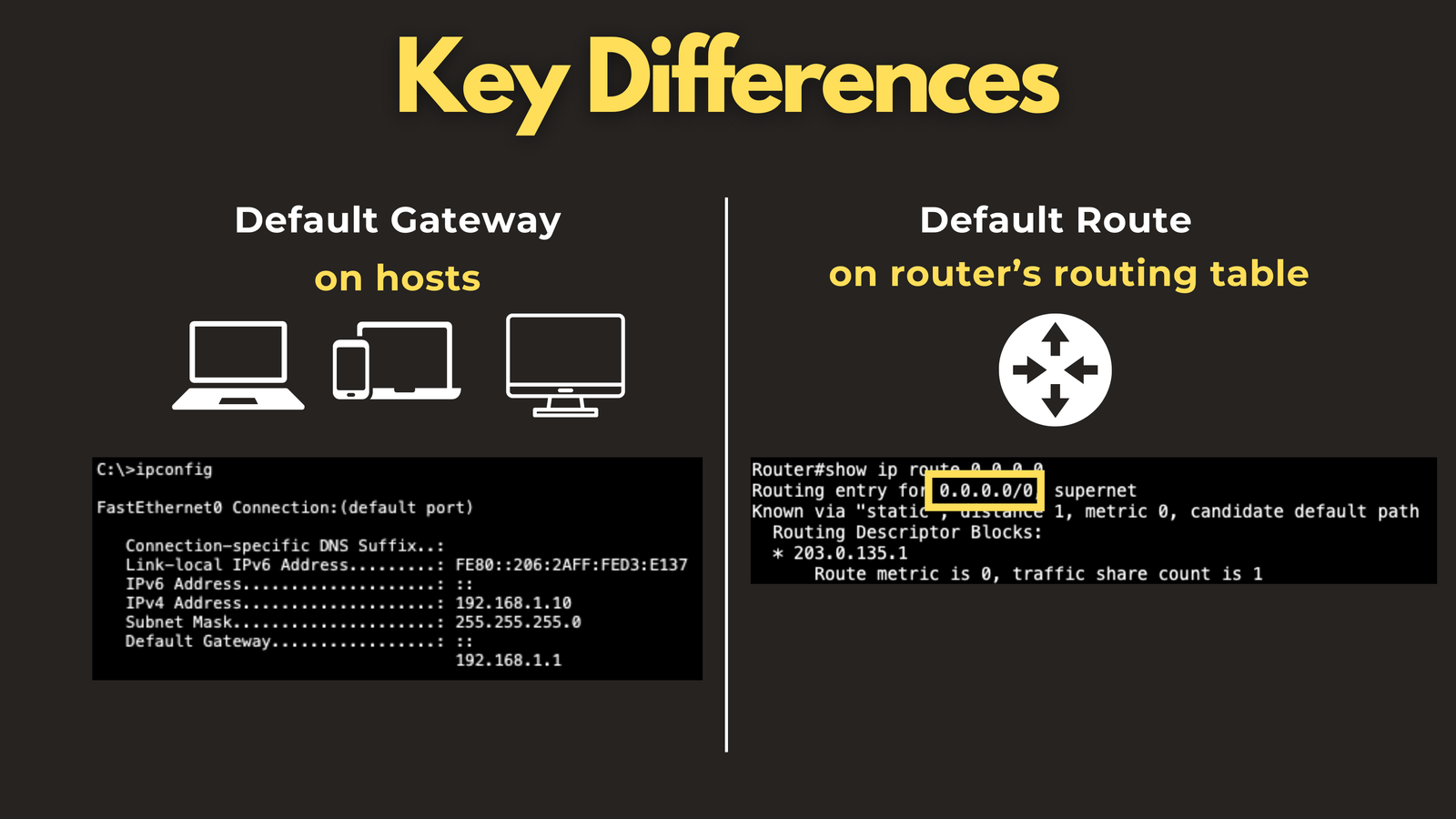
Your PC doesn’t have a routing table. It just has a gateway — one address it defers to for all remote traffic. Your router doesn’t have a “default gateway” setting. It has a routing table with a default route entry that catches everything with no better match.
Same problem. Different tools. Different layers.
Summary
- Default gateway — the IP address of your local router, configured on each host. Your device’s exit point for any traffic destined outside the local subnet.
- Default route (0.0.0.0/0) — the catch-all entry in a router’s routing table. It matches any destination and kicks in when no more specific route exists.
Together, they form the chain that gets your data from your laptop to the internet — one hand-off at a time.
Have questions about Network Protocols? Check out the video on this link https://youtu.be/B1w6qeNBBCY, drop a comment and let’s discuss!