 Packetbrew
Why the Internet Ran Out of Addresses — And What’s Fixing It
A beginner-friendly guide to IPv4, IPv6, and the biggest upgrade in internet history.
Every device connected to the internet — your phone, your laptop, your smart TV — needs a unique address so data knows where to go. Without it, the internet simply doesn’t work. That addressing system is called an IP address, and right now, the internet is in the middle of a massive, decades-long migration from one version to another.
This post breaks down IPv4 and IPv6: what they are, why we ran out of one of them, and what the shift to the other really means.
What Is an IP Address?
IP stands for Internet Protocol — the set of rules that governs how data is sent and received across a network. An IP address is the unique identifier assigned to every device on that network, much like a postal address tells a courier exactly where to deliver a package.
There have been two major versions of this system:
- IPv4 — launched in 1983, still dominant today
- IPv6 — standardised in 1998, steadily growing in adoption
IPv4: The Original Addressing System
IPv4 is what most people picture when they hear “IP address.” It looks like this:
192.168.1.1
Four numbers separated by dots, each between 0 and 255. Under the hood, that’s a 32-bit address — which gives us a theoretical maximum of:
2³² = 4,294,967,296 addresses (~4.3 billion)
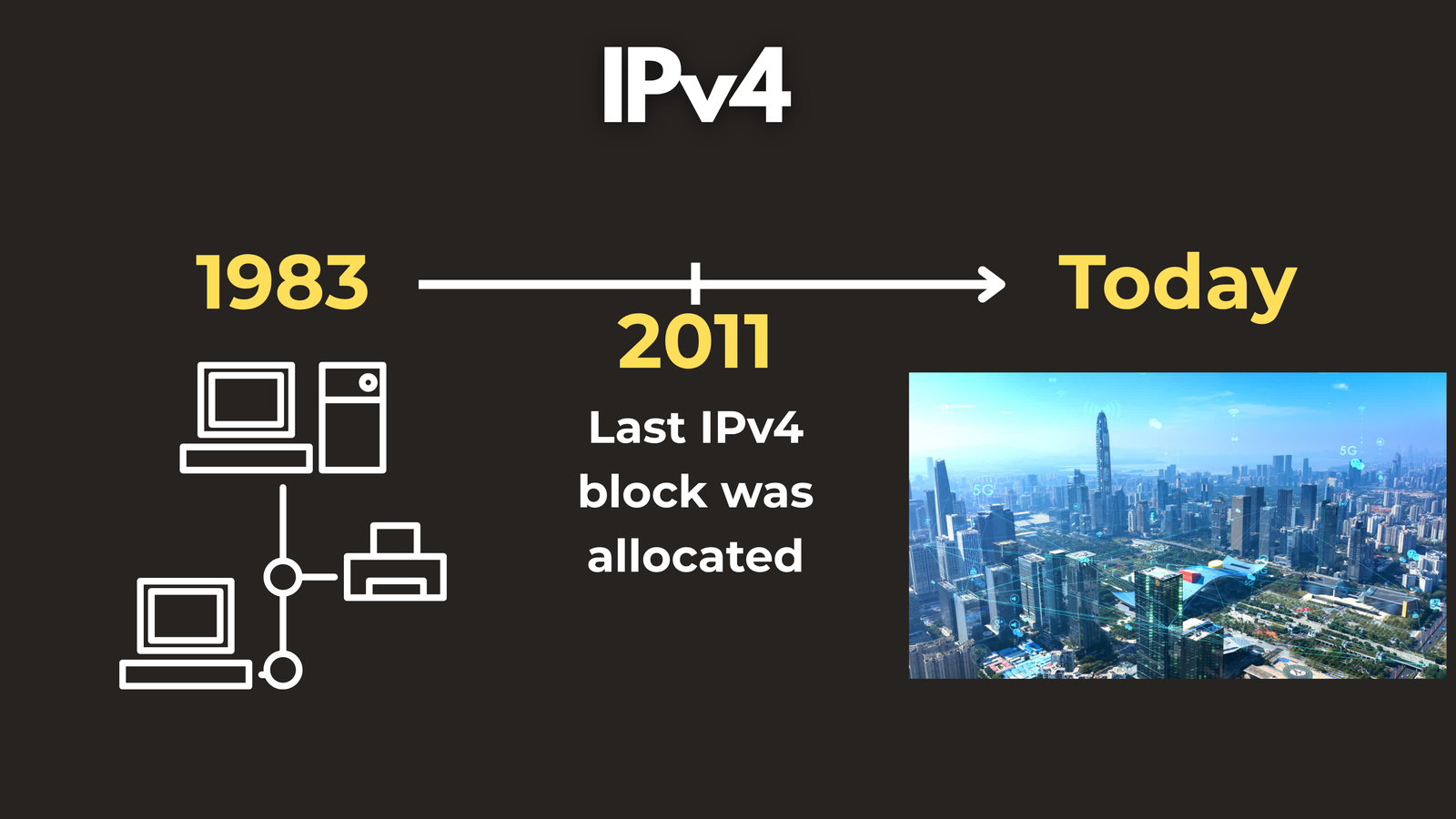
When IPv4 was designed in 1983, 4.3 billion addresses seemed more than sufficient. The internet was a small academic research network, and nobody could have predicted billions of personal devices, IoT sensors, smart appliances, and connected cars all demanding their own address.
Fast-forward to today: there are over 15 billion connected devices globally — and that number keeps climbing. We Ran Out. In 2011, the Internet Assigned Numbers Authority (IANA) allocated the last remaining block of IPv4 addresses. The pool was empty.
To keep things running, the industry leaned hard on two workarounds:
NAT (Network Address Translation)
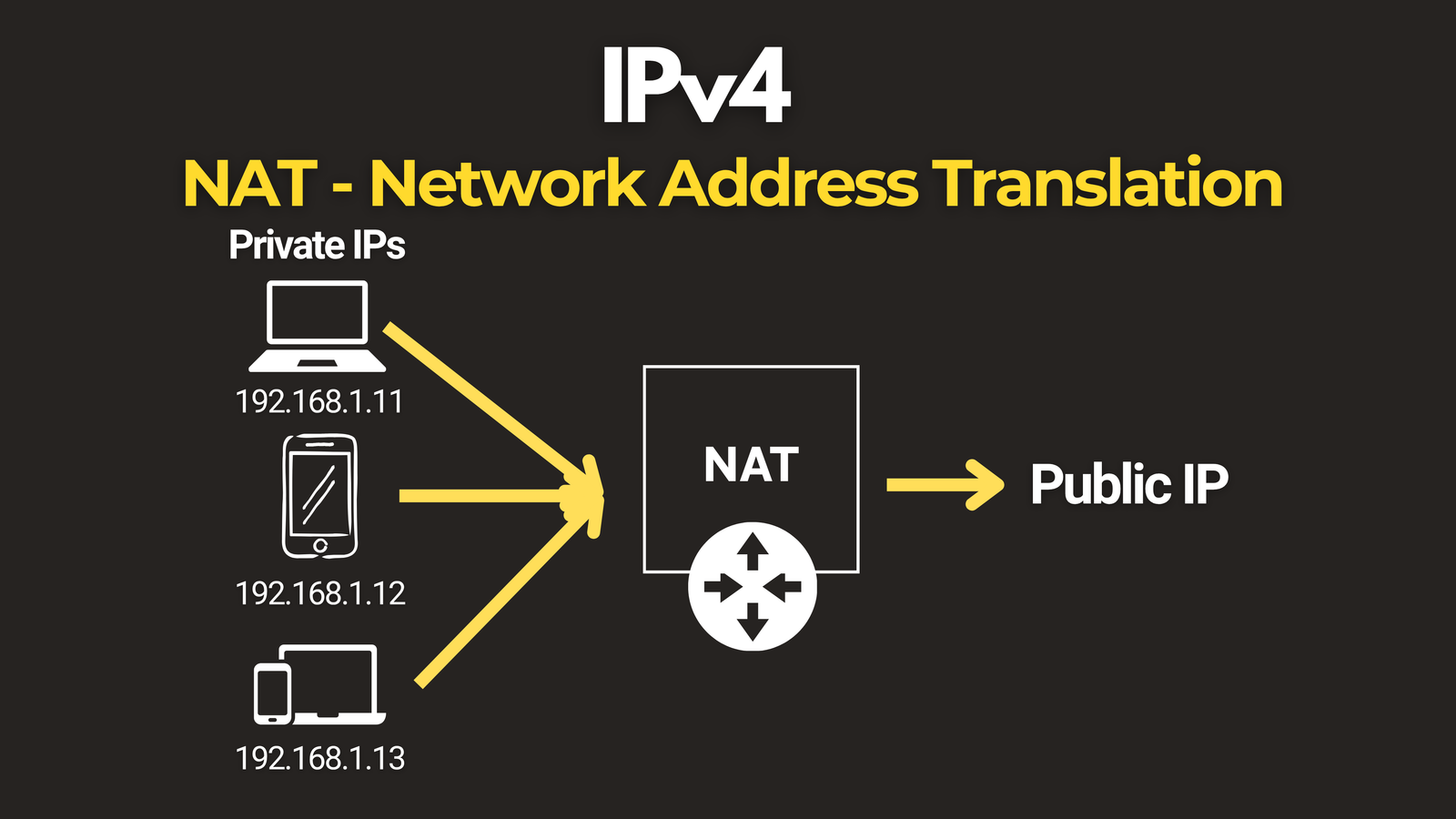
Your home router receives a single public IP address from your ISP. Every device inside your home gets a private address — like 192.168.x.x — and your router handles translating between the two. Multiple devices share one public IP. It works, but it breaks the original end-to-end design of the internet and creates complications for gaming, VoIP, and peer-to-peer applications.
CIDR (Classless Inter-Domain Routing)
Instead of fixed address “classes,” CIDR allows addresses to be allocated in flexible block sizes using subnet masks like /24 or /16, making IPv4 allocation more efficient.
Both are clever workarounds — but neither solves the fundamental problem. That’s where IPv6 comes in.
IPv6: The Solution
IPv6 was purpose-built to replace IPv4, and it looks very different:
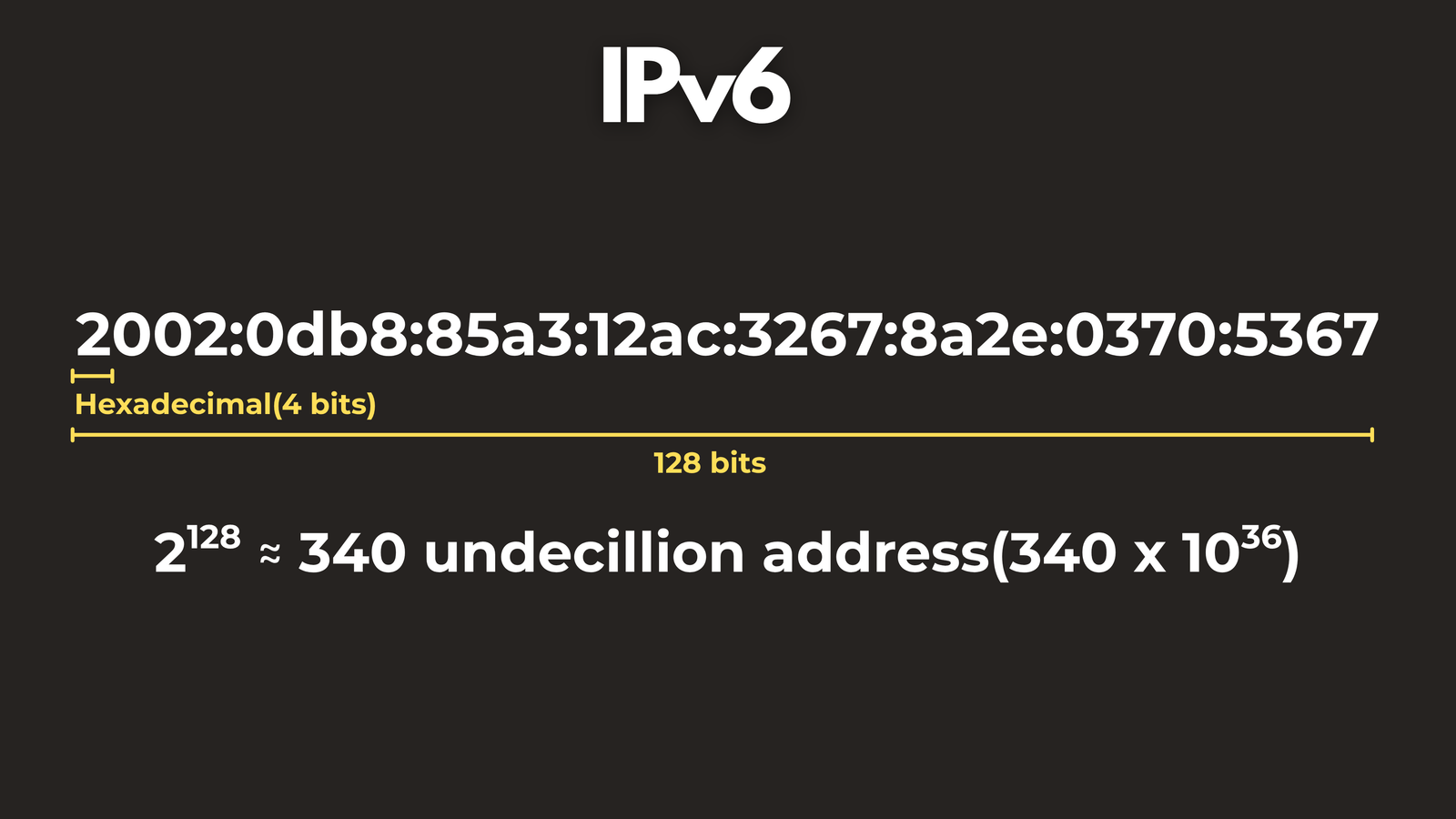
2002:0db8:85a3:12ac:3267:8a2e:0370:5367
Eight groups of four hexadecimal digits, separated by colons. Instead of 32 bits, IPv6 uses 128 bits, which yields:
2¹²⁸ = 340,000,000,000,000,000,000,000,000,000,000,000,000 addresses
That’s 340 undecillion — 340 followed by 36 zeros. To put that in human terms: we could assign 50 octillion unique addresses to every single person on Earth and still have room to spare. We are never running out of IPv6 addresses.
Reading an IPv6 Address
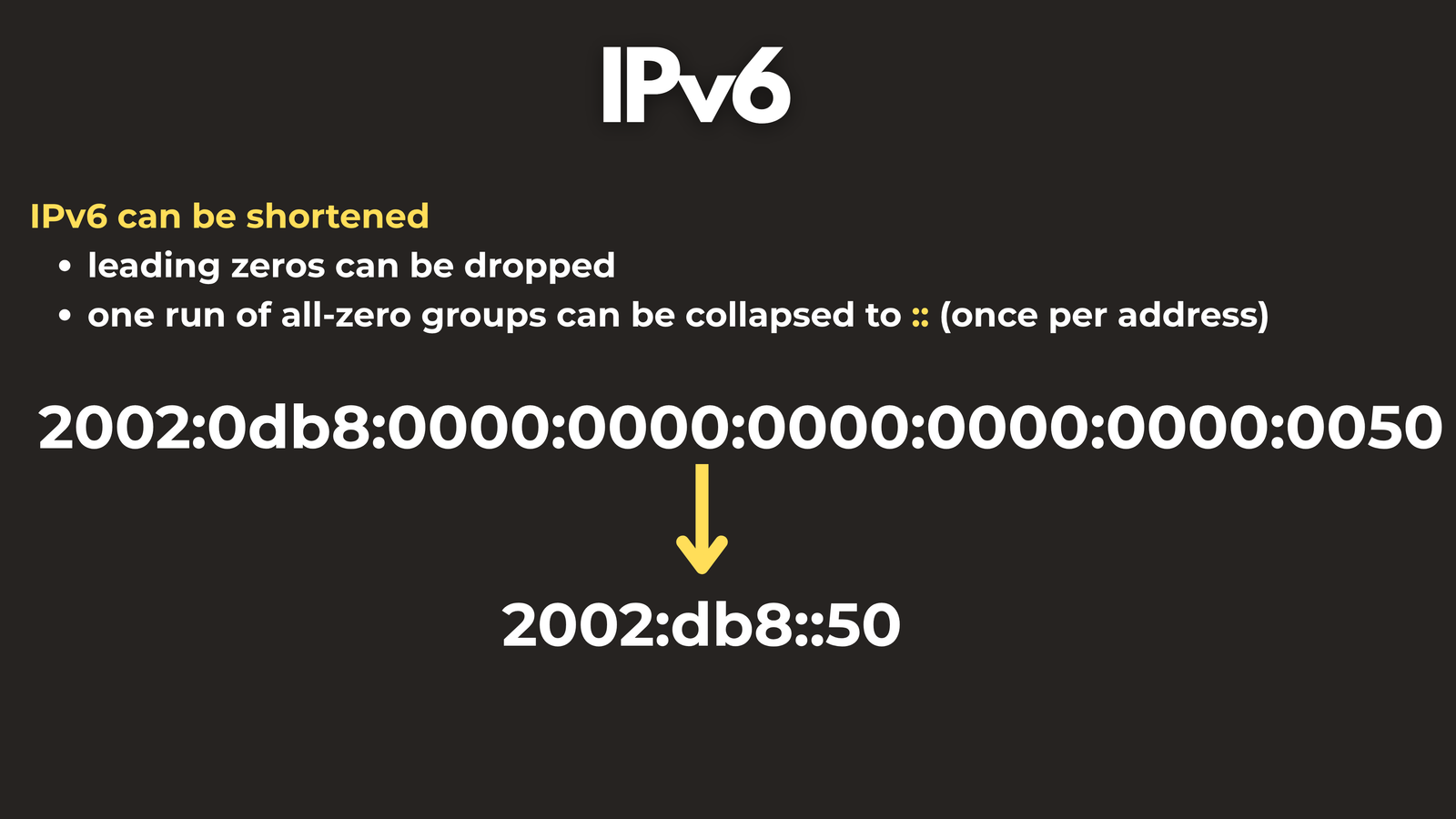
IPv6 addresses can be shortened using two rules:
Rule 1: Leading zeros within any group can be dropped.
0db8 → db8
Rule 2: One consecutive sequence of all-zero groups can be replaced with :: — but only once per address.
2002:0db8:0000:0000:0000:0000:0000:0050
→ 2002:db8::50
IPv4 vs IPv6: Side by Side
| Feature | IPv4 | IPv6 |
|---|---|---|
| Address size | 32-bit | 128-bit |
| Total addresses | ~4.3 billion | ~340 undecillion |
| Format | Decimal, dotted | Hexadecimal, colon-separated |
| NAT required? | Yes (commonly) | No — every device gets a real IP |
| Security (IPSec) | Optional | Built-in |
| Auto-configuration | Requires DHCP | SLAAC (self-configuring) |
| Broadcast | Yes | Replaced by multicast |
Two IPv6 Features Worth Highlighting
No More NAT
Because the IPv6 address space is so vast, every device gets its own globally routable address. There’s no need to hide thousands of devices behind a single public IP. The original end-to-end internet — where any device can talk directly to any other — is restored.
SLAAC (Stateless Address Autoconfiguration)
IPv6 devices can generate their own globally unique address automatically, using the network prefix and their own MAC address. No DHCP server required. Plug in, and the device configures itself.
So Why Aren’t We All on IPv6 Yet?
If IPv6 is clearly superior, why does IPv4 still dominate? Three reasons: compatibility, cost, and inertia.
Compatibility
IPv4 and IPv6 are not directly compatible. A device running only IPv4 cannot natively communicate with a device running only IPv6. Most modern networks bridge this gap by running dual-stack — both protocols simultaneously — which adds operational complexity.
Cost
Upgrading routers, firewalls, switches, and legacy software to fully support IPv6 is expensive, particularly for large enterprises and ISPs with sprawling infrastructure. Some older systems even have IPv4 addresses hard-coded at the application level, meaning migration requires code changes, not just network changes.
Inertia
Because NAT kept IPv4 alive far longer than intended, the urgency to migrate never reached a breaking point. The internet kept working well enough, and large organisations deprioritised a complex, costly transition.
The Progress Being Made
Despite the slow pace, adoption is meaningfully accelerating:
- Google reports over 45% of its traffic now arriving via IPv6
- Major cloud providers — AWS, Azure, and GCP — all support IPv6 natively
- Mobile networks have been among the fastest adopters, driven by the sheer volume of devices on their networks
The direction is clear. IPv6 is the future. The question is no longer if — it’s when.
Key Takeaways
- IPv4 uses 32-bit addresses, giving ~4.3 billion unique IPs. We exhausted that pool in 2011.
- NAT extended IPv4’s life by letting many devices share one public IP — but it’s a workaround, not a solution.
- IPv6 uses 128-bit addresses, providing 340 undecillion IPs — effectively unlimited.
- IPv6 also brings built-in security (IPSec), simpler auto-configuration (SLAAC), and eliminates the need for NAT.
- The transition is slow due to compatibility gaps, upgrade costs, and legacy infrastructure — but it is happening.
What’s Next?
If this sparked your curiosity, the natural next steps are subnetting (how networks are divided into smaller segments) and routing protocols (how data actually travels across the internet). Understanding those two topics will give you a solid foundation in how modern networking really works.
Here are some useful resources if you want to learn more about subnetting and routing protocols:
- Subnetting in 3 minutes - https://youtu.be/Glb88drqrOg
- Routing Protocols Playlist - https://www.youtube.com/playlist?list=PLGPTTwip0FVkG_85iNLh8LTb0On5-GVwU
Have questions about Network Protocols? Check out the video on this link https://youtu.be/B_8v4sbitKM, drop a comment and let’s discuss!