 Packetbrew
Packet Walk: The Secret Journey Every Web Request Takes
Have you ever wondered what actually happens to your data as it travels across a network? Every packet is wrapped in multiple headers, but most of that information stays consistent from source to destination. The two things that do change along the way are the IP addresses and the MAC addresses.
In this post, we’ll do a full packet walk and track exactly what happens to these four parameters as a packet crosses the network — first in a private network, then in a public network with NAT.
By the end, you’ll understand:
- What happens to the Source and Destination IP addresses as a packet passes through the network
- What happens to the Source and Destination MAC addresses as a packet passes through the network
- How this differs between a private network and a public network connected to the internet
Let’s dig in.
The Four Parameters Every Packet Walk Starts With
Before tracing any packet, you need to identify four things:
- Source IP Address
- Destination IP Address
- Source MAC Address
- Destination MAC Address
The IP addresses tell you where the packet is ultimately going. The MAC addresses tell you where it’s going next — one Layer 2 hop at a time. That distinction is the key to understanding everything that follows.
Scenario 1: Private Network
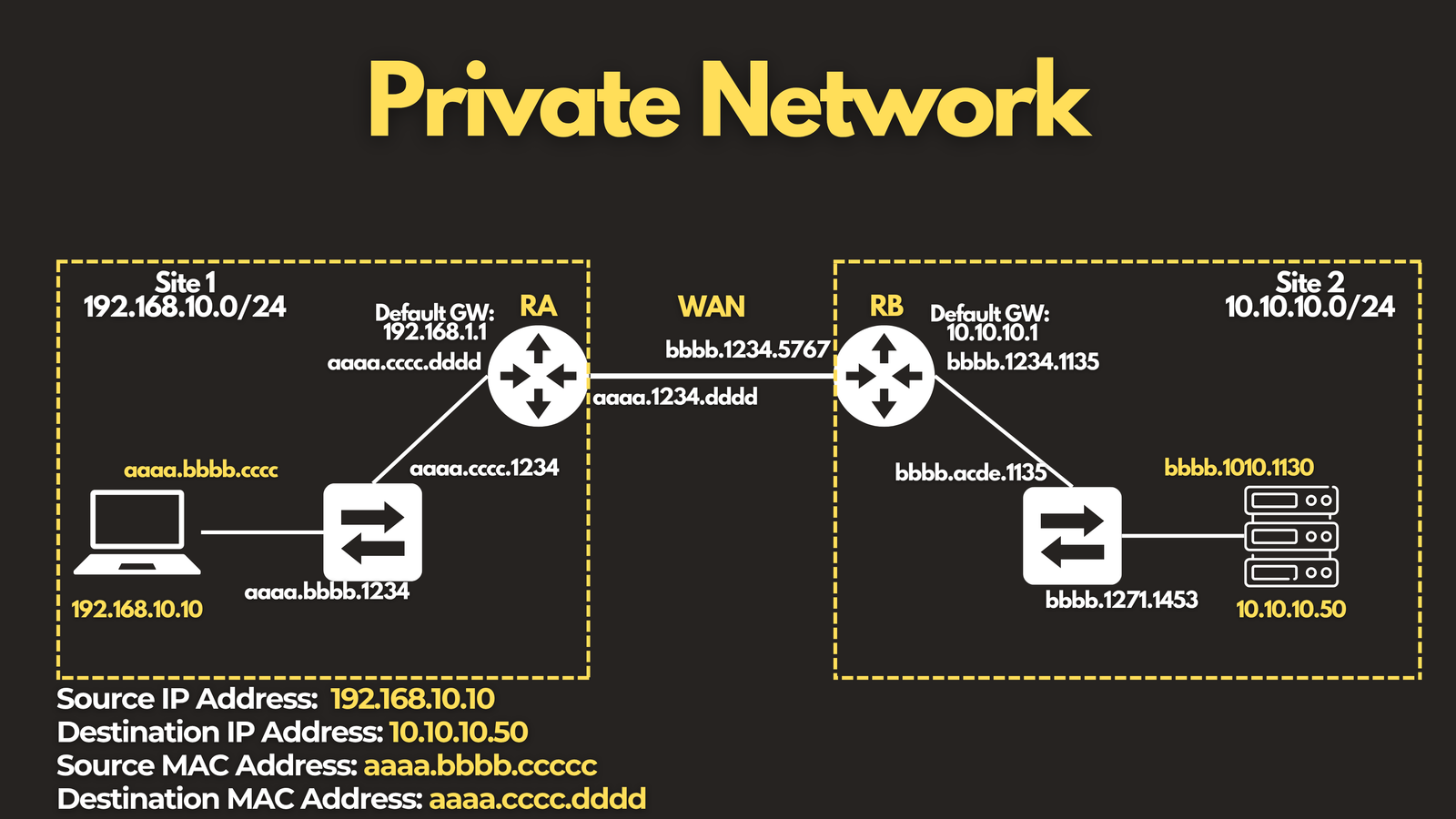
Let’s start with a private network connecting two sites.
- Source: a computer with IP address
192.168.10.10 - Destination: a server with IP address
10.10.10.50
Setting up the initial parameters:
- Source IP: the computer’s IP address
- Destination IP: the server’s IP address
- Source MAC: the computer’s MAC address
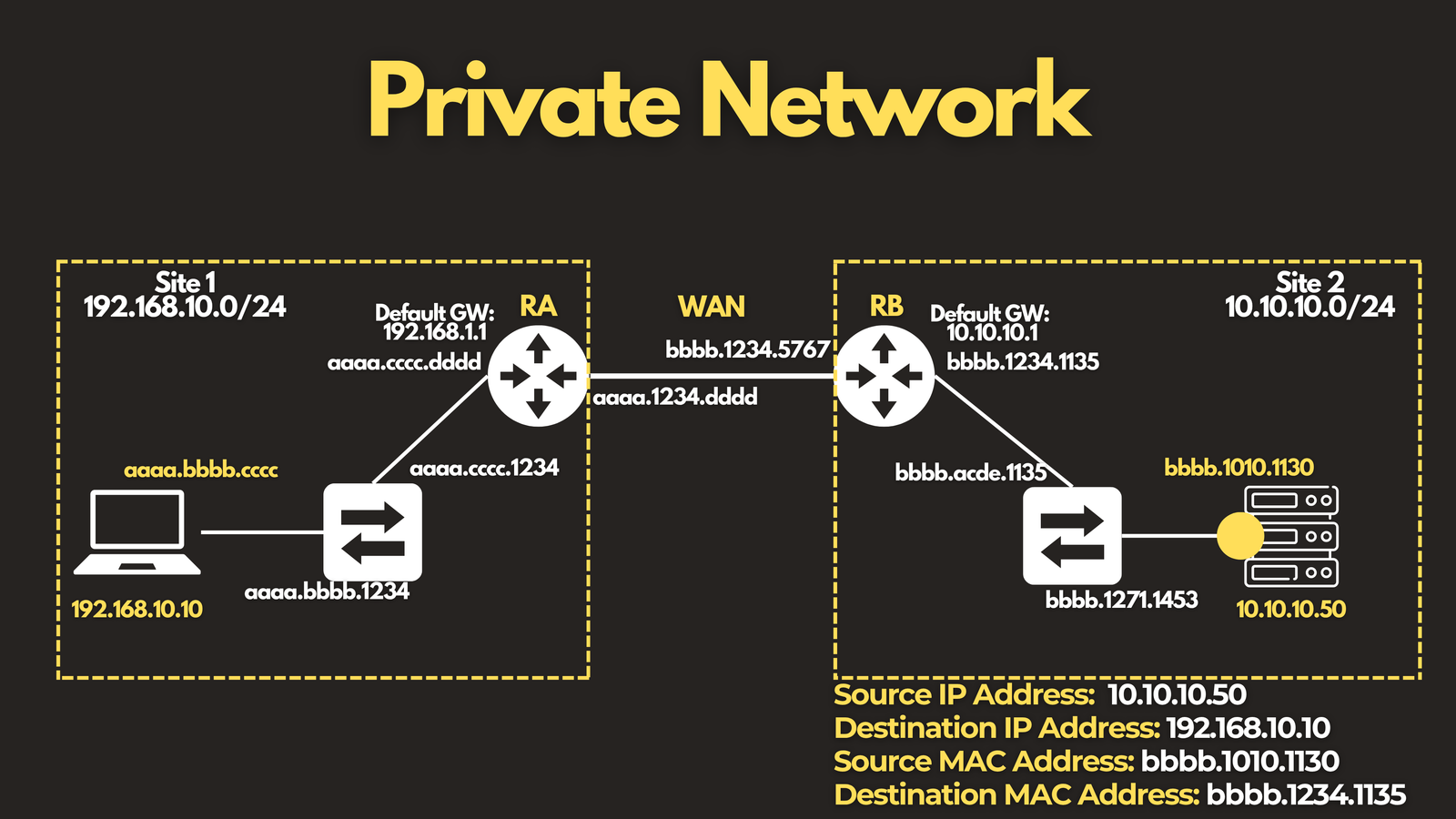
- Destination MAC: the default gateway’s MAC address — not the server’s
Why the default gateway instead of the server? Because the destination IP isn’t in the same subnet. The computer discovers the gateway’s MAC address through ARP (Address Resolution Protocol), and since it’s routing off-subnet, that gateway becomes the next hop.
Here’s what happens under the hood:
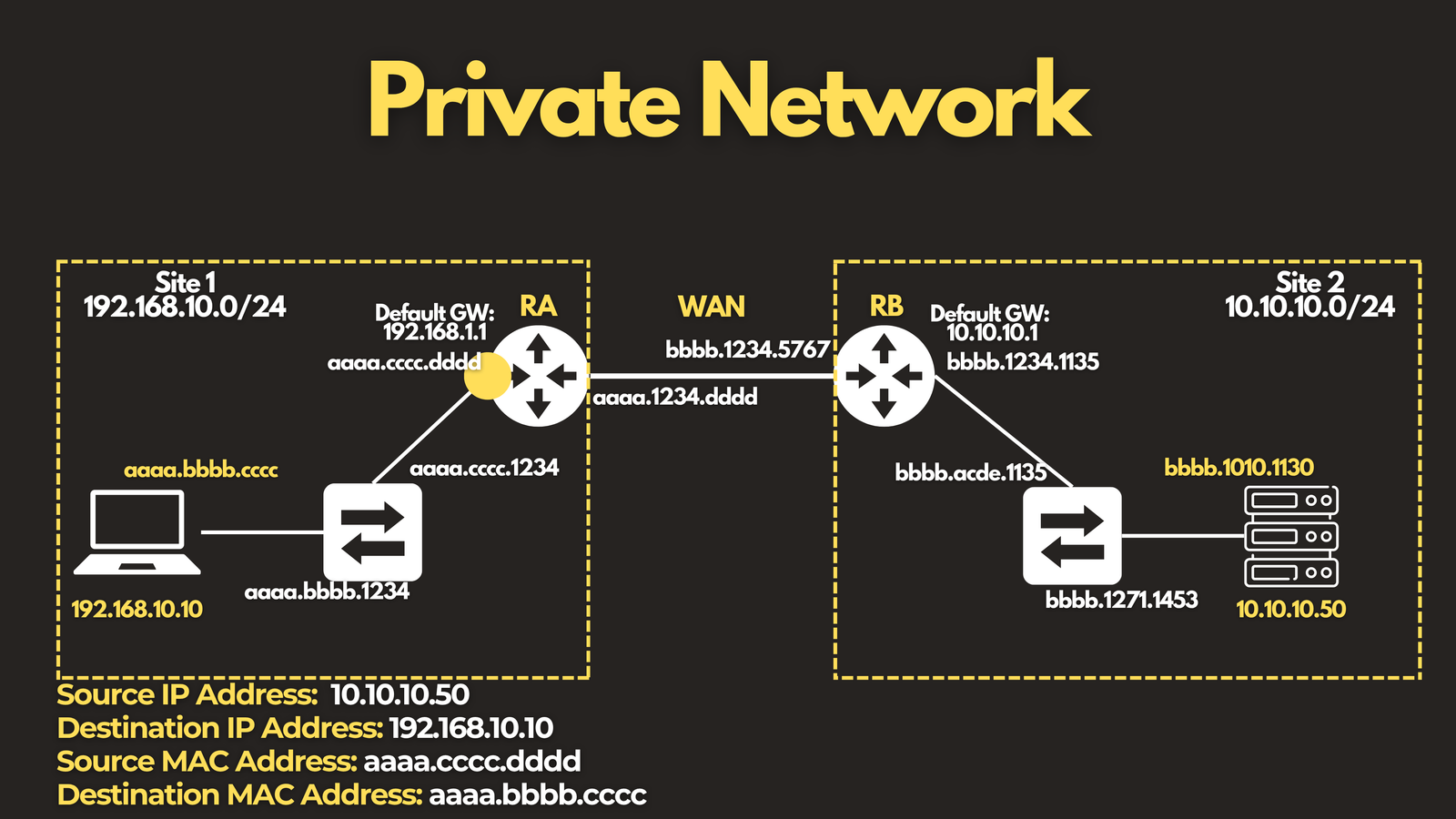
- The packet reaches the default gateway’s interface on the local area network.
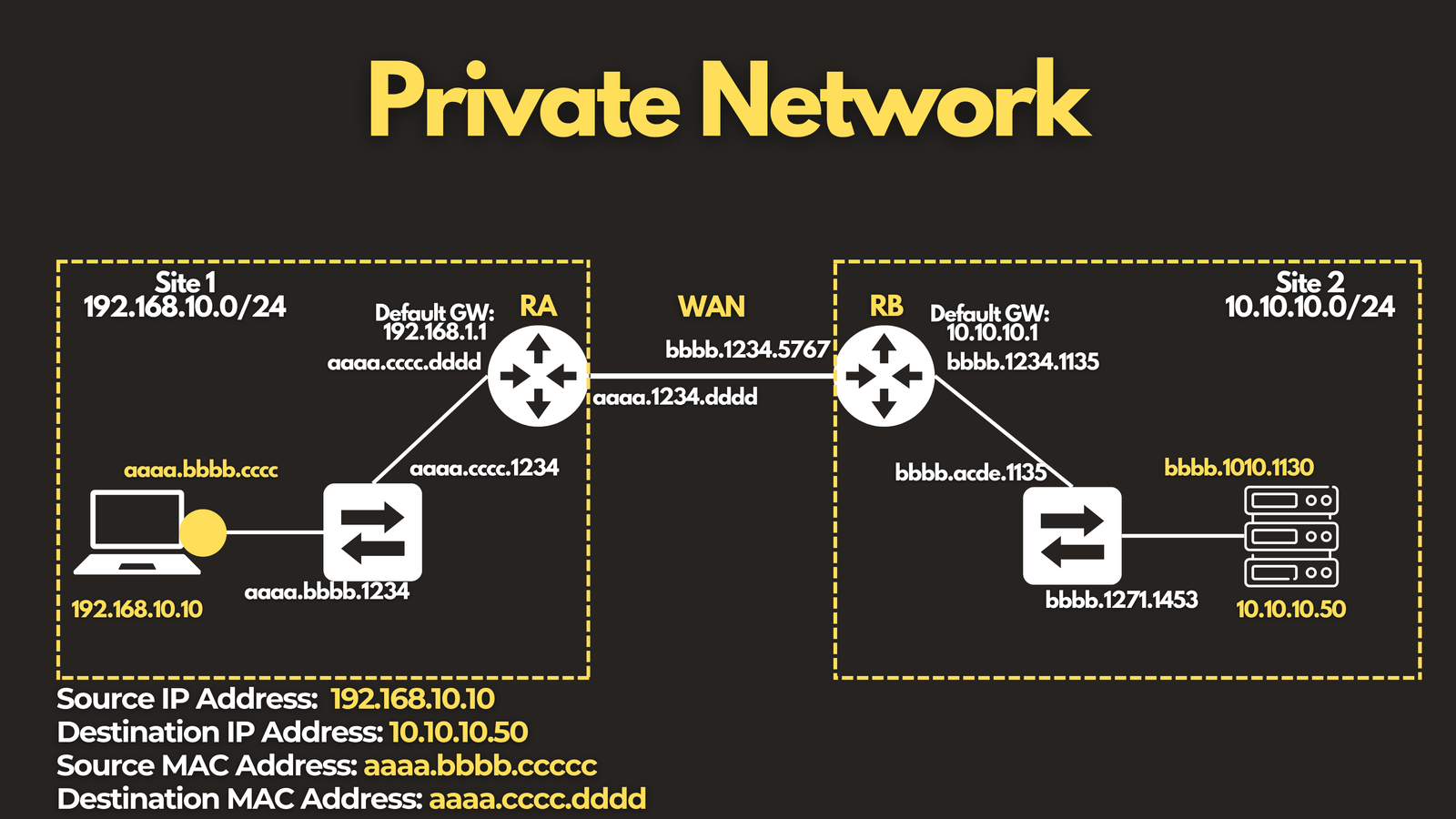
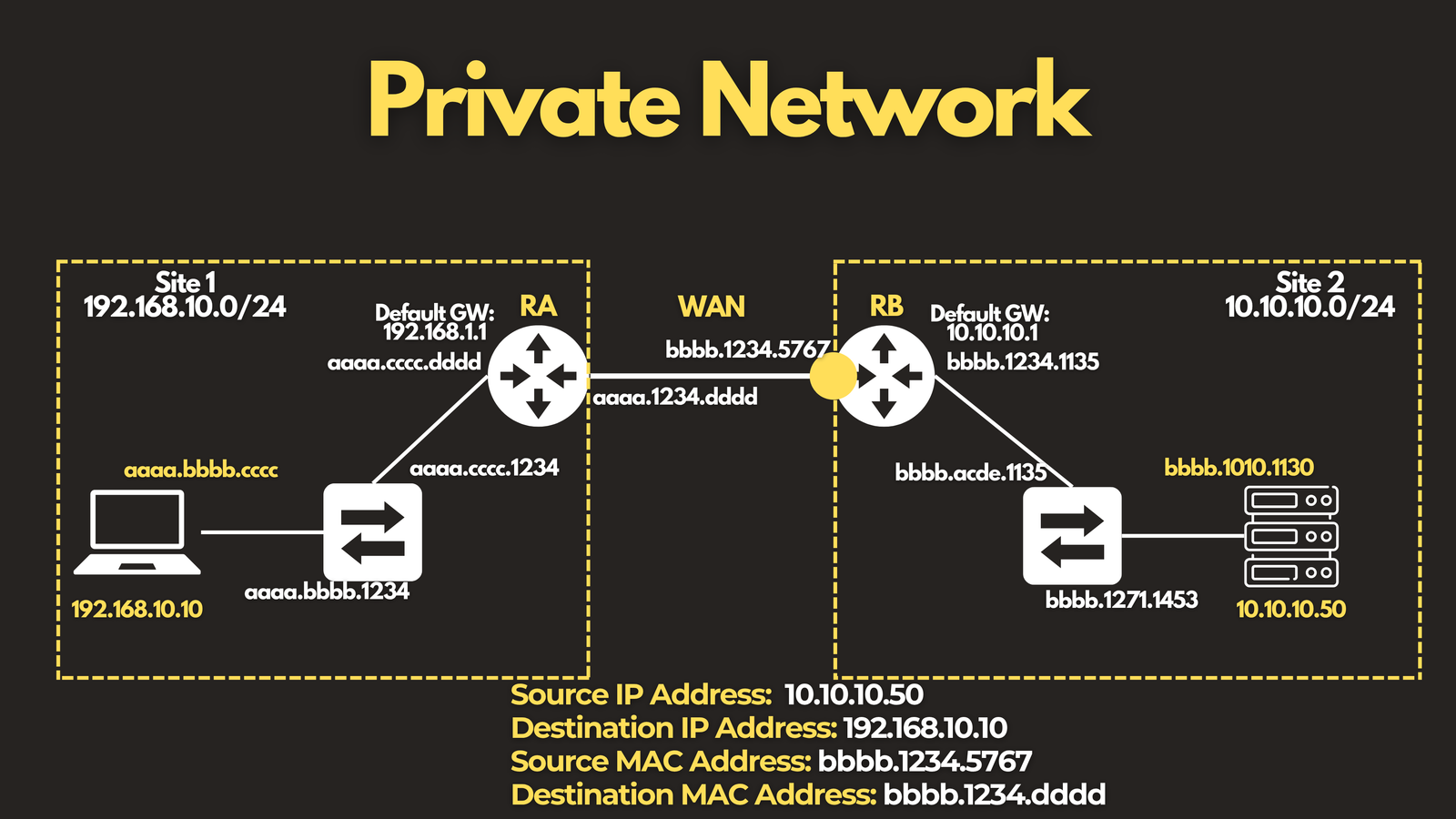
- Router A routes the packet upstream, out its WAN interface, toward Router B. The Source and Destination IP addresses stay exactly the same — but because we’ve crossed into a new Layer 2 segment, the MAC addresses change:
- Source MAC: Router A’s WAN interface (
aaaa.1234.dddd) - Destination MAC: Router B’s WAN interface (
bbbb.1234.5767)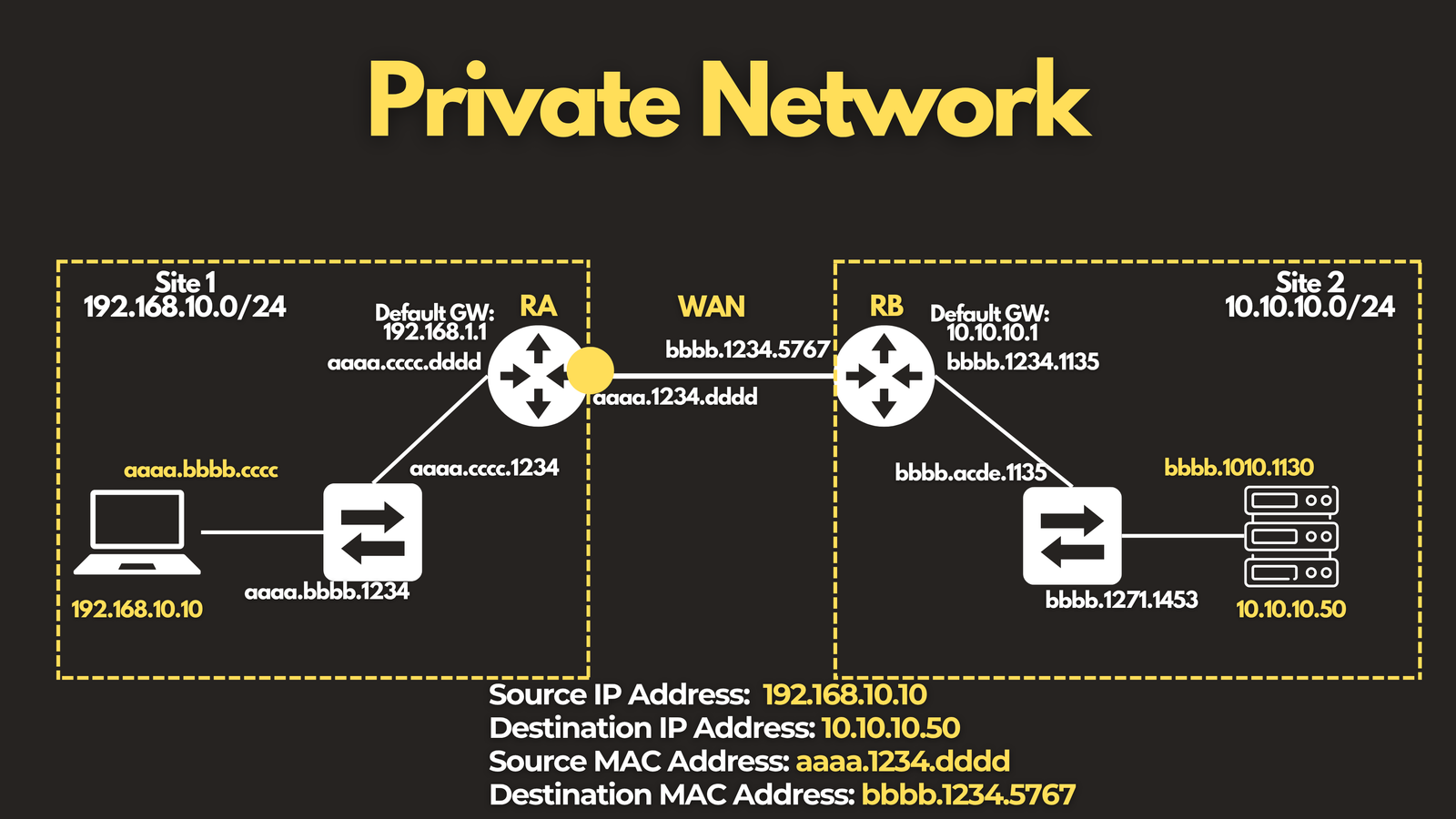
- Source MAC: Router A’s WAN interface (
- The packet arrives at Router B’s WAN interface. Router B routes it out to its LAN interface — another new Layer 2 segment, so the MAC addresses change again:
- Source MAC: Router B’s LAN interface
- Destination MAC: the server’s MAC address
- The Source and Destination IP addresses remain untouched throughout.
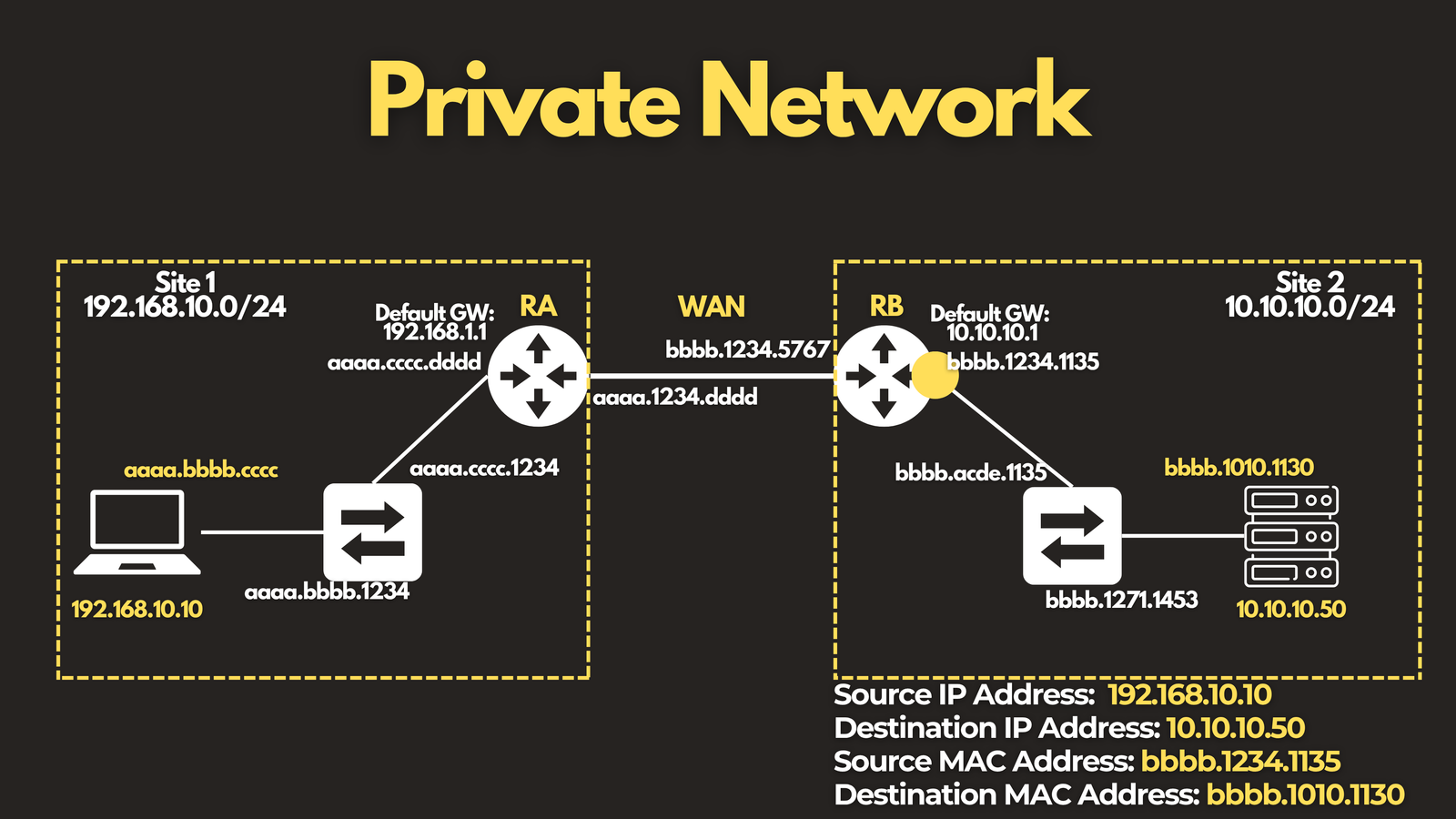
- The packet arrives at its destination.
The reply traffic follows the exact same logic — you simply swap the source and destination
The takeaway: IP addresses are the constant. MAC addresses change every time the packet crosses into a new Layer 2 segment.
Scenario 2: Public Network (with NAT)
Now let’s add a layer of complexity: the internet, and NAT.
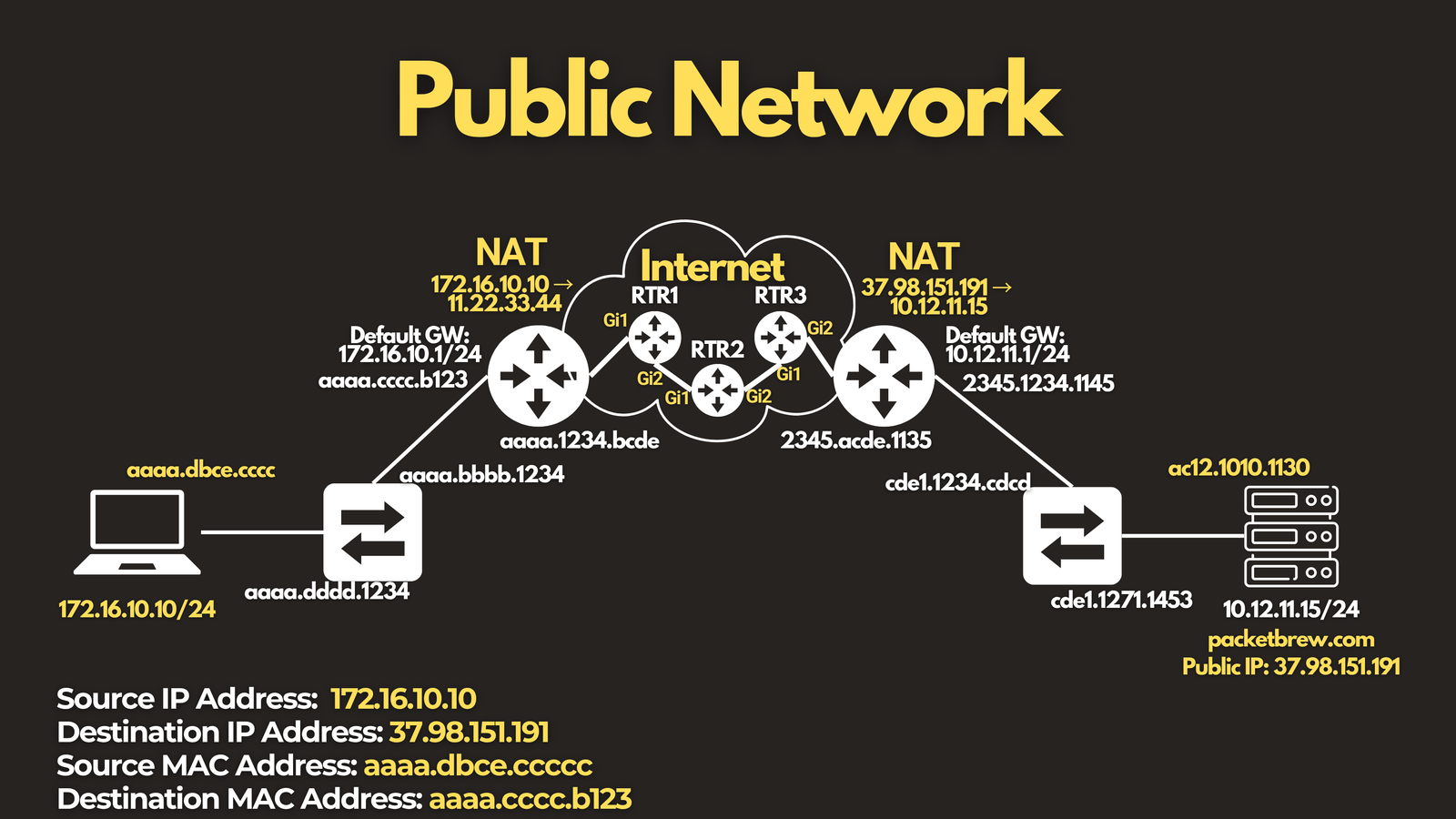
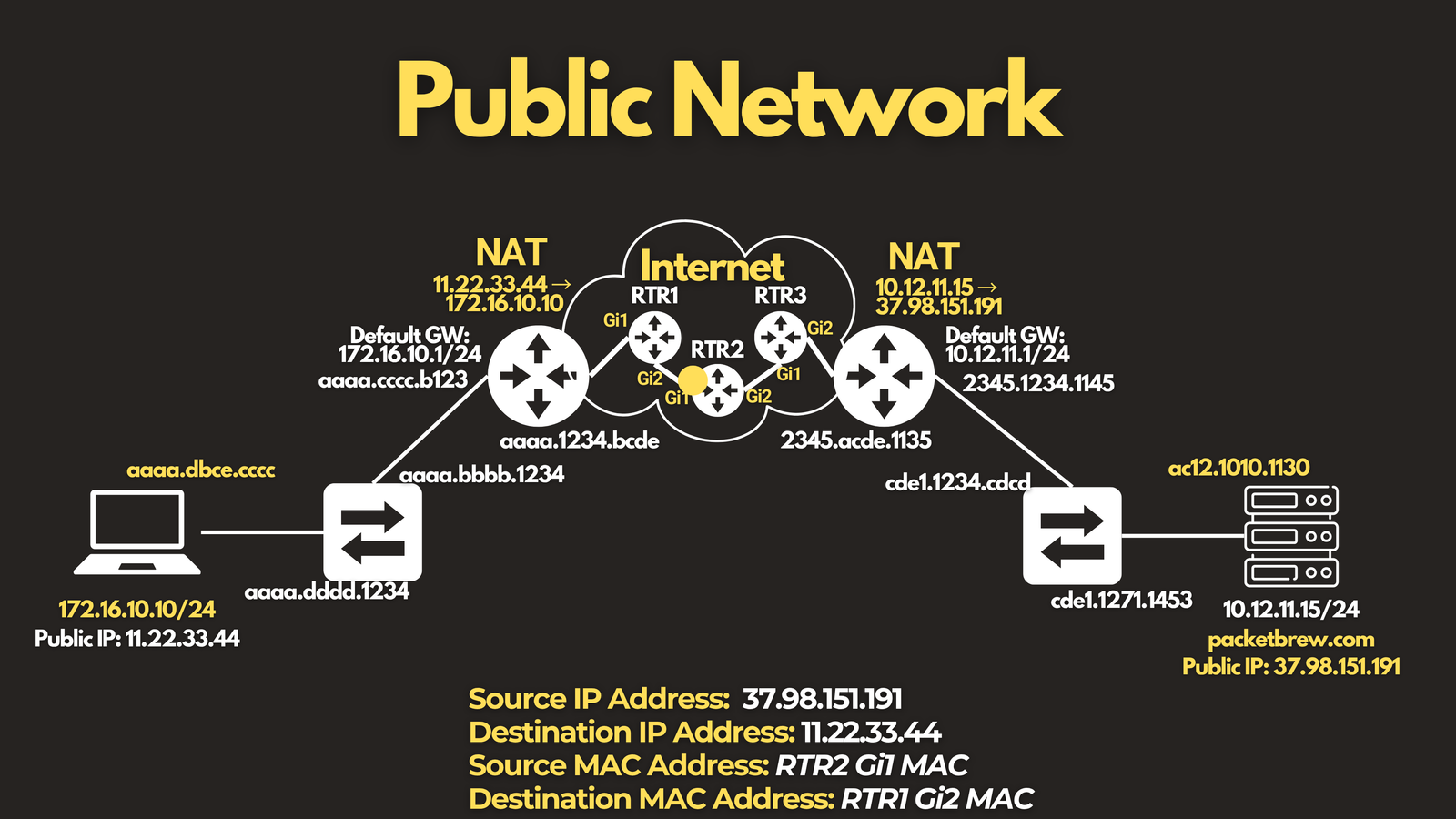
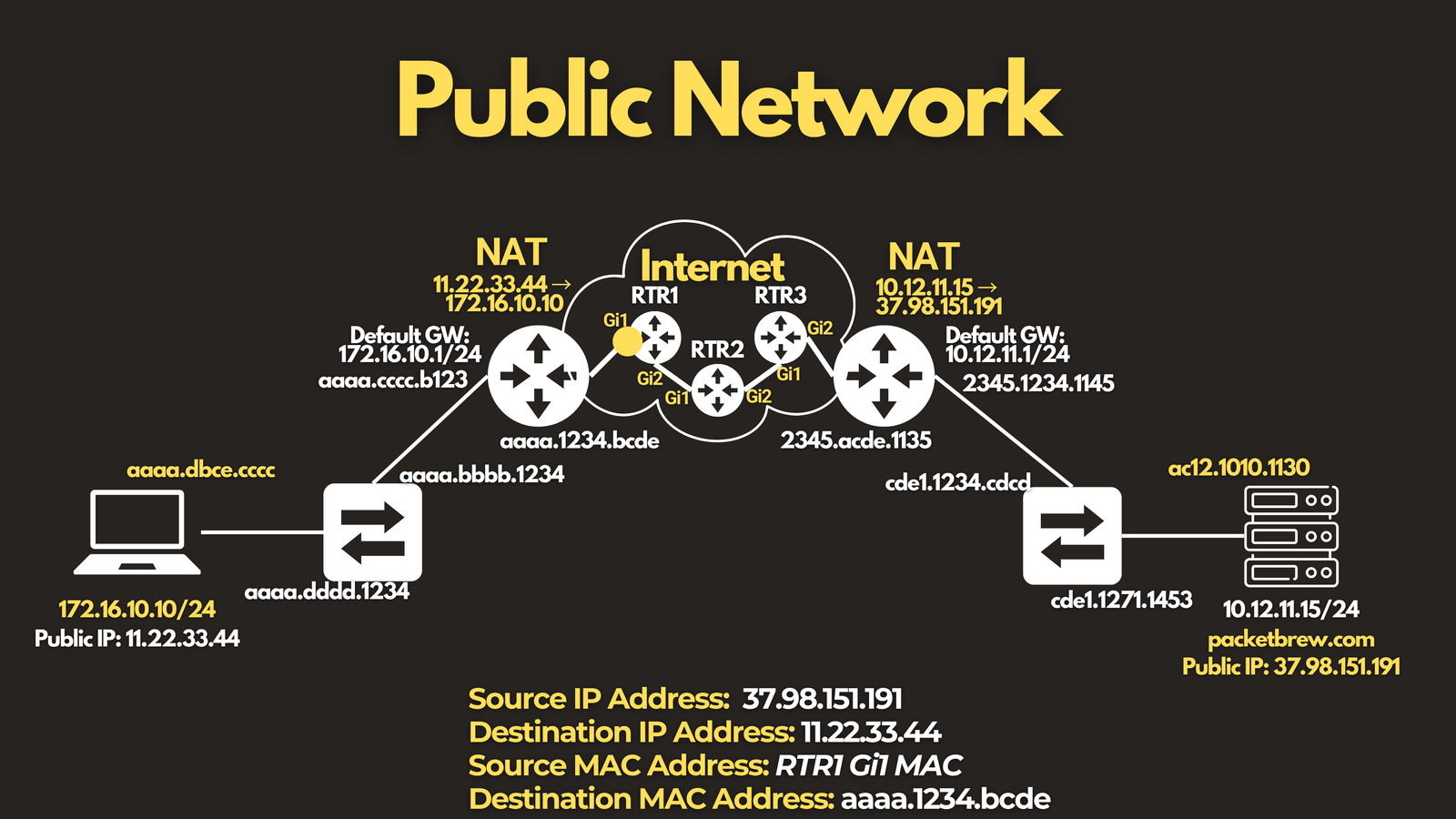
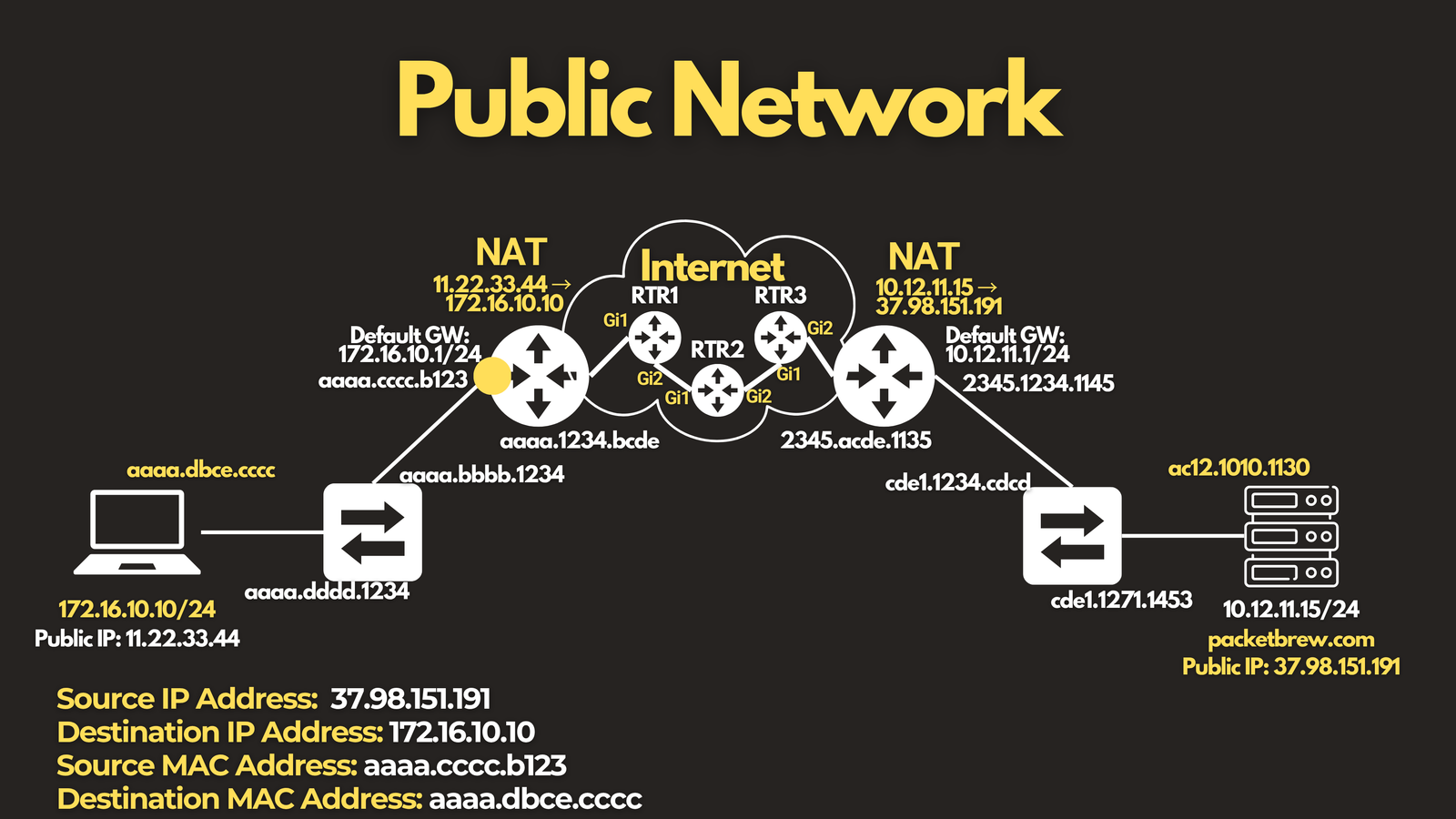
Imagine a computer on your home network connecting to packetbrew.com, which resolves to the public IP 37.98.151.191. Your home network has NAT configured, translating your private IP address into a public one.
Setting up the initial parameters:
- Source IP: the computer’s private IP address —
172.16.10.10 - Destination IP: the website’s public IP address —
37.98.151.191 - Source MAC: the computer’s MAC address
- Destination MAC: the default gateway’s MAC address
Here’s what happens as the packet travels:
- The packet arrives at the default gateway, which routes it upstream to the internet. Because Source NAT is configured, the source IP address changes here:
- Source IP:
11.22.33.44(the router’s public IP) - Destination IP: still
37.98.151.191— unchanged - Source MAC: the router’s WAN interface
- Destination MAC: the next-hop router’s MAC address
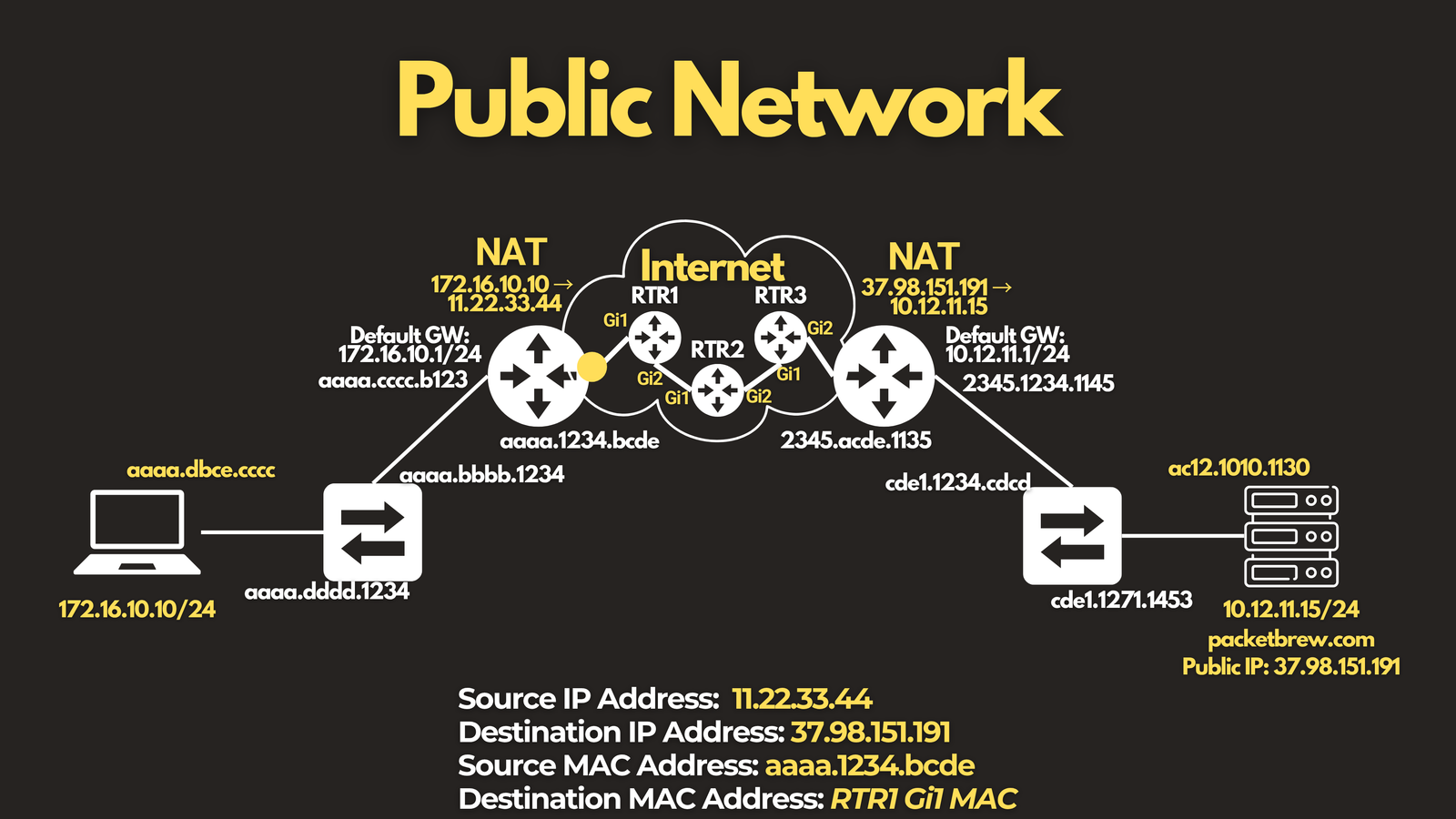
- Source IP:
- As the packet travels across the providers’ network, the IP addresses stay the same, but the MAC addresses keep changing at every Layer 2 segment it crosses — just like in the private network scenario.
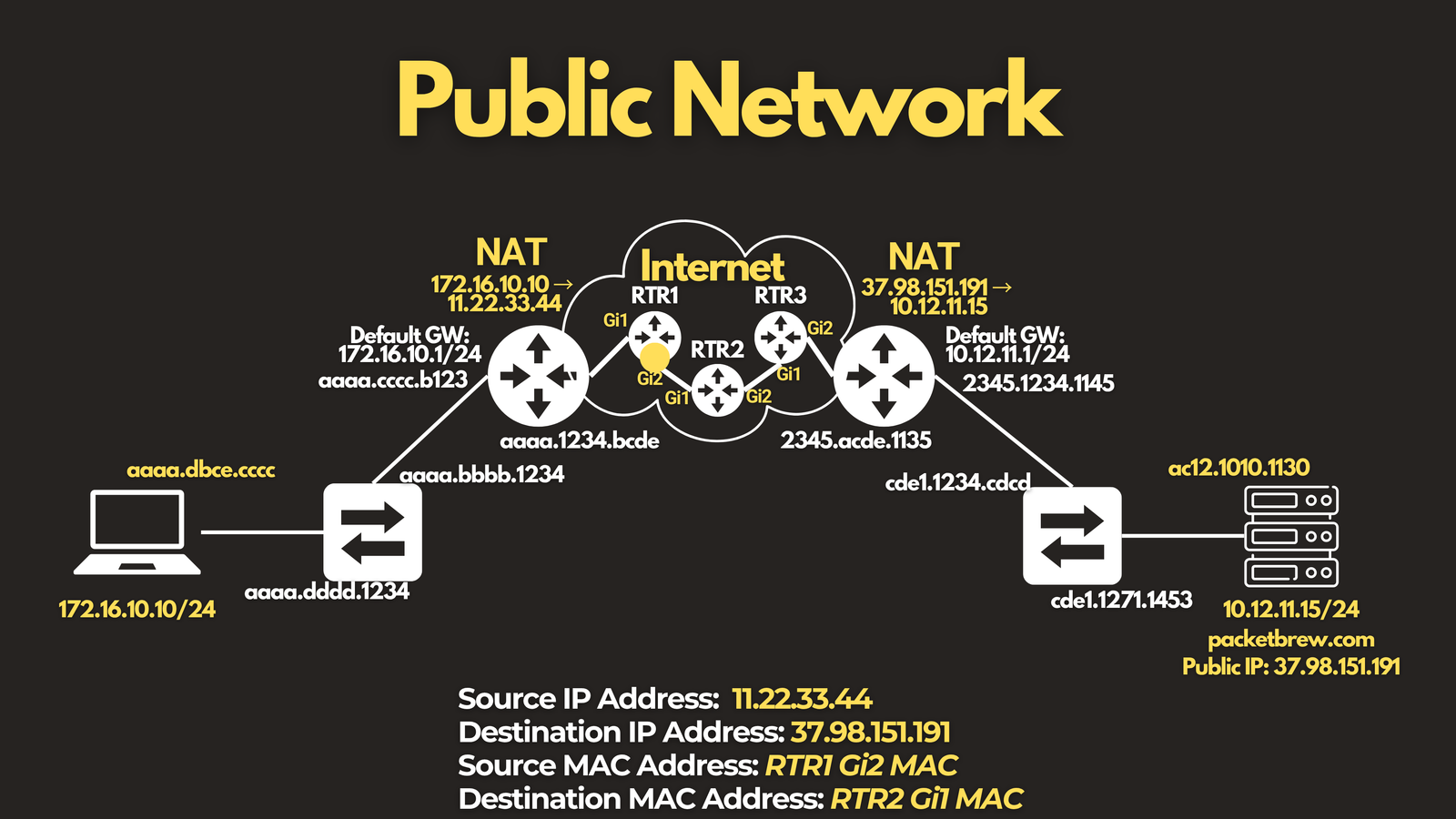
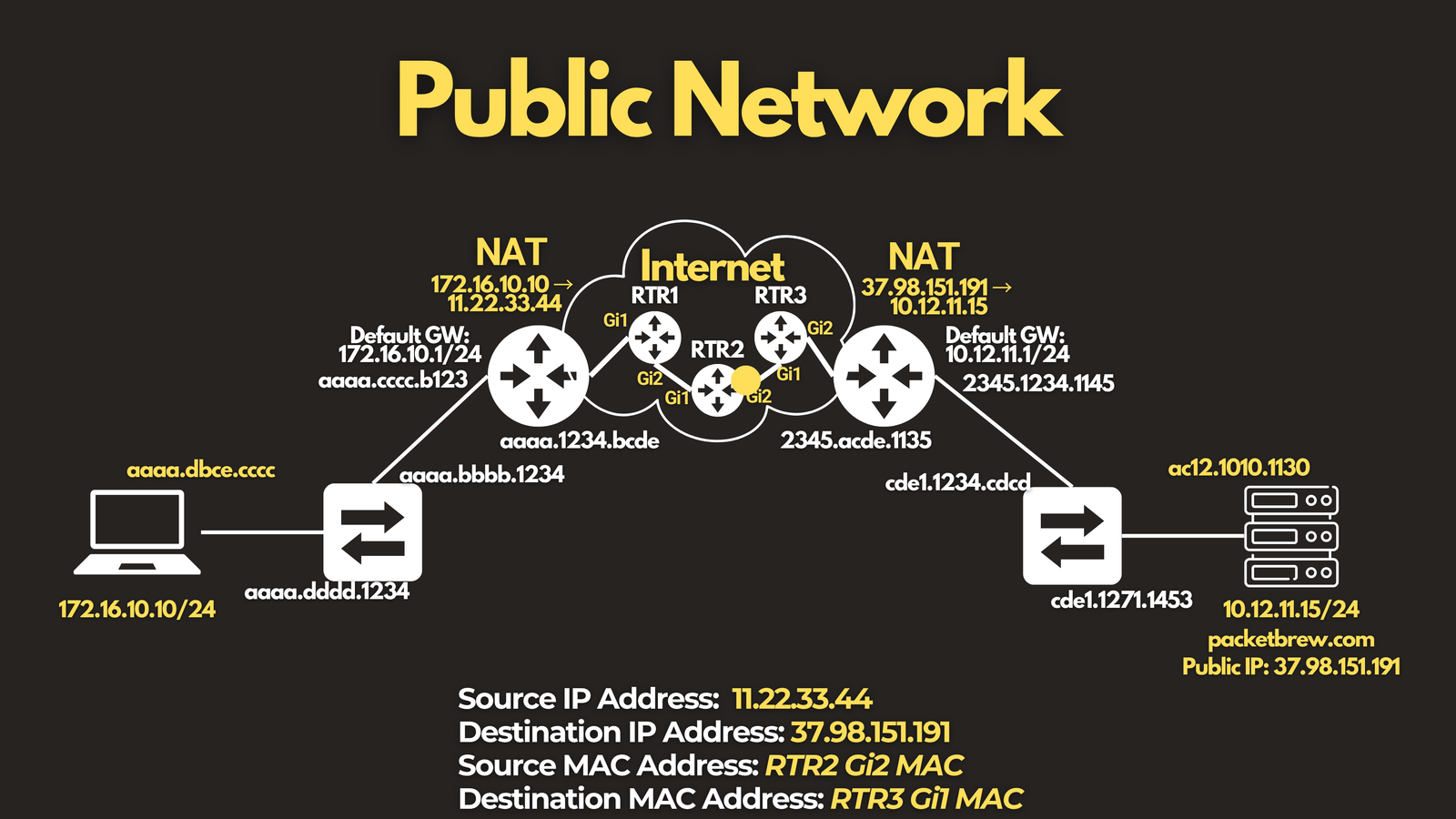
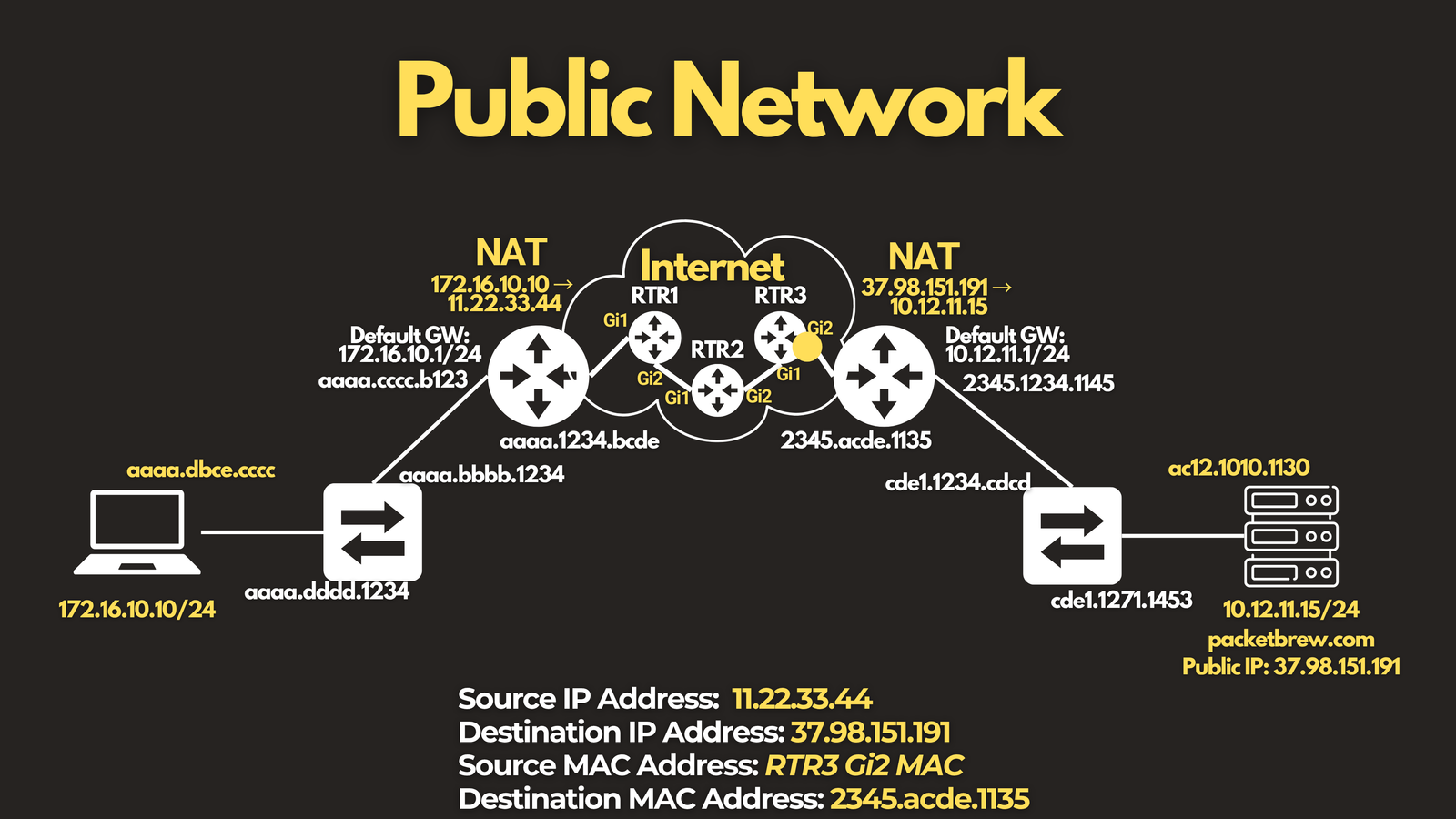
- Once the packet reaches the destination network, a device there applies Destination NAT, translating the public destination IP back into the website’s internal private IP.
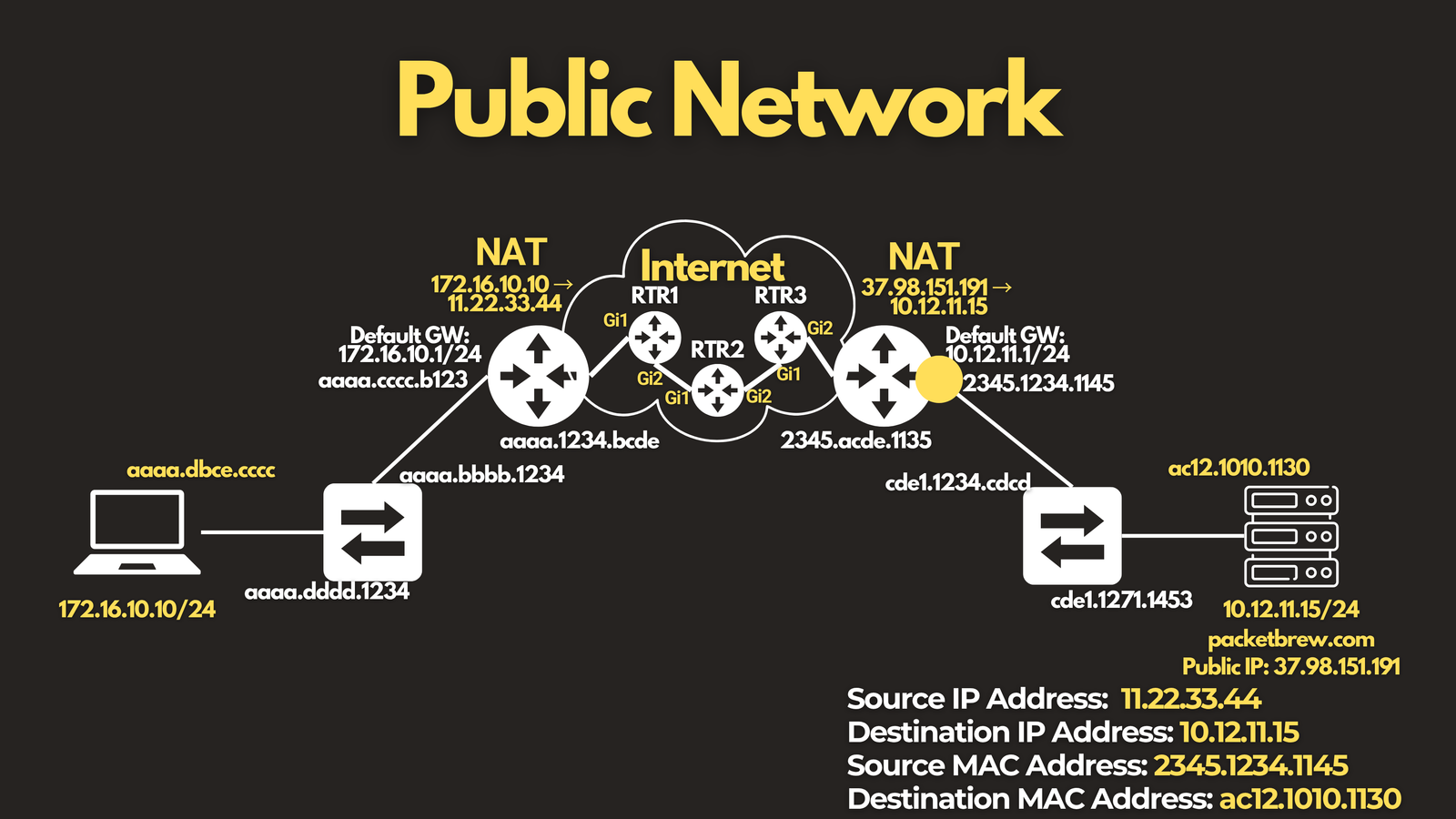
- The packet arrives at its final destination.
Return traffic follows the identical path — just interchange source and destination.
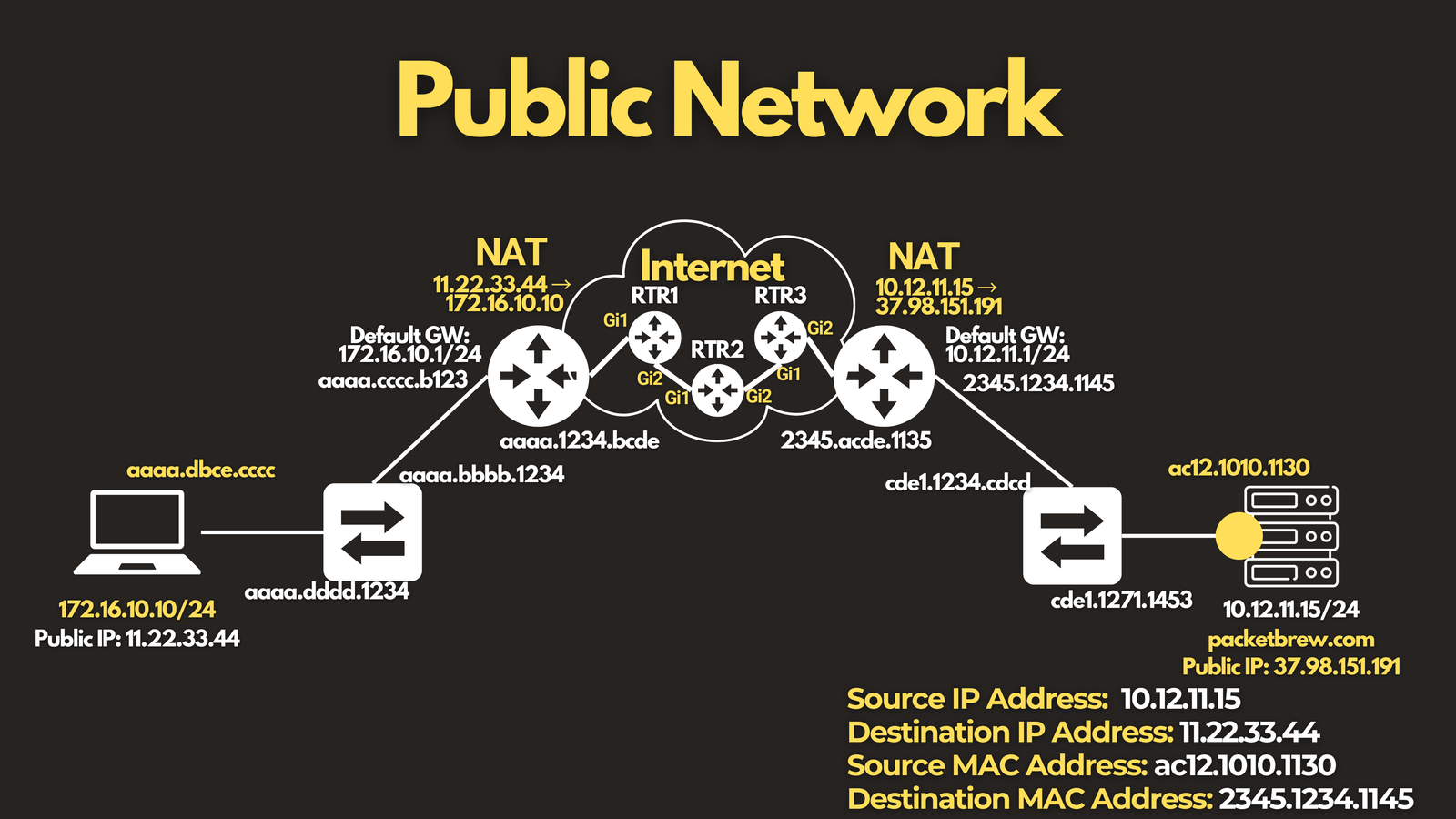
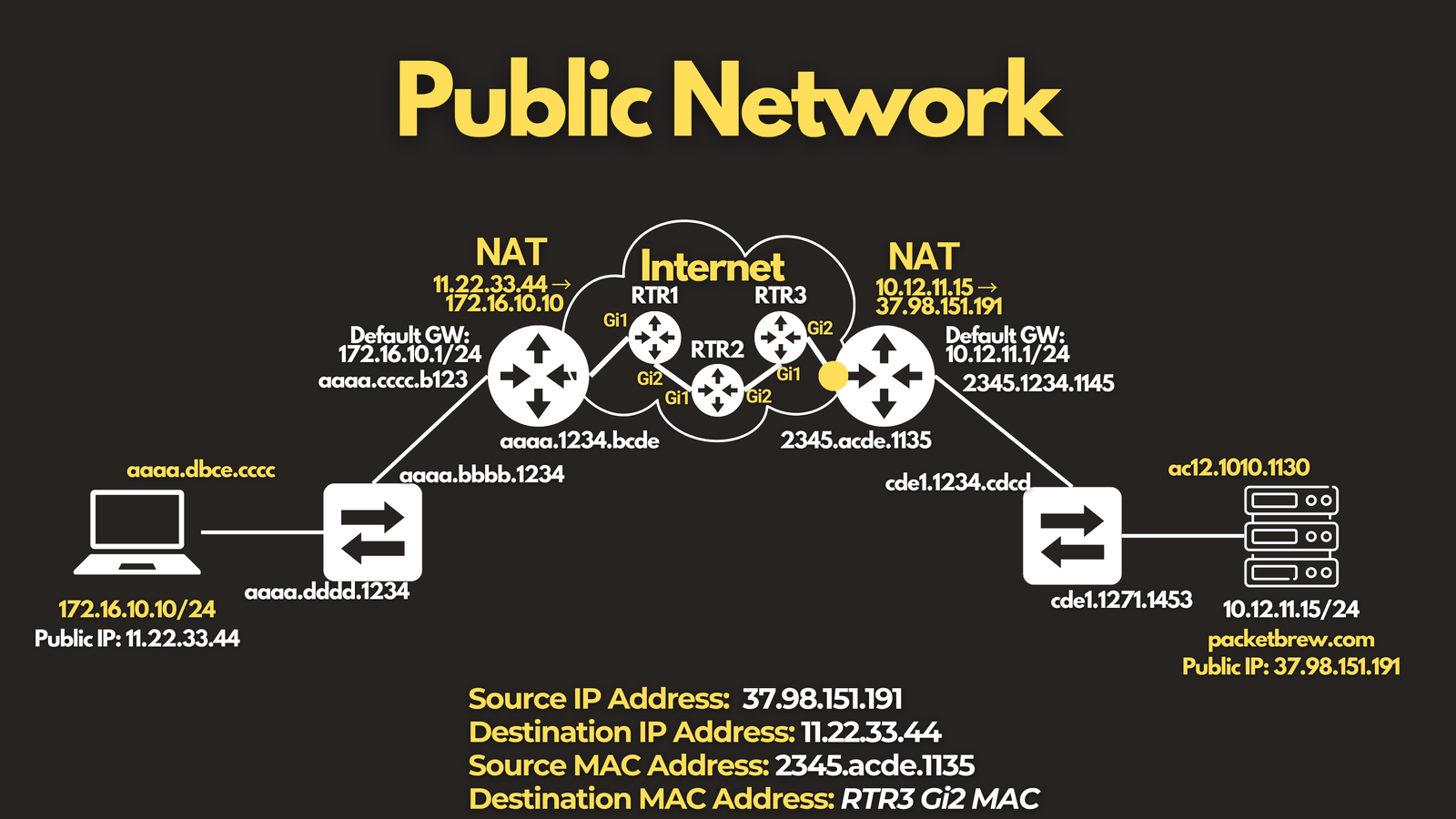
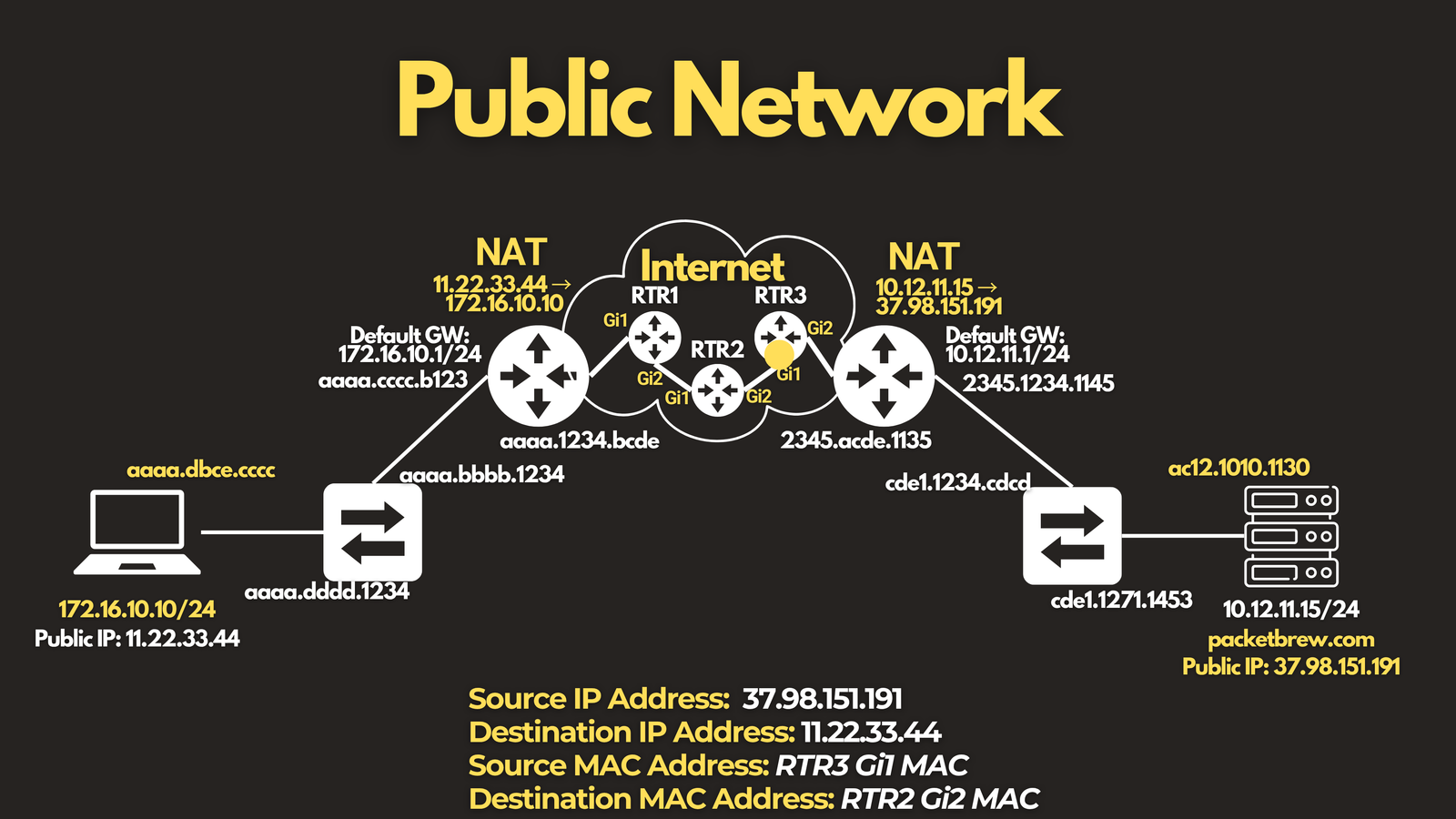
Key Takeaways
Whether you’re tracing traffic through a private network or across the public internet, the same core principle holds:
- IP addresses describe the overall source and destination of the conversation — they generally persist end-to-end (unless NAT is involved, in which case they change at the specific point of translation).
- MAC addresses only ever describe the next hop — they get rewritten at every single Layer 2 boundary the packet crosses.
Once this distinction clicks, concepts like ARP, routing, and NAT stop feeling like separate topics and start feeling like different pieces of the same story — the story of how your data actually gets where it’s going.
If you found this breakdown useful, check out the full video walkthrough on this link: https://youtu.be/fj4OxvNDxiQ where we trace both scenarios visually, hop by hop.