 Packetbrew
Routing Table and Best Path Selection
If you’ve ever looked at a routing table and wondered why one route was chosen over another, you’re not alone. Routers often have multiple ways to reach the same destination — but they never just “pick one.” There’s a strict, predictable process behind every decision.
In this post, we’ll break down the exact three-step process every router follows, in order, every single time.
What’s Actually in a Routing Table?
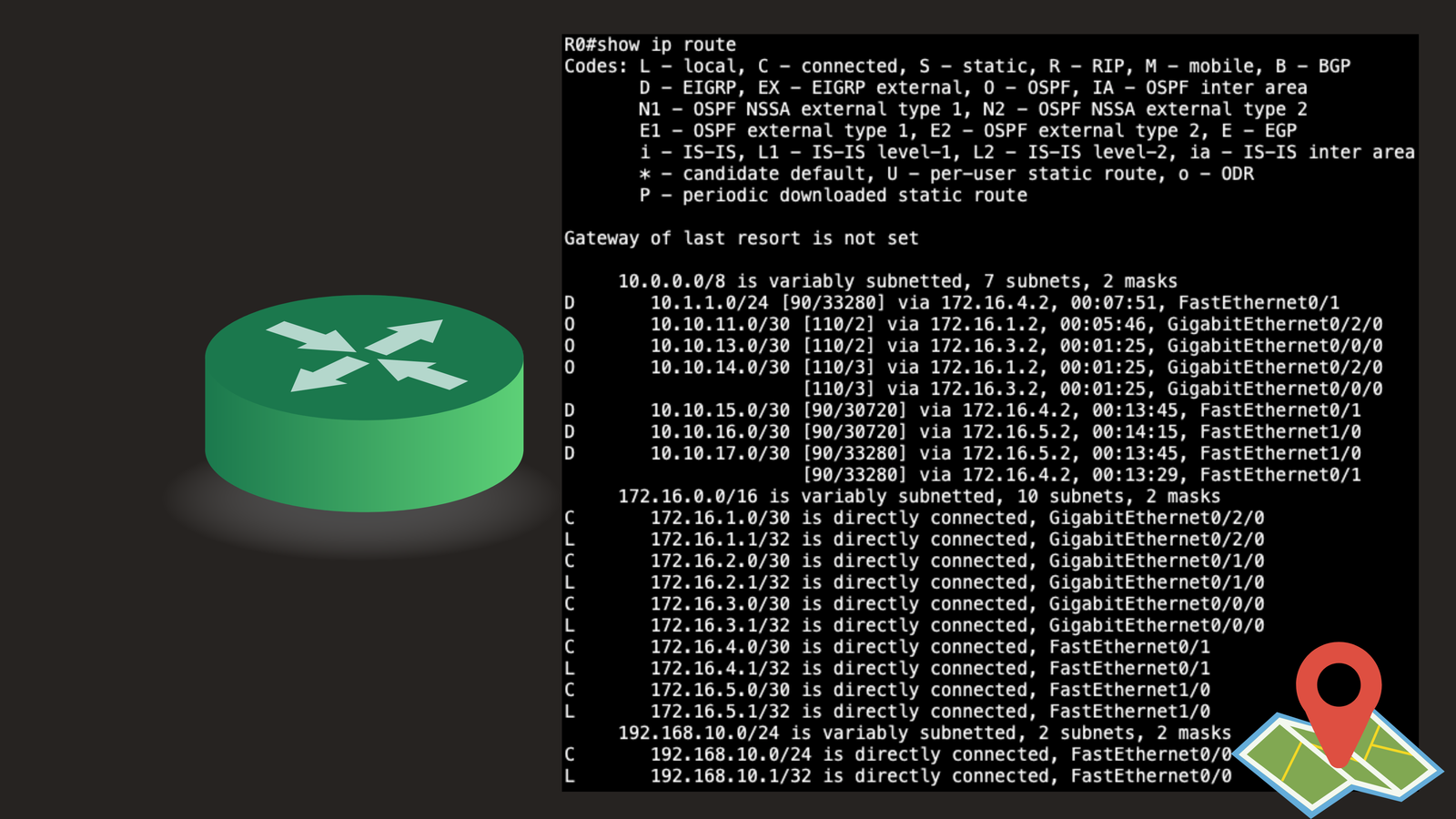
Think of a routing table as the router’s GPS. For every destination network, it lists:
- The type of route (connected, static, or learned via a routing protocol like OSPF or EIGRP)
- The Administrative Distance
- The Metric
- The next hop and exit interface
But when there’s more than one way to reach a destination, how does the router decide which one is “best”? That’s where the three-step process comes in.
Setting the Scene
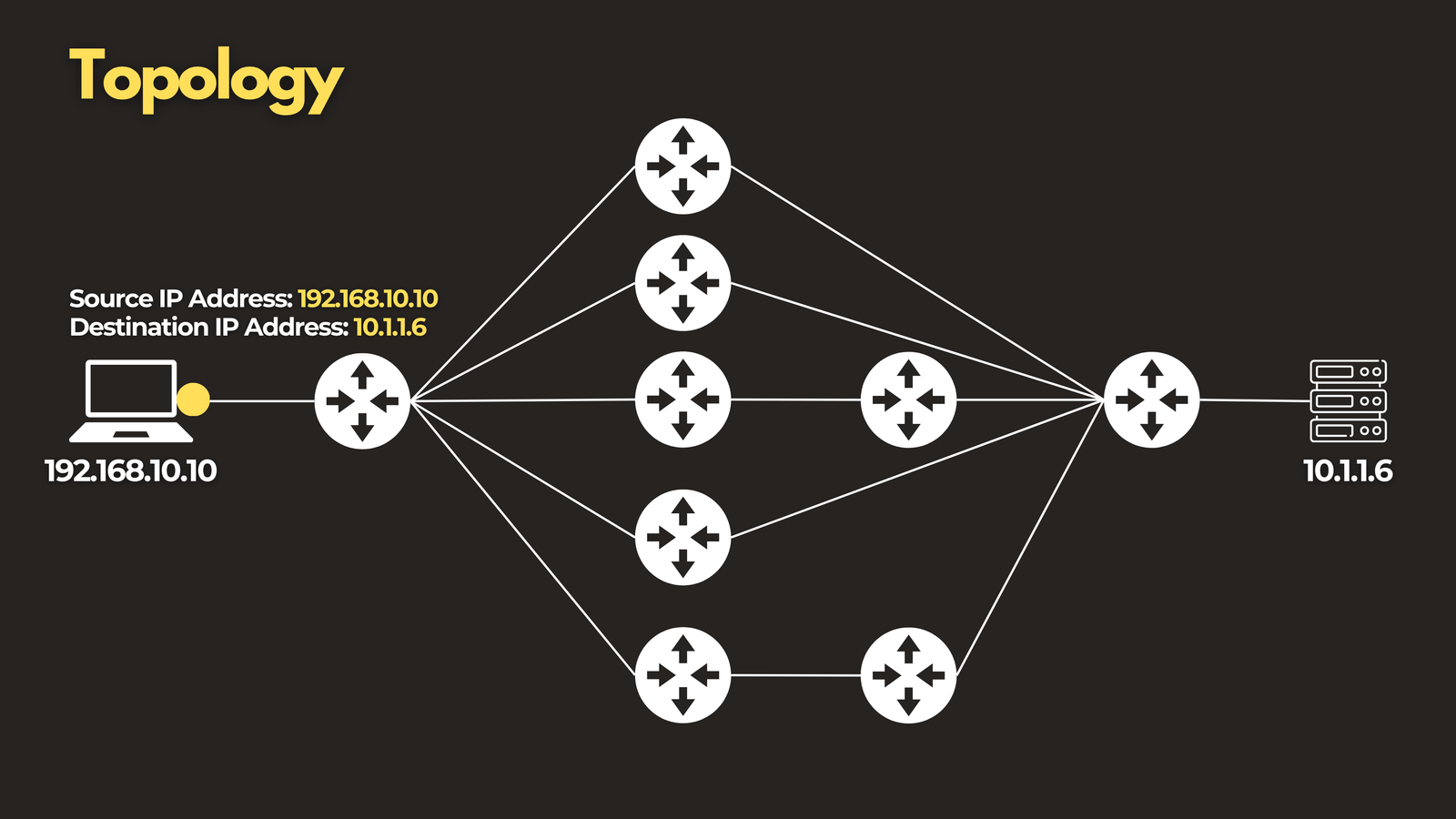 Let’s say a router receives a packet destined for
 10.1.1.6. Its routing table might contain several possible matches for that destination. To figure out which one wins, the router runs through the following checks — in this exact order.
Step 1: Longest Prefix Match
The very first thing a router checks is which entry in the table is the most specific match for the destination address.
For a packet headed to 10.1.1.6, the table might contain:
10.0.0.0/810.1.0.0/1610.1.1.0/24
All three technically match — but the router will always choose the one with the longest subnet mask, in this case 10.1.1.0/24.
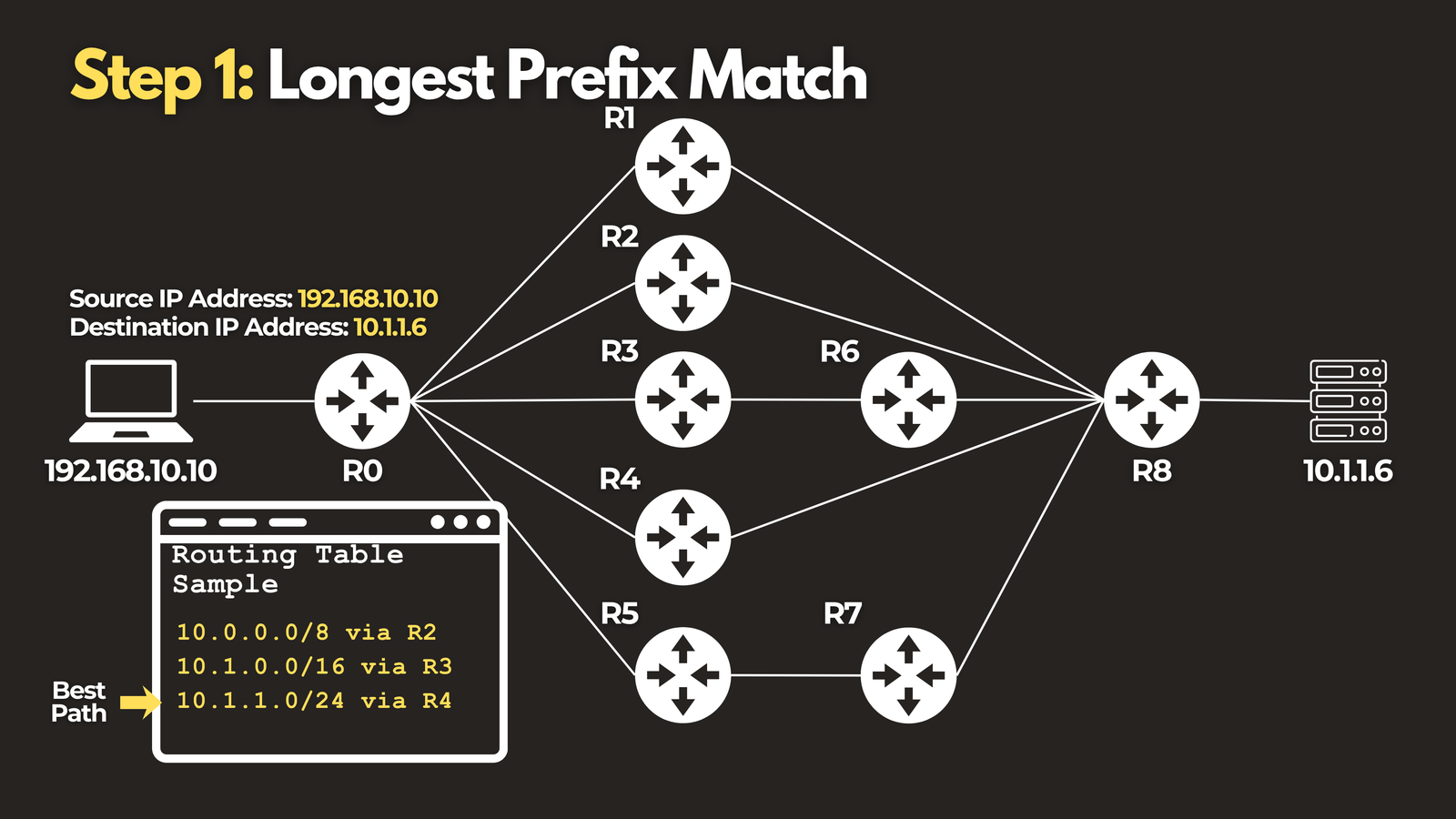
This rule beats everything else in this process. A more specific route will always win, regardless of what protocol advertised it or how “good” its metric is. Only when two or more routes tie on prefix length does the router move on to the next step.
Step 2: Administrative Distance (AD)
If two different routing protocols — say OSPF and EIGRP — both advertise a route to the same prefix, the router needs a way to decide which source to trust more. That’s what Administrative Distance is for.
AD is essentially a trust score assigned to each route source. Lower AD wins. Here are a few common defaults on Cisco devices:
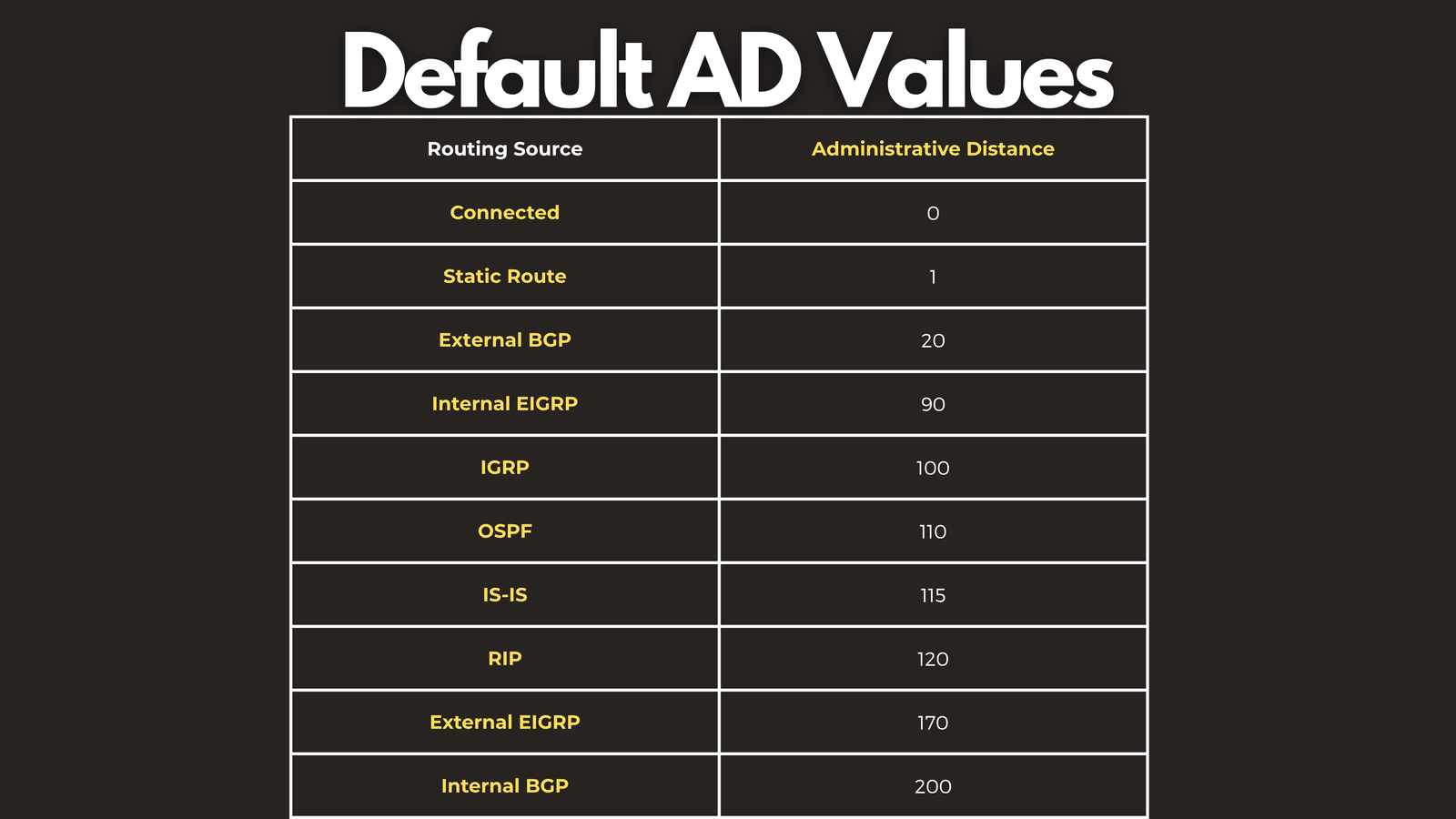
So if both OSPF and EIGRP offer a path to the same network, EIGRP’s AD of 90 beats OSPF’s 110 — not because EIGRP’s path is faster, but simply because it’s more trusted by default.
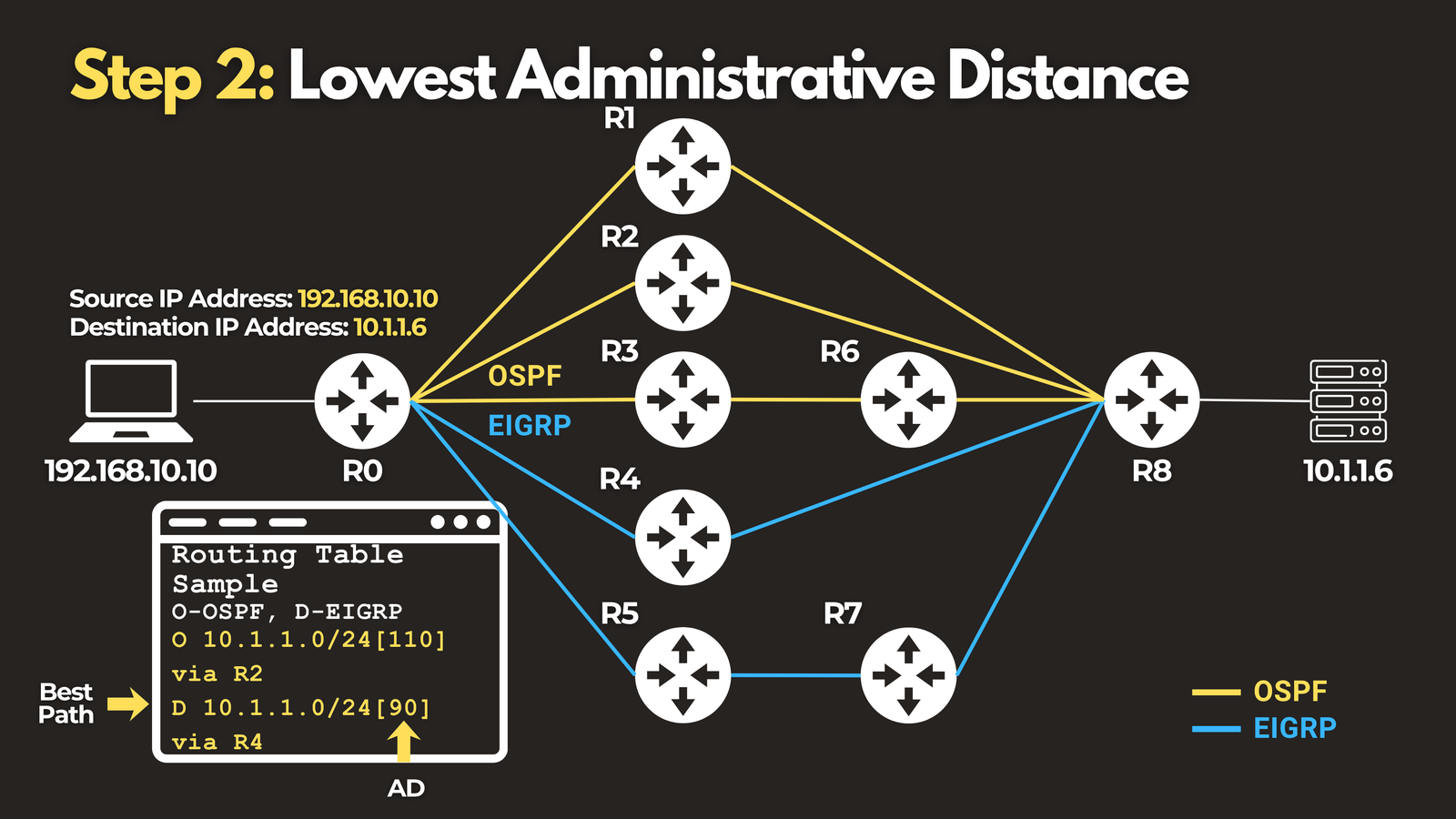
It’s worth noting that AD values are local to the router — they’re not exchanged between devices, and they can be manually adjusted by an administrator if needed.
Step 3: Metric
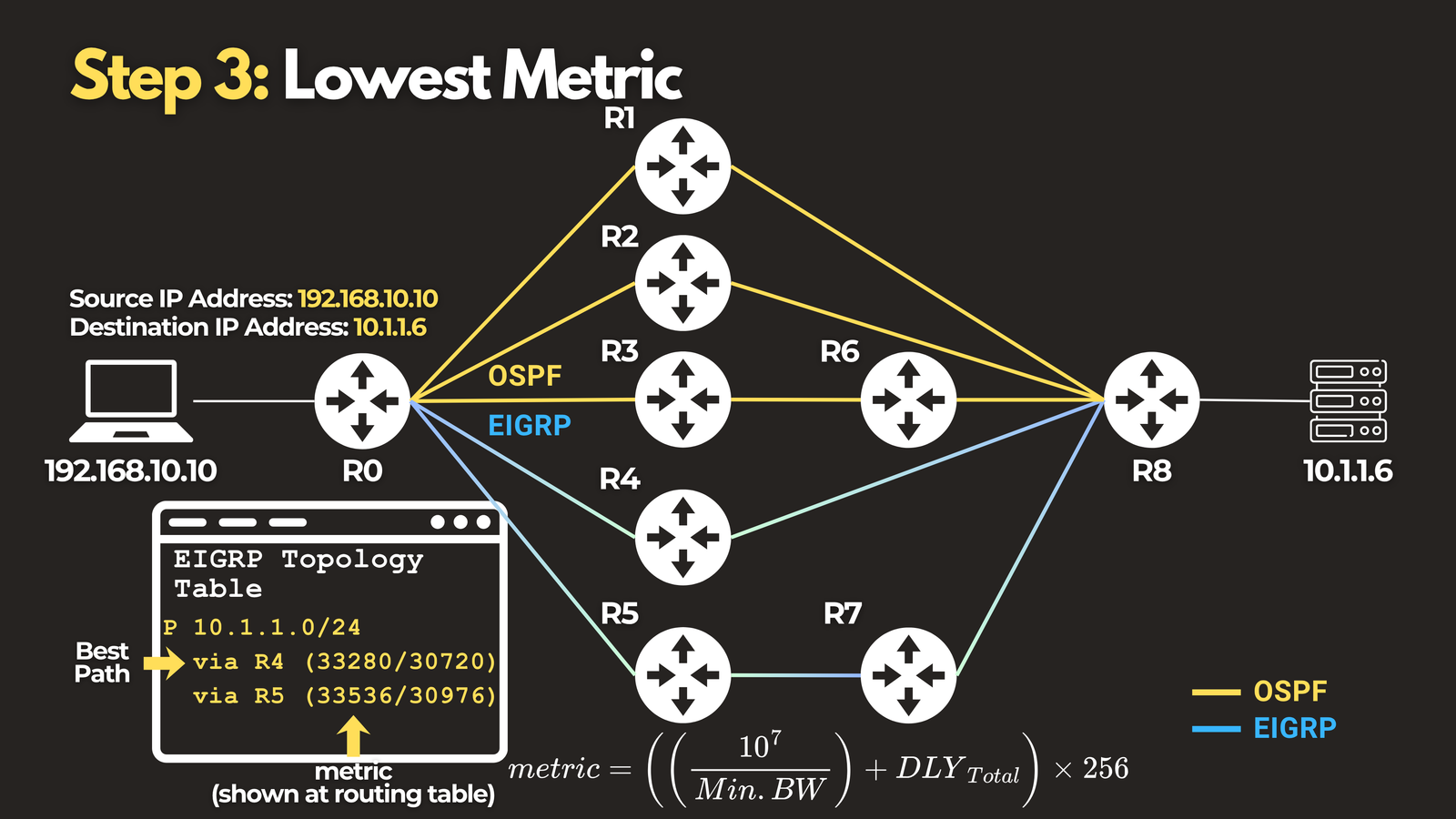
If the AD ties — meaning the same protocol is offering two different paths to the same destination — the router moves to its third and final check: metric.
Metric is the protocol’s own internal math for evaluating path quality. Different protocols calculate it differently:
- OSPF uses cost, derived from interface bandwidth
- EIGRP uses a composite metric based on bandwidth and delay
- RIP simply counts hops
Whatever the formula, the rule is the same: lowest metric wins.
What Happens When Everything Ties?
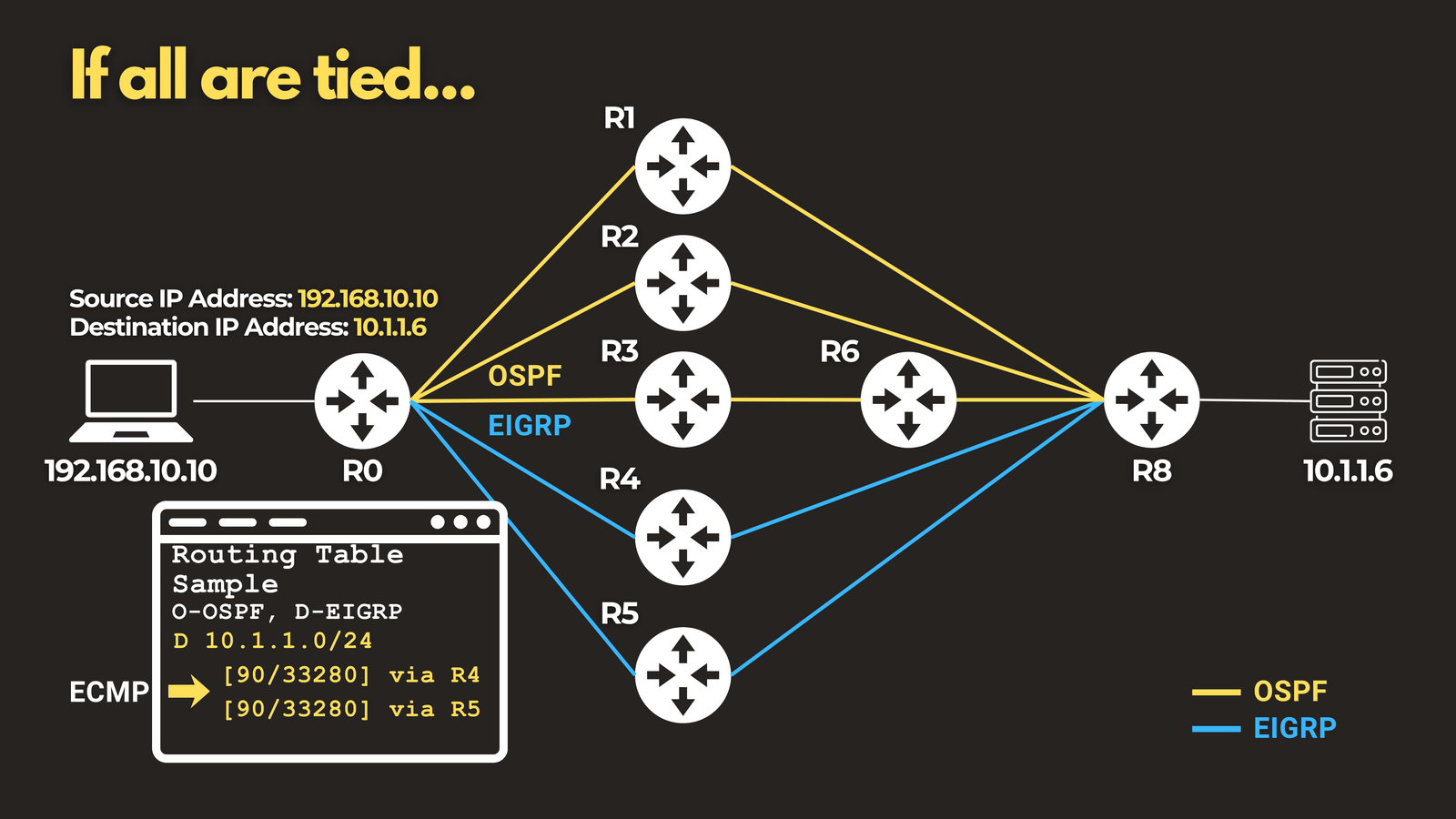
If a router finds two paths that are identical in prefix length, AD, and metric, it doesn’t arbitrarily pick one. Instead, it can install both paths and load-balance traffic across them. This is known as Equal-Cost Multi-Path routing, or ECMP.
Putting It All Together
Here’s the full decision order a router follows every time it needs to choose a best path:
- Longest Prefix Match — the most specific route always wins first
- Administrative Distance — if different protocols offer the same prefix, lower AD wins
- Metric — if it’s the same protocol, the lowest internal metric wins
- ECMP — if everything ties, traffic is load-balanced across the equal paths
Once you have this sequence memorized, you’ll be able to look at almost any routing table and explain exactly why a specific route was chosen — not just guess.
Want to see this process explained visually with a real topology walkthrough? Check out the full video breakdown https://youtu.be/10XZFL7KkoQ. And if you’re studying for your CCNA or CCNP, this is one of those foundational concepts worth knowing cold — it comes up constantly in both exams and real-world troubleshooting.