 Packetbrew
Network Jargon, Decoded: 10 Terms Every Engineer Says
Network engineers speak in shorthand, and ten terms account for most of the confusion. Picture this line from a meeting:
“We need to bump the MTU, the jitter’s killing the VoIP, and BGP is flapping. Also, it’s DNS.”
If that sounds like gibberish, this post is for you. Each term below gets a plain-English definition and an analogy you can repeat in your next meeting without flinching.
1. Bandwidth vs. Latency
Bandwidth is the width of the pipe: how much data can flow at once. Latency is how long one piece of data takes to get from A to B.
Think of a highway. Eight lanes mean high bandwidth, but that doesn’t help if your destination is on the other side of the planet. That’s why a gigabit connection can still feel laggy when you talk to a server in Asia. Wide pipe, long distance, and physics wins.
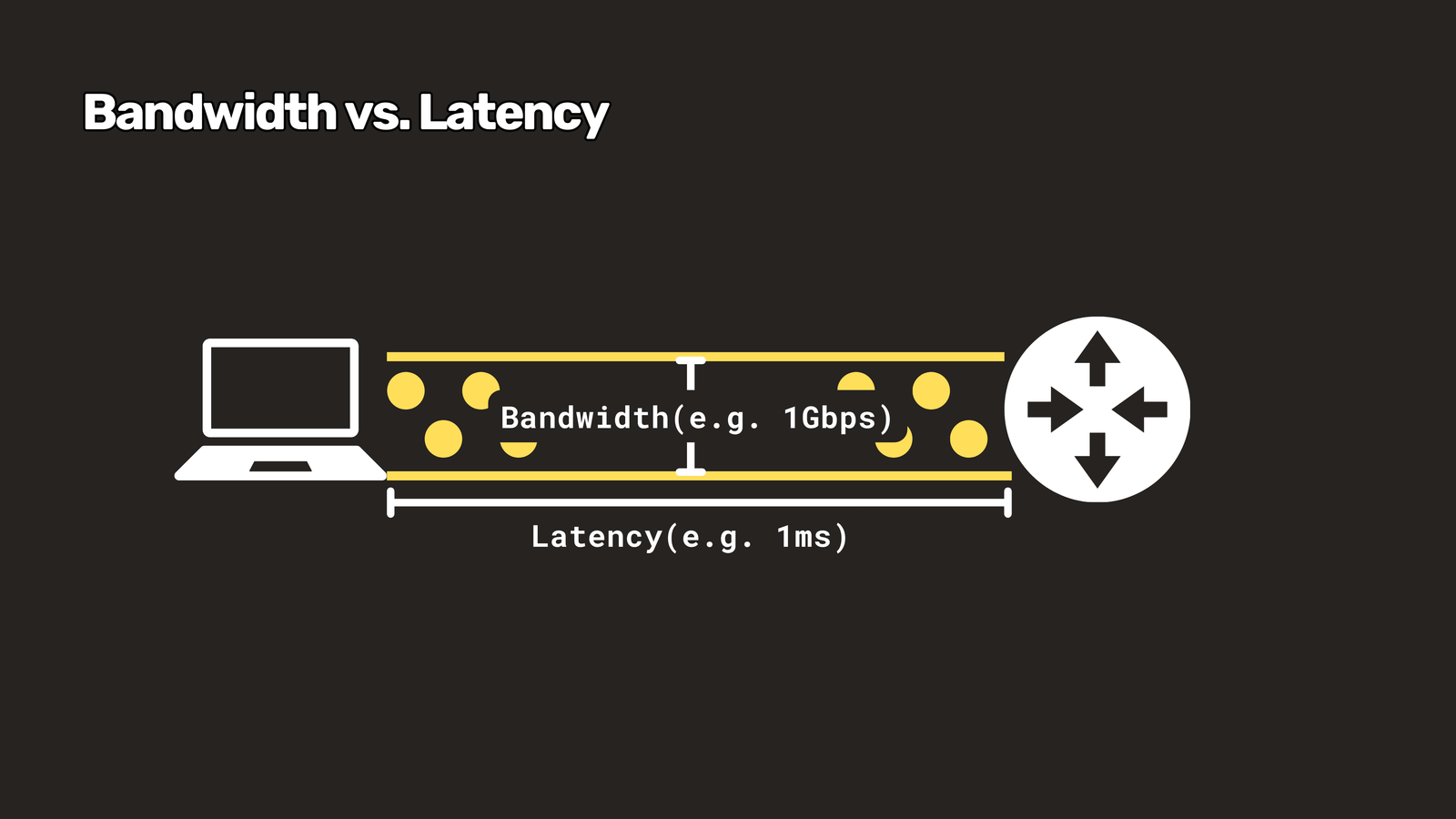
Remember: bandwidth = capacity, latency = delay.
2. Jitter and Packet Loss
Jitter is inconsistent latency. If packets arrive after 20 milliseconds, then 120, then 35, that’s jitter. Web browsing barely notices, but voice calls do, which is why someone can sound like a robot even when their speed test looks perfect.
Packet loss is data that goes in one end and never comes out the other. TCP quietly resends what was lost, so things just get slower. Live video and gaming can’t wait for resends, so you see glitches instead.
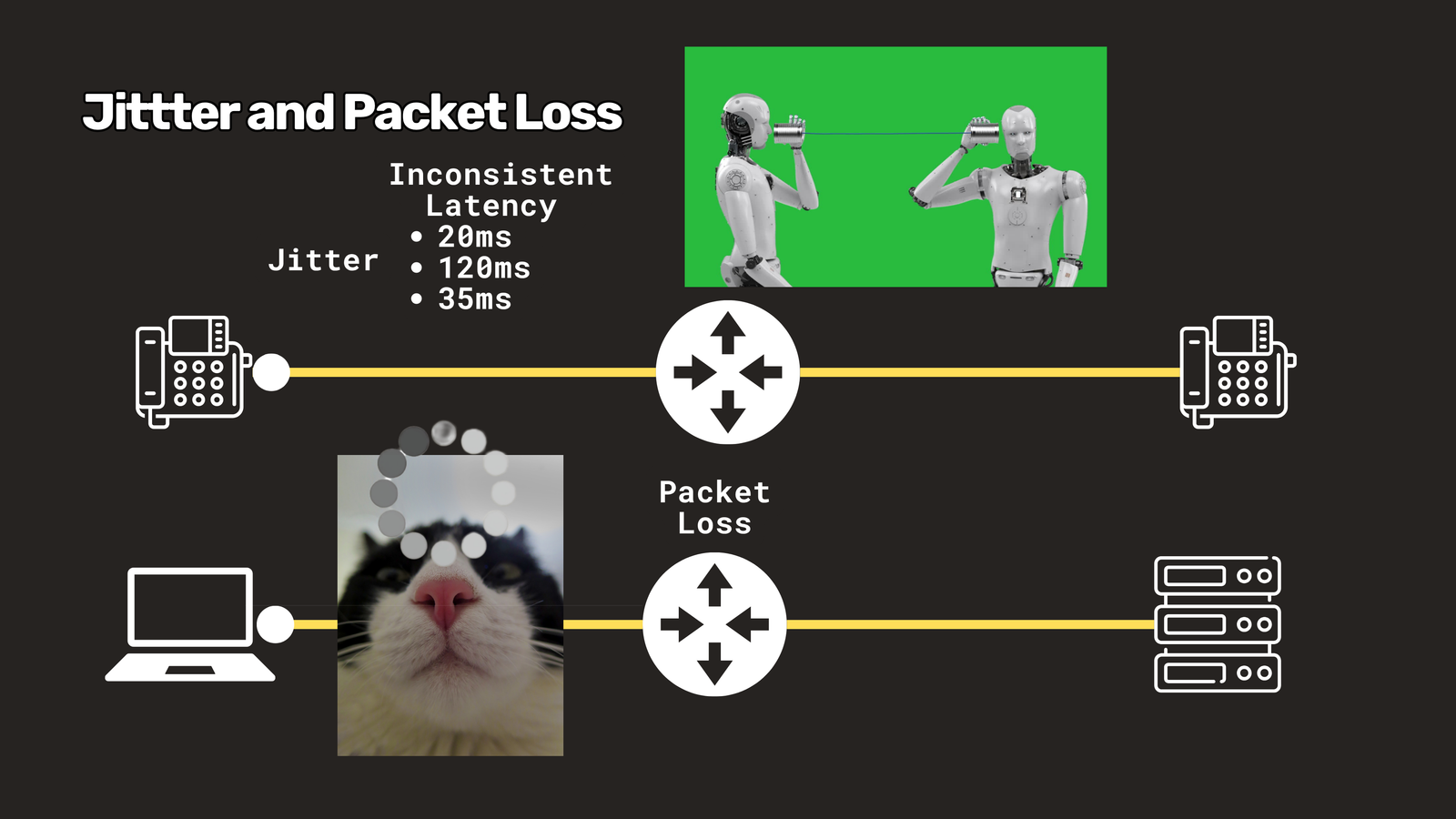 Speed tests measure speed. Calls need consistency.
3. IP address, Subnet Mask and CIDR
An IP address is a device’s postal address. Your computer, phone, laptop, or anything else on the network can have one.
A subnet mask is a 32-bit string of 1s and 0s. The 1s mark which bits identify the network, and the 0s mark which bits can be assigned to hosts (the devices).
You’ll often see this written in CIDR notation, like 192.168.1.3/24. The number after the slash says how many 1s are in the mask, so /24 means the first 24 bits are the network and the last 8 are for hosts. That gives you 254 usable device addresses.
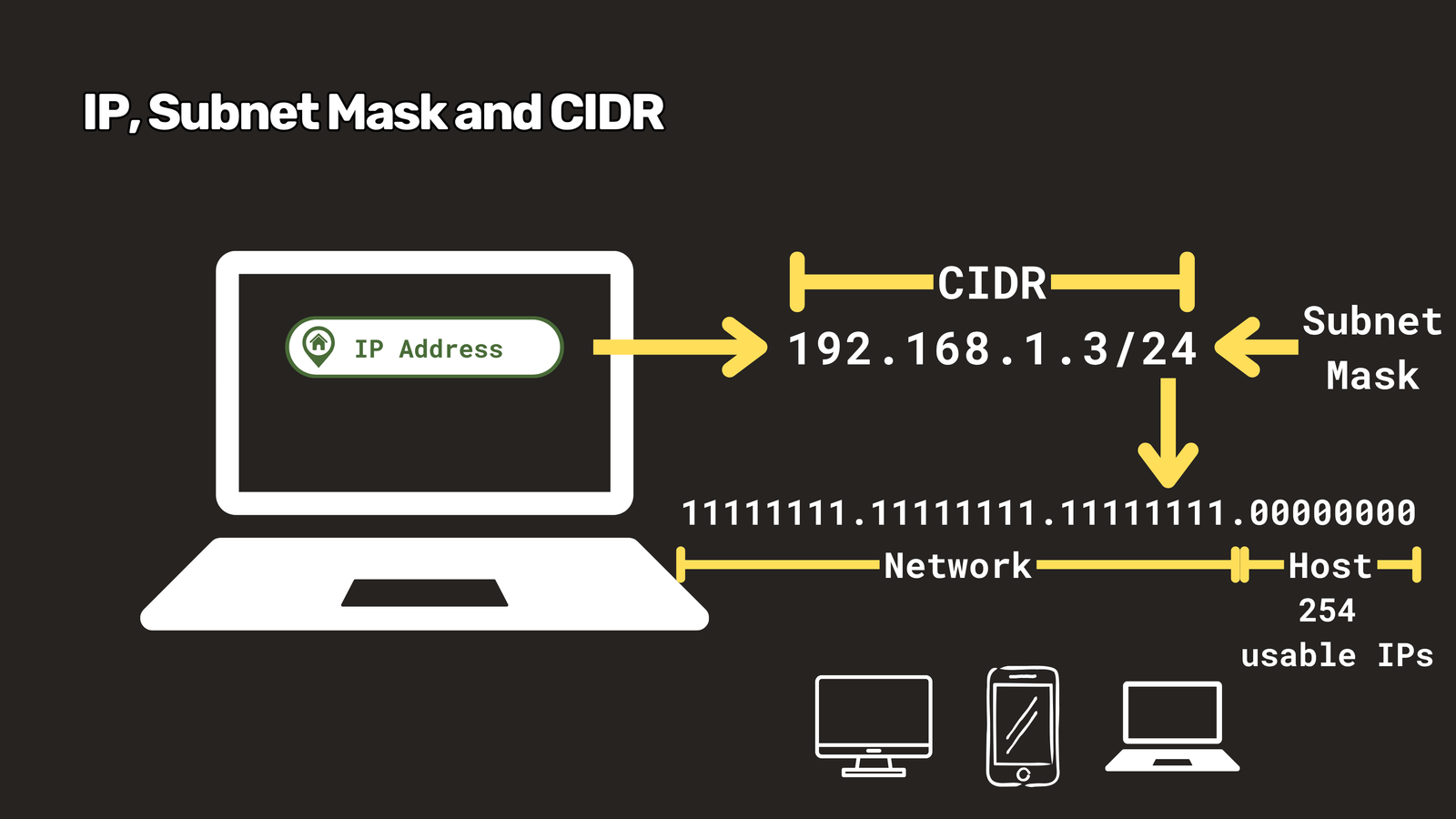
Here’s the trick everyone trips on: the smaller the number, the bigger the network. A /16 is huge, and a /30 fits only two devices. Backwards? Yes. Just memorize it.
4. DNS
DNS, the Domain Name System, is the internet’s phonebook. You type a name like www.packetbrew.com, and it hands your computer the number it actually needs.
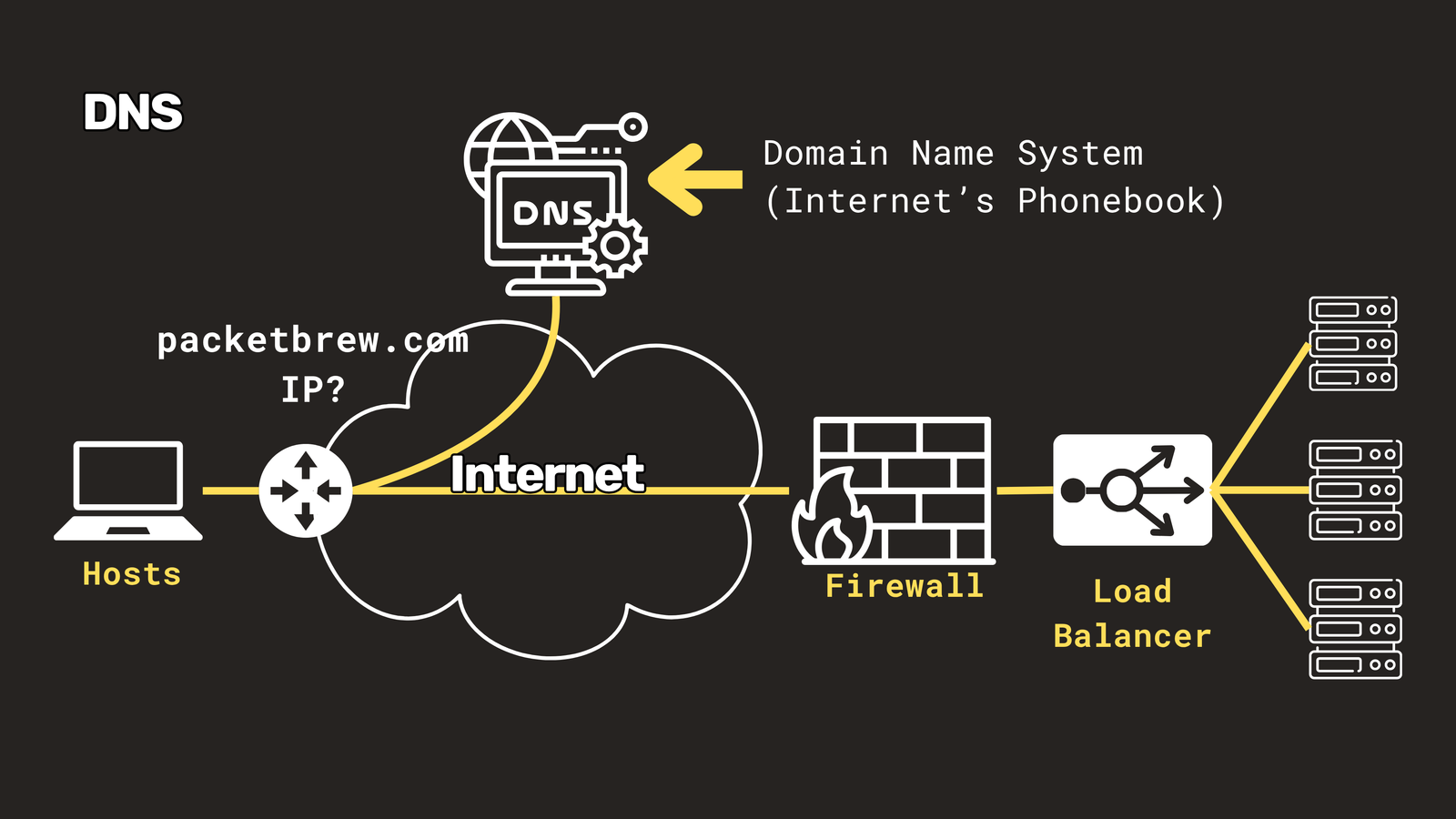
When DNS breaks, everything looks broken: websites, email, logins, even though the network itself is fine. That’s why network engineers live by this wisdom: It’s not DNS. There’s no way it’s DNS. It was DNS.
5. DHCP
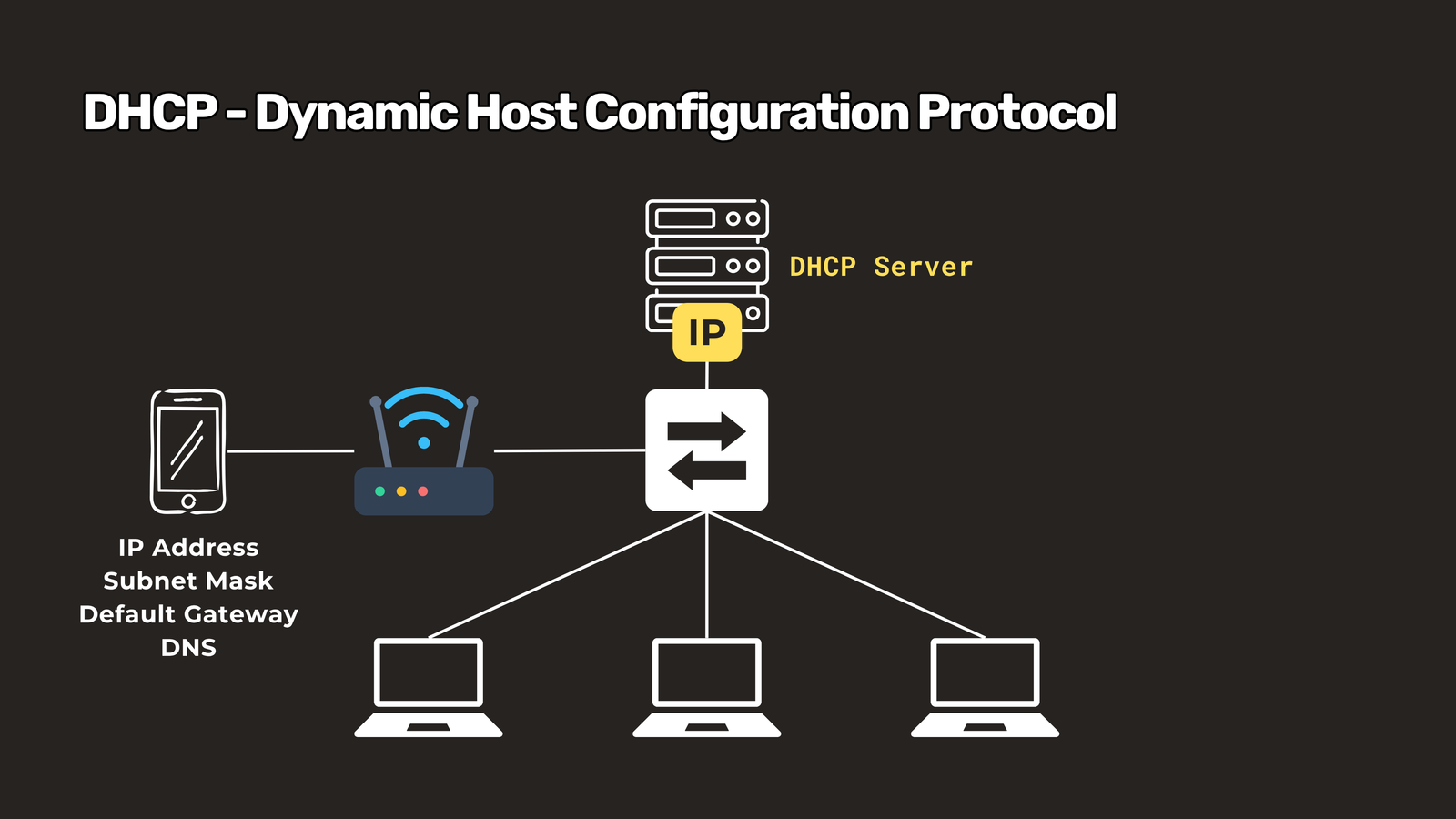
DHCP, the Dynamic Host Configuration Protocol, hands out IP addresses automatically. Without it, you’d type in your address, mask, gateway and DNS settings by hand every time you joined a network.
When you plug in or connect to Wi-Fi, DHCP says: “Here’s your address, here’s your gateway, here’s your DNS server. Enjoy.” It’s the friendly receptionist of the network.
6. NAT
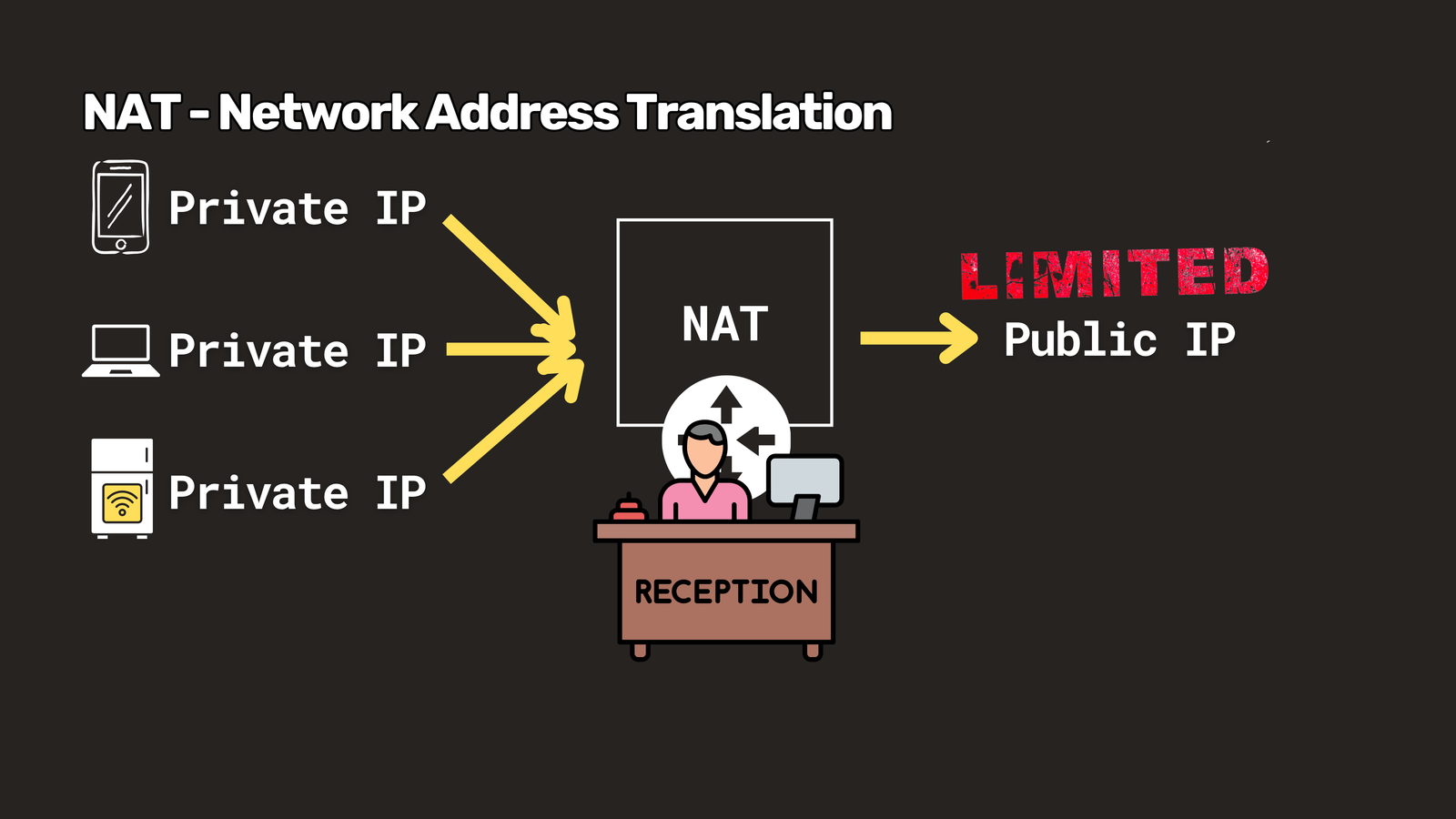
NAT, Network Address Translation, lets lots of devices share one public IP address. Your phone, laptop and smart fridge all have private addresses at home, but the internet only sees your router.
Think of an office with one main phone number and a receptionist who remembers who called whom. NAT is a big reason we haven’t fully run out of IPv4 addresses.
7. VLAN and trunk
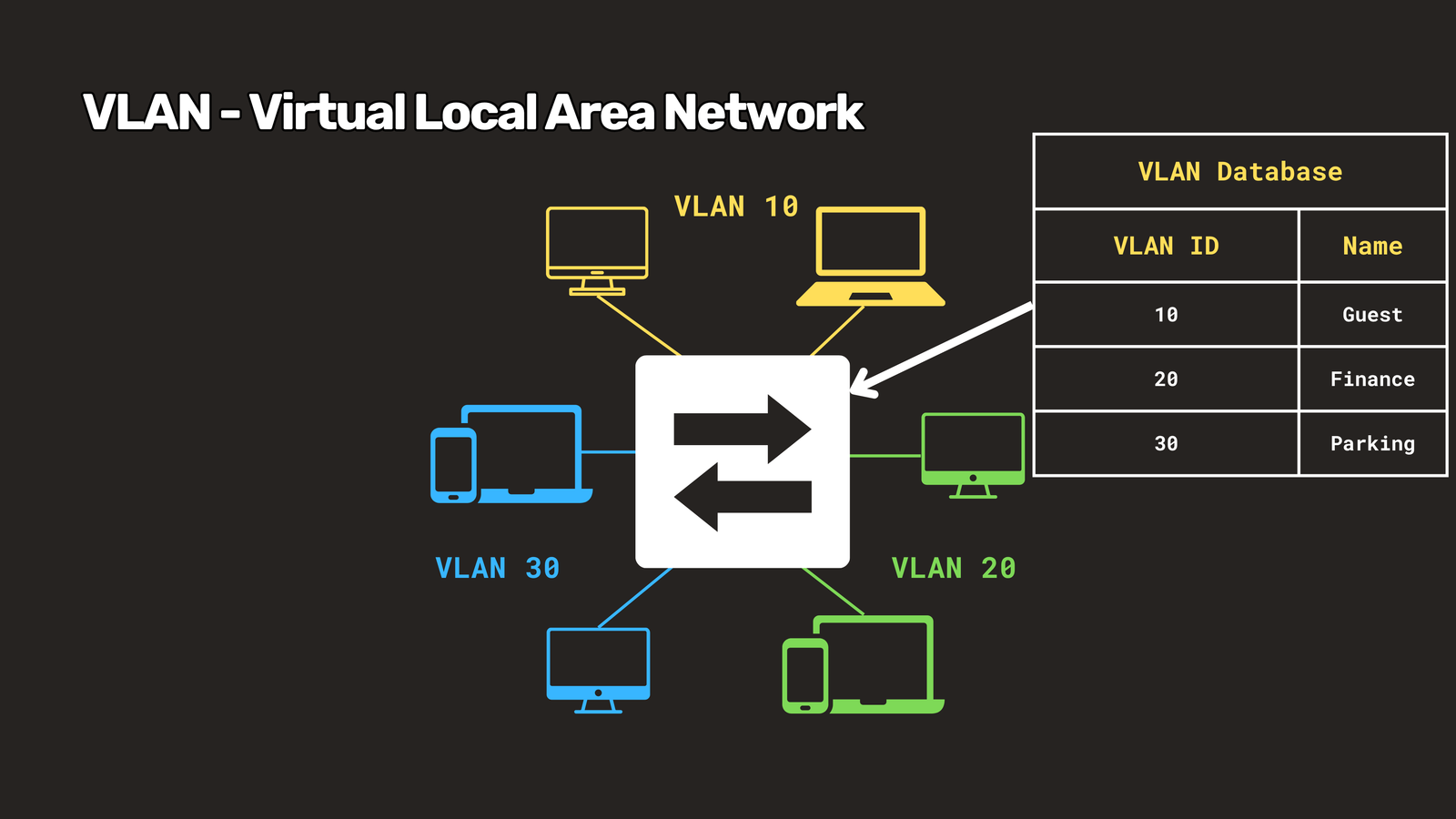
A VLAN splits one physical network into several virtual ones. Same switch, same cables, but guests can’t see the finance team’s traffic. The payoff is security, performance and sanity.
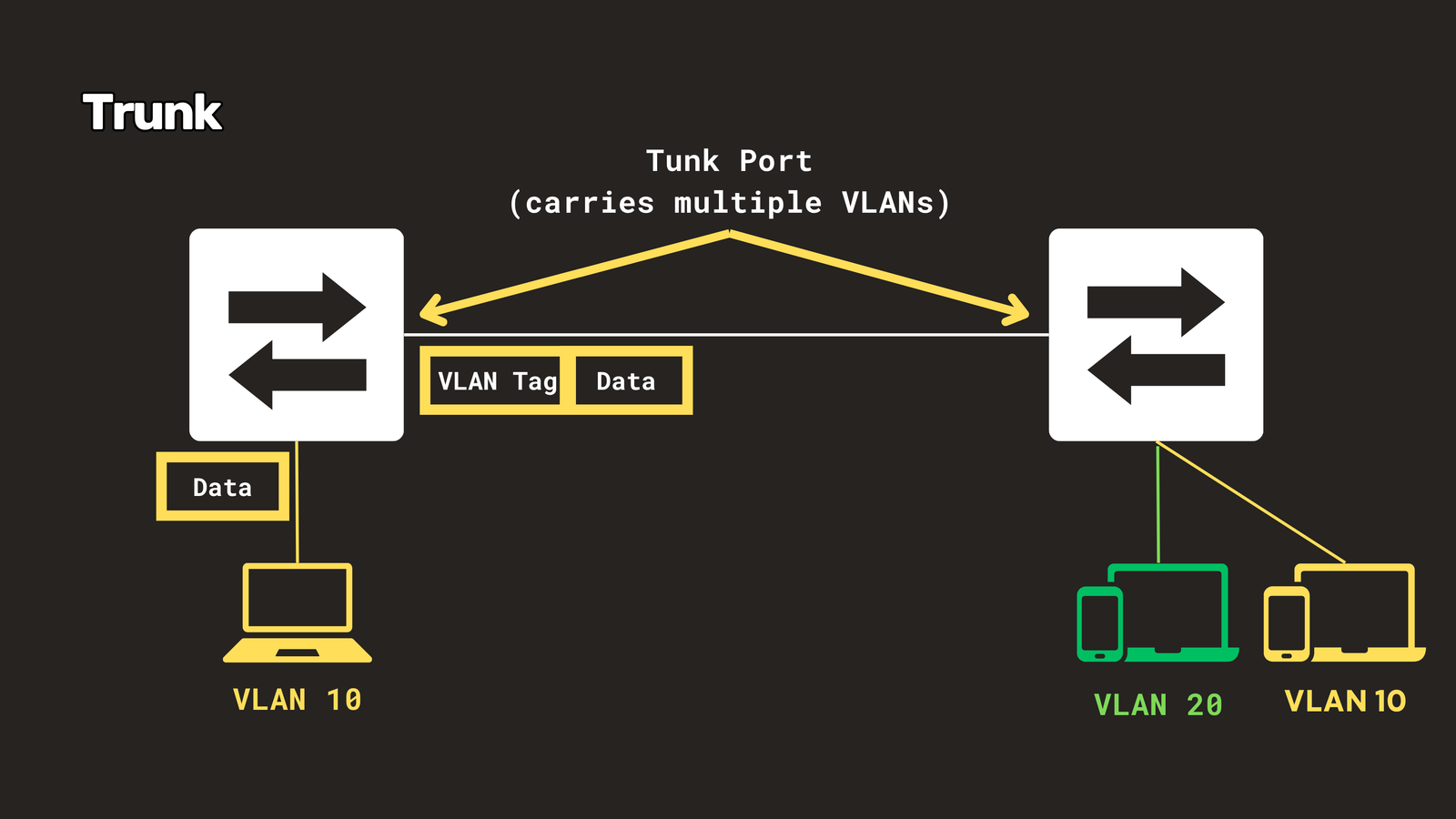
 A trunk is the link that carries multiple VLANs between switches, with each frame tagged like a coloured badge so the other end knows which VLAN it belongs to.
8. MTU
MTU, the Maximum Transmission Unit, is the biggest packet a link will carry without chopping it up. On most Ethernet networks that’s 1500 bytes.
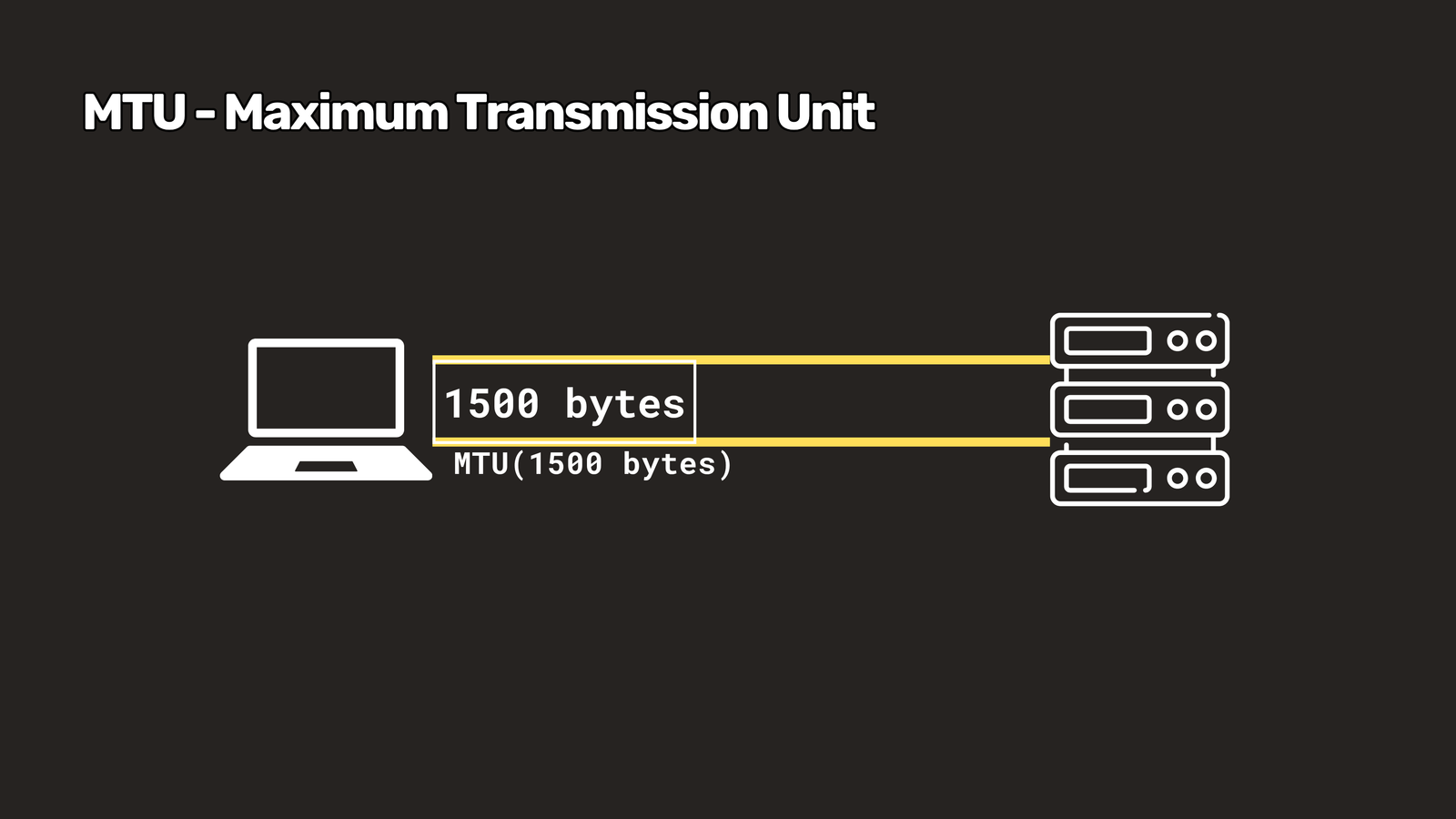 VPNs add extra headers, which eats into that limit. That’s the classic cause of “some websites load, others hang forever.” When you see weird, selective failures, check MTU first.
9. BGP and ASN
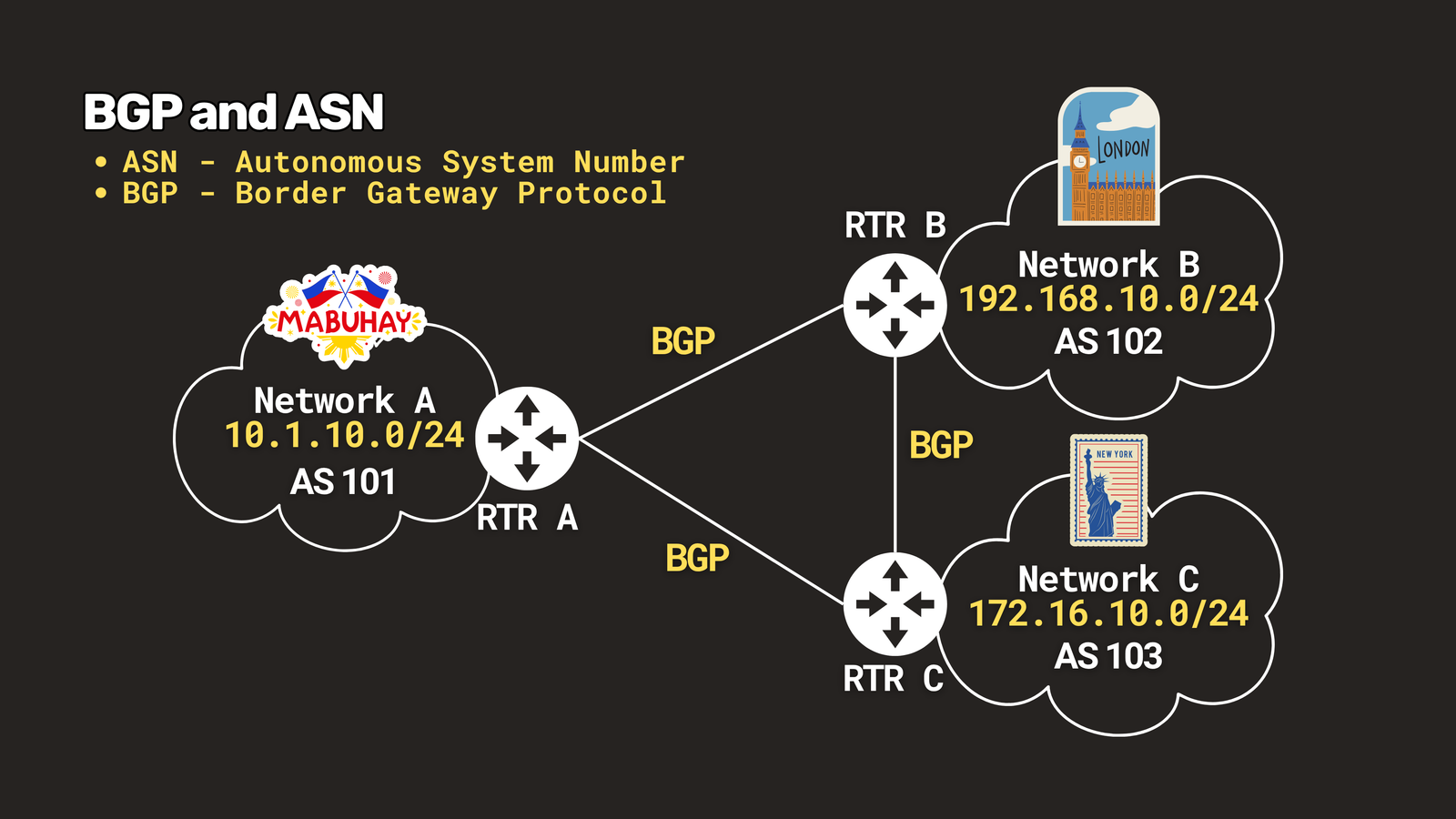
The internet isn’t one network. It’s tens of thousands of independent networks, and each has its own Autonomous System Number, or ASN.
BGP, the Border Gateway Protocol, is how those networks tell each other, “Hey, I can reach these addresses, send traffic to me.” It’s the postal system between countries.
BGP runs mostly on trust, which is why one misconfiguration can take big chunks of the internet offline. When you hear “BGP leak” or “route hijack” in the news, that’s what happened.
10. QoS
QoS, Quality of Service, is about priority. When a link is congested, QoS decides who goes first. Voice and video get the fast lane, and a big file backup waits patiently, like an airport priority queue.
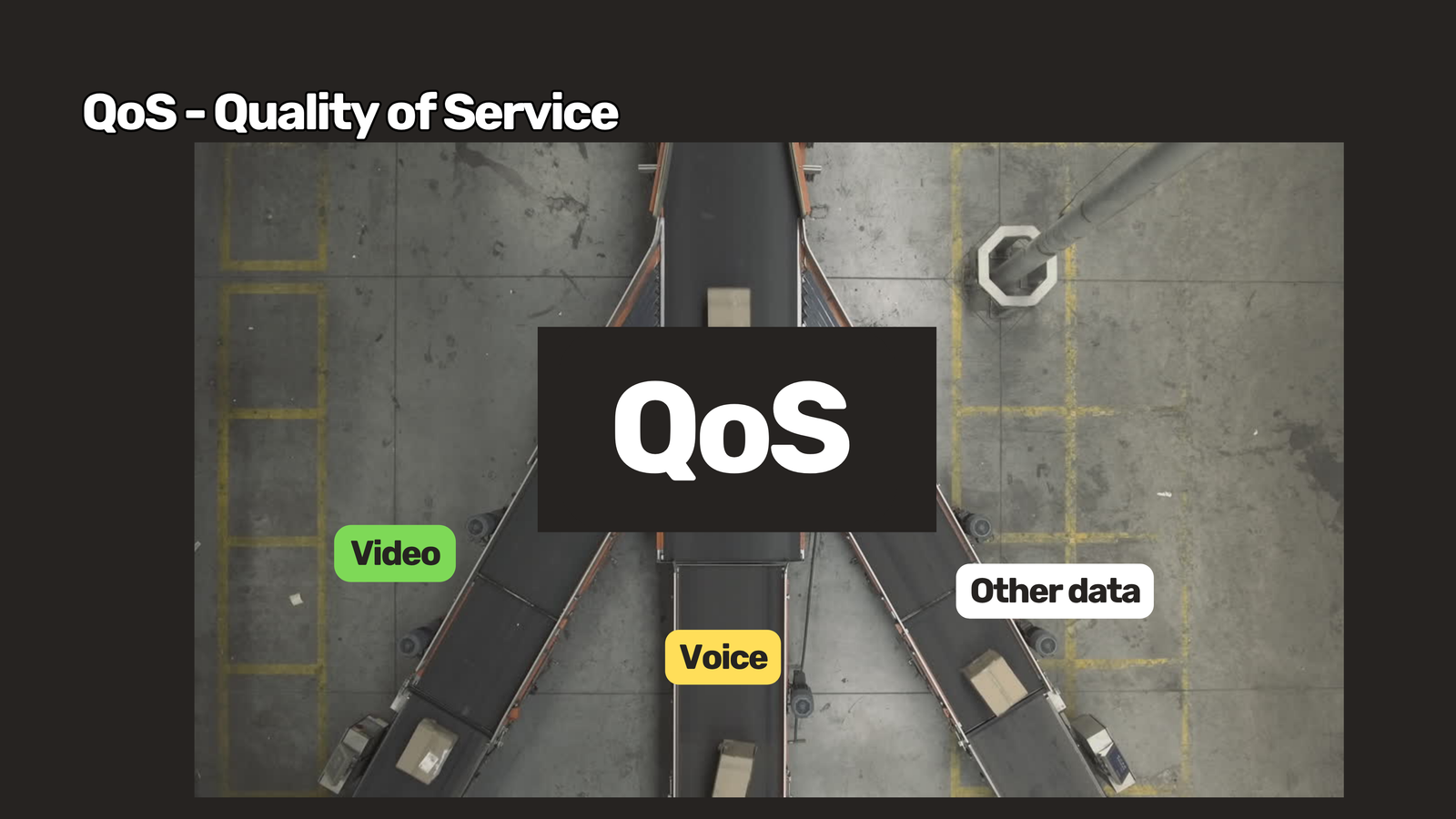 It doesn’t create more bandwidth. It just uses the bandwidth you have more intelligently.
Quick recap
| Term | What it means |
|---|---|
| Bandwidth | How much data can flow at once |
| Latency | How long one piece of data takes to arrive |
| Jitter | Latency that keeps changing |
| Packet loss | Data that never arrives |
| CIDR / subnet mask | Splits an IP address into network and host bits |
| DNS | Turns names into IP addresses |
| DHCP | Assigns IP settings automatically |
| NAT | Many devices share one public IP |
| VLAN / trunk | Virtual networks on shared hardware, and the link that carries them |
| MTU | Largest packet a link carries unchopped |
| BGP / ASN | How independent networks exchange routes |
| QoS | Prioritizes important traffic |
Now you know exactly what “bump the MTU, the jitter’s killing the VoIP, BGP is flapping” means. Which term confused you the most? Tell us in the comments.
And remember: it’s probably DNS.
Have questions about these terms? Check out the video on this link https://youtu.be/kKd2b5LUXVM, drop a comment and let’s discuss!