 Packetbrew
VMs vs Containers: What Network Engineers Need to Know
Server provisioning used to be simple: one piece of hardware for each application. The web server, the database, and the mail server each got their own box. Then engineers noticed that most applications never use all the resources of the hardware they run on, so they looked for a way to split those resources within a single server. That idea paved the way for virtualization.
Virtualization happens at two levels. The first is at the server level, which gives us virtual machines (VMs). The second is at the operating system level, which gives us containers.
Both terms are everywhere in IT, but what do they mean for network engineers? You may be using one of them every day without realizing it. In this post, we’ll cover both and how they relate to our field.
Virtual Machines (VMs)
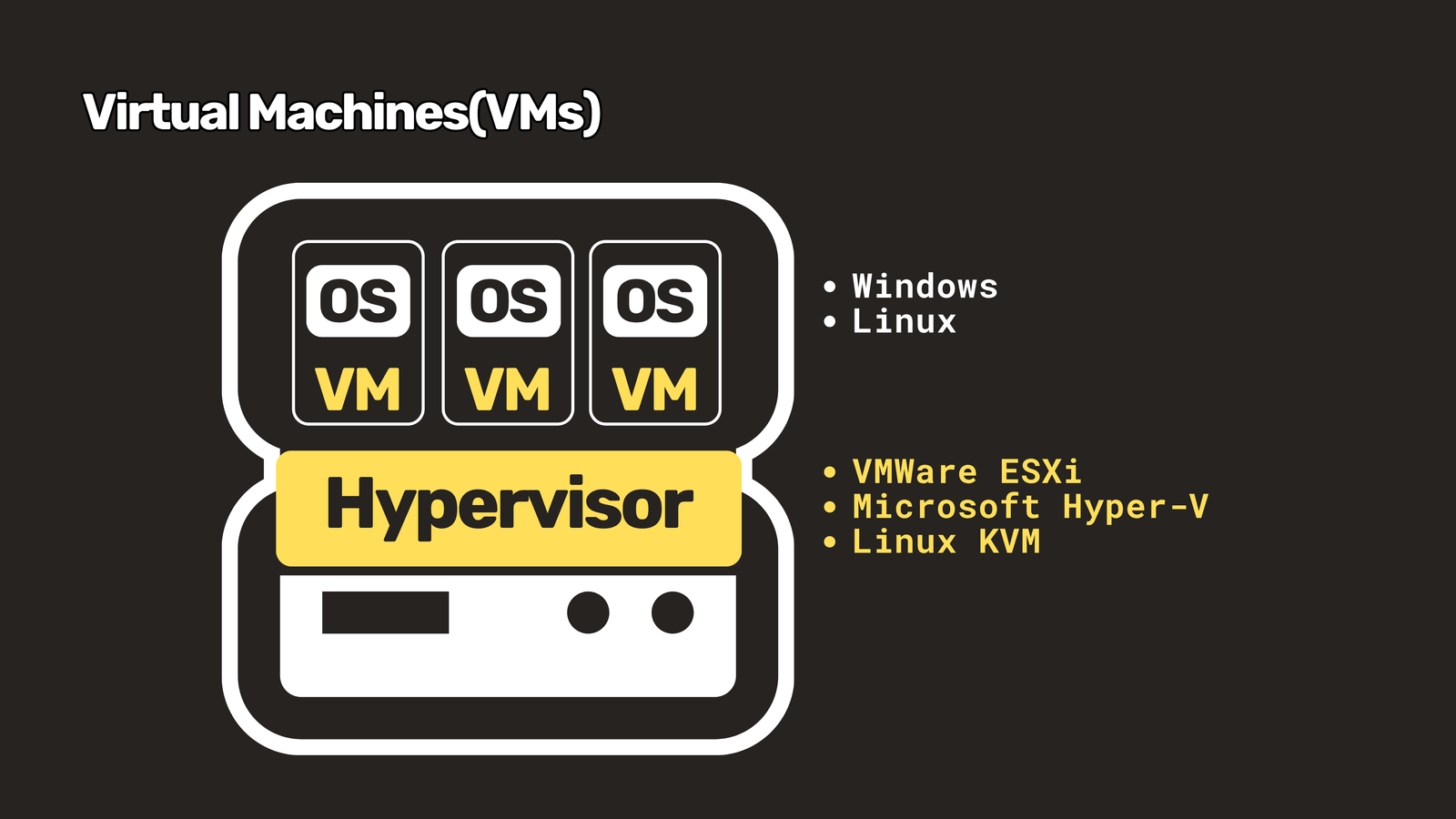
VMs are the result of server virtualization. A physical server runs a hypervisor, which carves the hardware into multiple virtual machines. Common hypervisors include VMware ESXi, Microsoft Hyper-V, and Linux KVM.
Each VM behaves as if it has its own hardware, complete with its own kernel and operating system, such as Windows or Linux. So the web, database, and mail applications that once needed three separate servers can now run in three separate VMs on one piece of hardware.
What VMs Changed for Network Engineers
Putting VMs into the network created three things we now live with every day.
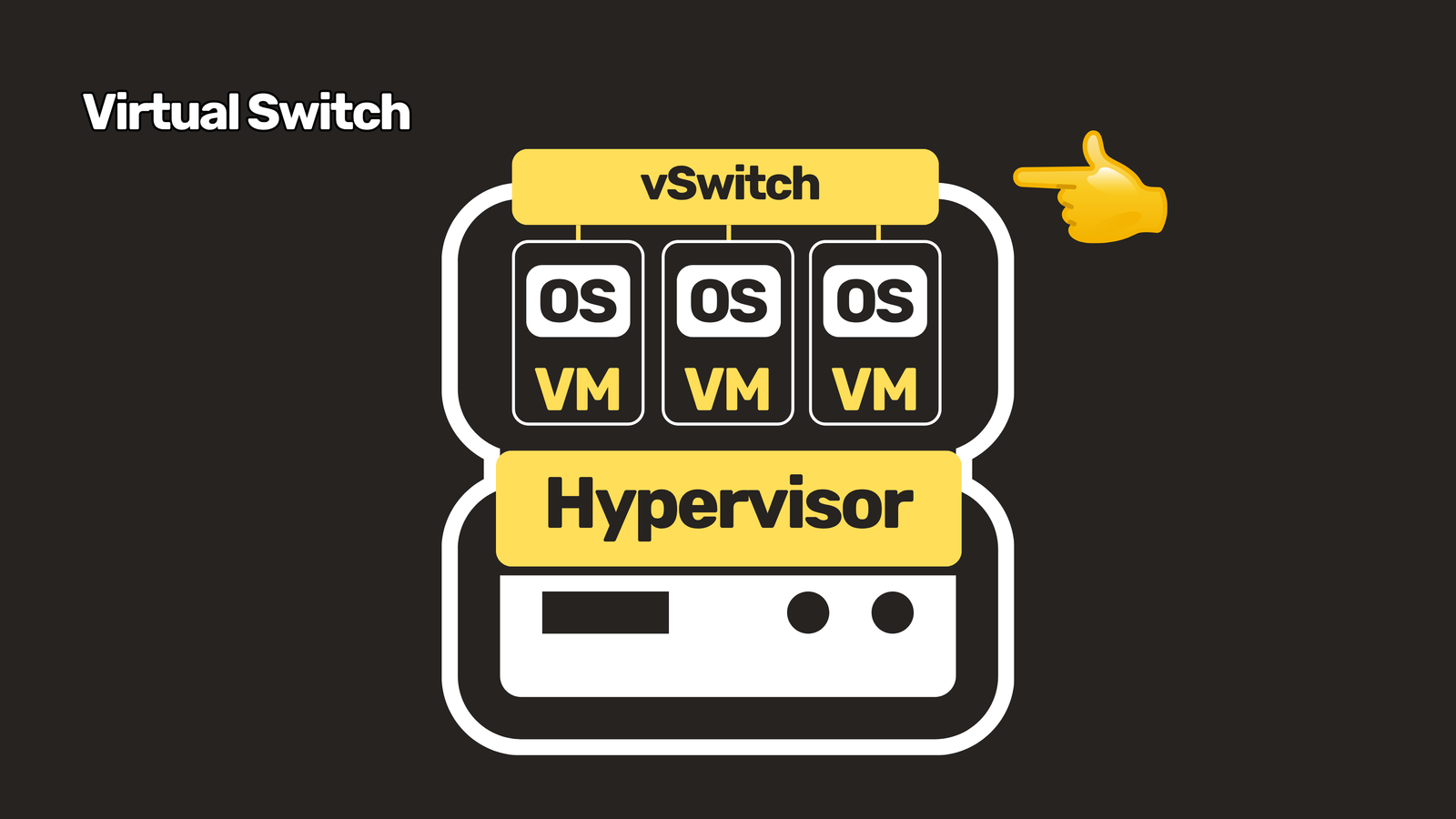
1. The virtual switch. VMs need to talk to each other, so the hypervisor runs a vSwitch inside the host. The access layer of your network now lives inside a server, and that’s where visibility problems begin.
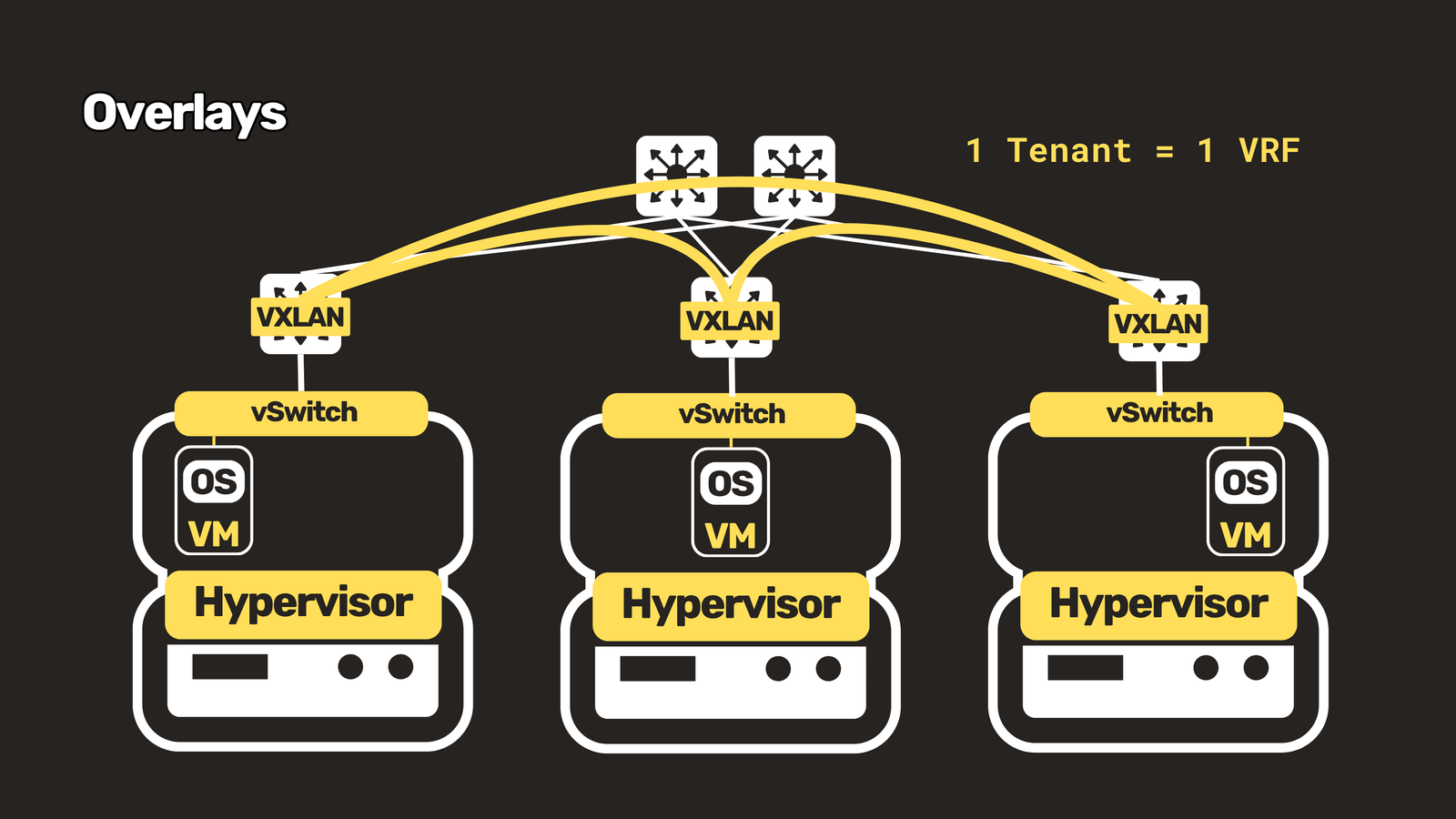
2. Overlays like VXLAN. VMs move between hosts, and Layer 2 VLANs, with their limit of 4,094, don’t scale well in a large data center. VXLAN wraps Layer 2 frames in UDP and uses a 24-bit segment ID, which gives you roughly 16 million segments. In a VXLAN EVPN fabric, each tenant typically maps to a VRF, so if you’ve learned VRFs, you’ve already met part of this design.
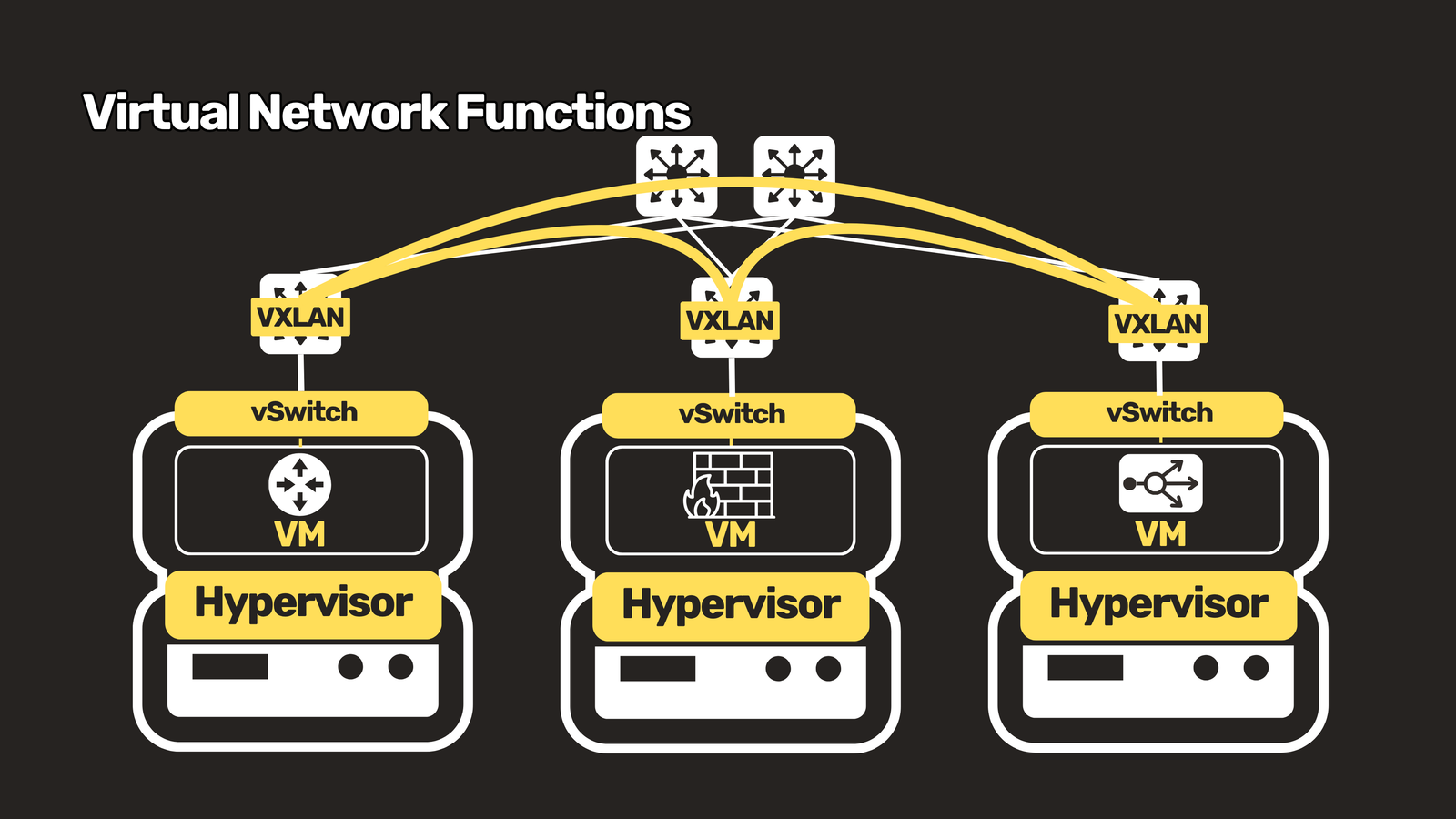
3. Virtual network functions(VNF). Routers, firewalls, and load balancers can now run as software, such as the CSR1000v and virtual firewalls. They’re handy for labs and cloud edge deployments, though you trade away the forwarding performance of dedicated hardware.
Containers
While VMs split the resources of the hardware, containers split the resources inside the host’s operating system. This is called OS virtualization.
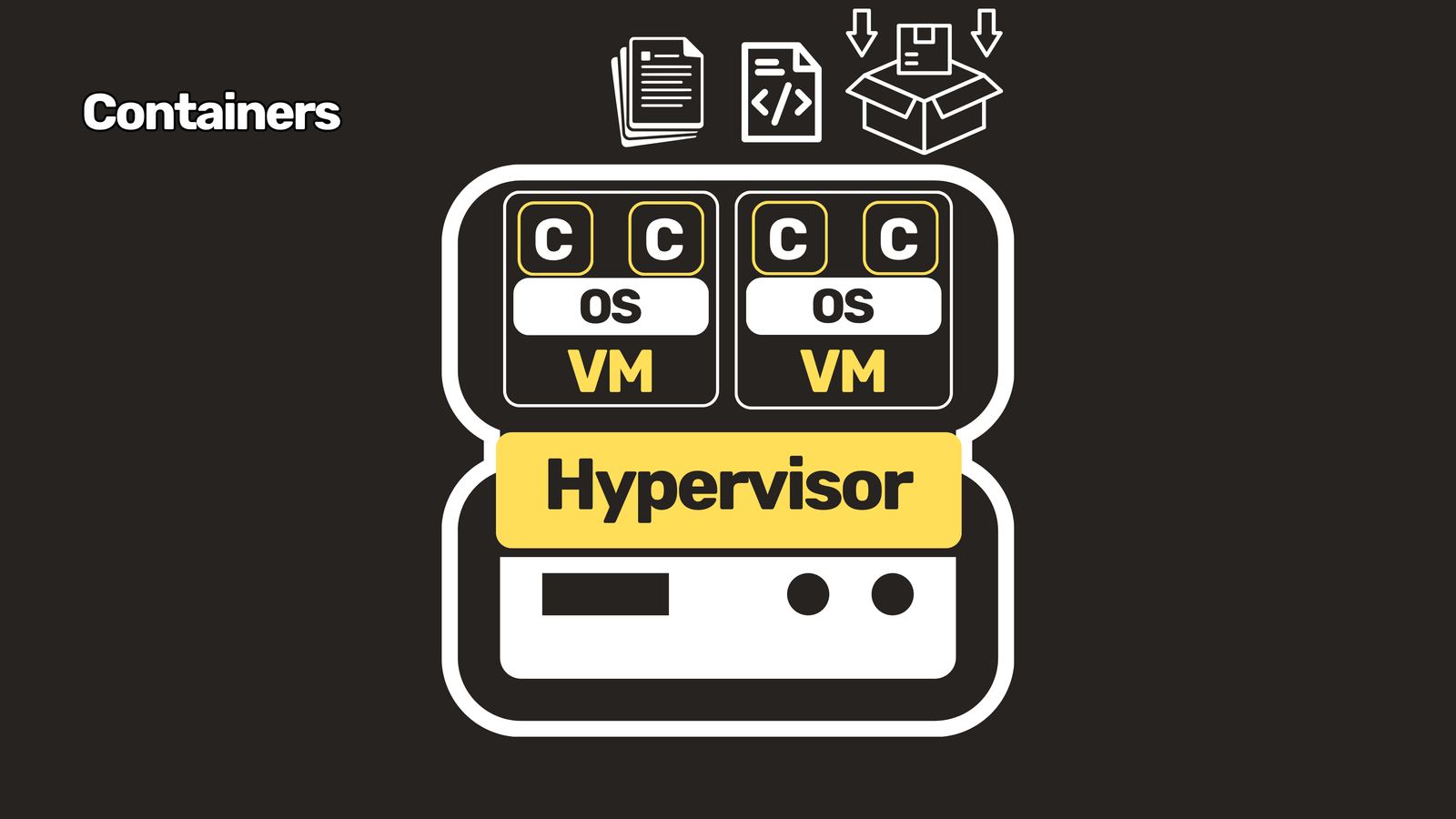
A container packages all the files, configuration, and dependencies needed to run an application. That makes deployment faster than with VMs, and it’s easy to move a container from a development environment to production. Containers are also lightweight, because they don’t each carry a full operating system.
How Containers Are Isolated
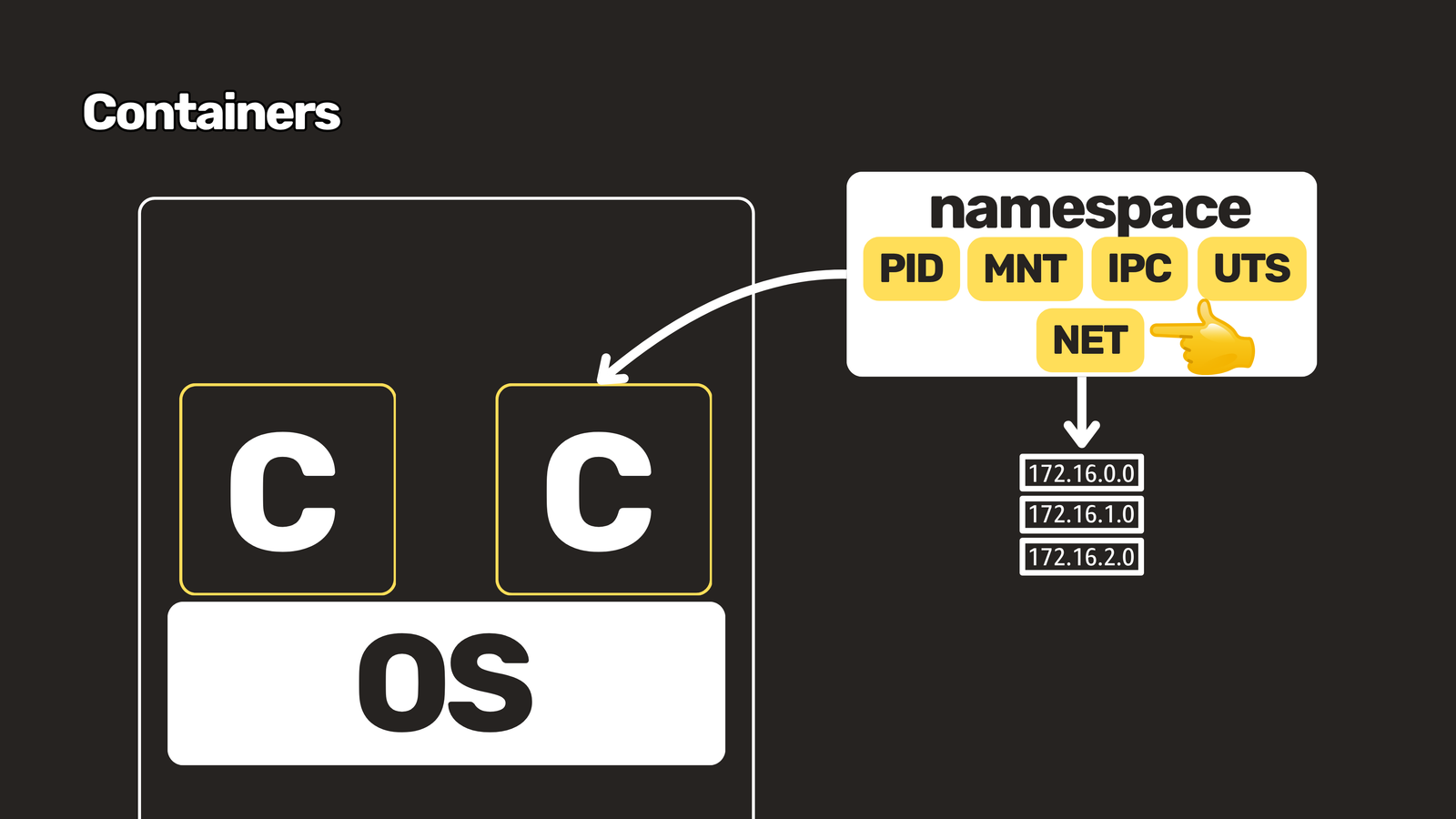
Containers are isolated using a Linux feature called namespaces. A network namespace gives each container its own private network, including its own routing table. If that sounds familiar, it should: it’s similar to a VRF.
Container Networking Tools
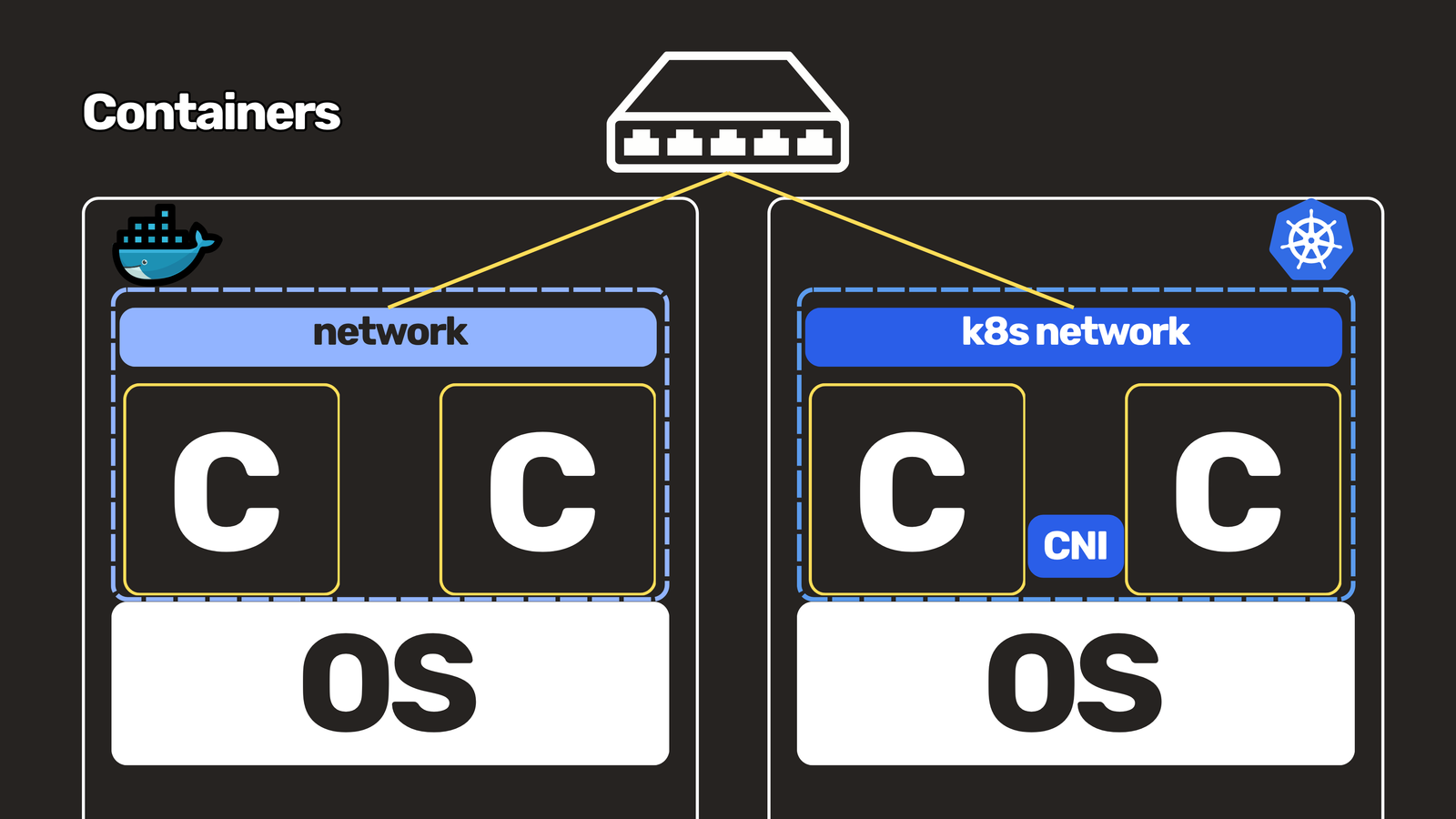
Tools like Docker and Kubernetes are built on these features. Docker uses network drivers to handle container isolation and routing, while Kubernetes uses the Container Network Interface (CNI). These virtual network layers sit before the physical access switch the server connects to, which means another part of your network now lives inside the host.
VMs vs Containers at a Glance
| Type of Virtualization | Weight | |
|---|---|---|
| VM | Server virtualization | Heavy |
| Container | OS virtualization | Light |
Recap
Server virtualization splits the whole server into multiple virtual machines. The load on the hardware is heavier, since each VM runs its own operating system. Containers, on the other hand, split the operating system itself, which enables microservices. They’re lightweight because they consume fewer resources.
For network engineers, the takeaway is that both technologies push parts of the network into the server: virtual switches for VMs, and namespaces and CNI plugins for containers. Understanding them helps you troubleshoot problems that start long before traffic reaches your physical access switch.
Key Takeaways
- VMs virtualize the server and run their own OS, which makes them heavy but strongly isolated.
- Containers virtualize the operating system and share the host kernel, which makes them light and fast to deploy.
- VMs introduced vSwitches, VXLAN overlays, and virtual network functions.
- Container network namespaces work much like VRFs, giving each container its own routing table.
- Docker uses network drivers, and Kubernetes uses CNI plugins, to handle container networking.
Watch the Video
Prefer to watch? See the full walkthrough: https://youtu.be/7JgO7o7CBv0
New to the routing side? Check out my routing videos playlist: https://www.youtube.com/playlist?list=PLGPTTwip0FVkG_85iNLh8LTb0On5-GVwU
Do you work with VMs, containers, or both? Share your experience in the comments, and subscribe so you don’t miss the next post.