 Packetbrew
VRF Explained: How One Router Can Act Like Many
In our last post, we covered Software Defined Networking. But how do you get the most out of your hardware when it has to serve multiple tenants who each need isolation? That’s where VRF comes in. It lets a single device behave as if it were multiple routers. In this post, we’ll cover what a VRF does and how you can use it.
The Problem: Two Customers, One Router
Imagine you have two customers who both need to use 10.1.1.0/24, and you only have one router. What are your options?
- Buy another router for the second customer.
- Force one customer to change their IP addressing.
- Do what network engineers have done for decades: give each customer their own universe inside the same box.
That third option is a VRF.
What Is a VRF?
VRF stands for Virtual Routing and Forwarding. It lets a device behave as if it were multiple routers by creating multiple routing tables and assigning interfaces to each one.
How Does a VRF Work?
By default, a router has only one routing table, called the global routing table. Once you configure a VRF, the router creates an additional routing table, identified by a route distinguisher (RD).
To put the VRF to use, you associate it with an interface. From then on, traffic arriving on that interface is routed using the VRF’s own routing table, not the global one.
Because each VRF lives in its own routing domain, different VRFs can use the same IP addresses without conflict. In our scenario, both customers can use 10.1.1.0/24, and the router keeps them completely separate.
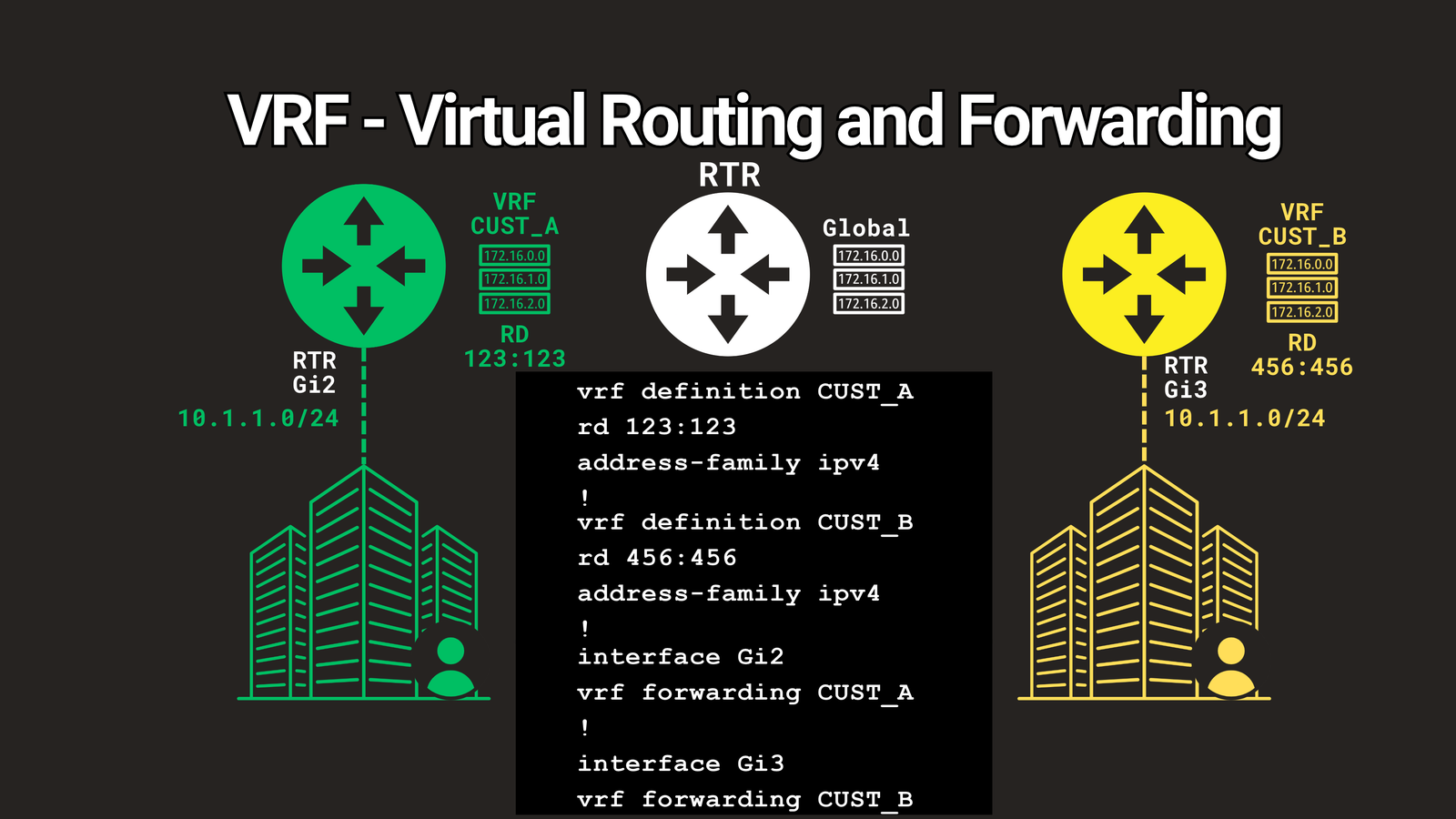
Here’s what a basic VRF looks like on a Cisco IOS-XE router:
vrf definition CUST_A
 rd 123:123
 address-family ipv4
 exit-address-family
!
interface GigabitEthernet0/1
 vrf forwarding CUST_A
 ip address 10.1.1.1 255.255.255.0
Tip: Apply vrf forwarding to the interface before setting the IP address, because applying a VRF removes any existing address on that interface. Syntax varies by platform, and older IOS versions use ip vrf instead of vrf definition.
Two Ways to Use VRFs
VRFs are commonly deployed in two forms: VRF-Lite and MPLS L3VPN.
VRF-Lite
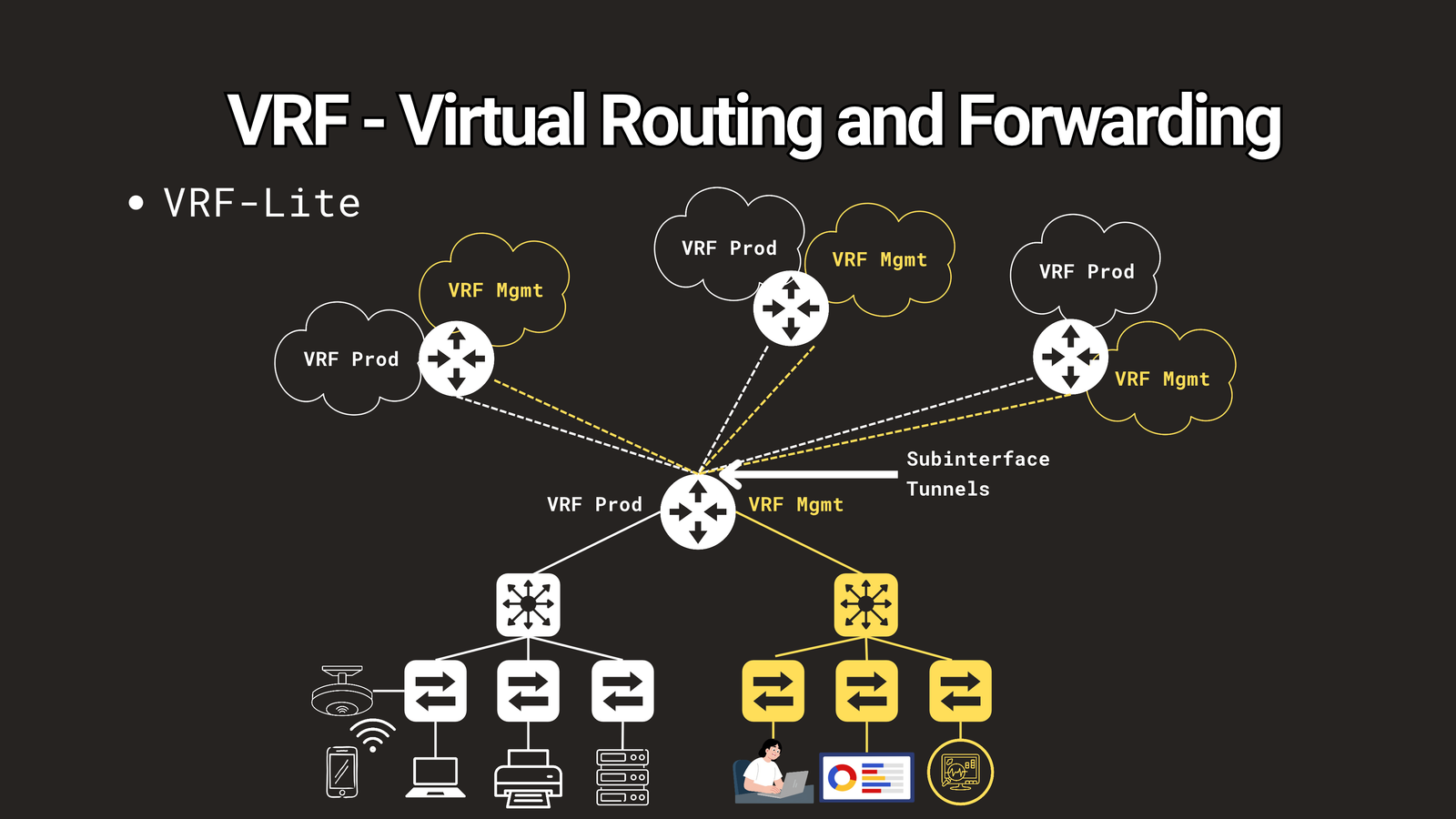
VRF-Lite means using VRFs on their own, locally within a device, with no MPLS configuration. It’s a great fit for campus segmentation, such as separating production traffic from management traffic.
To extend VRFs across multiple devices, you configure them on each device and connect them with virtual interfaces such as subinterfaces and tunnels. This lets you carry multiple VRFs over a single physical interface.
MPLS L3VPN
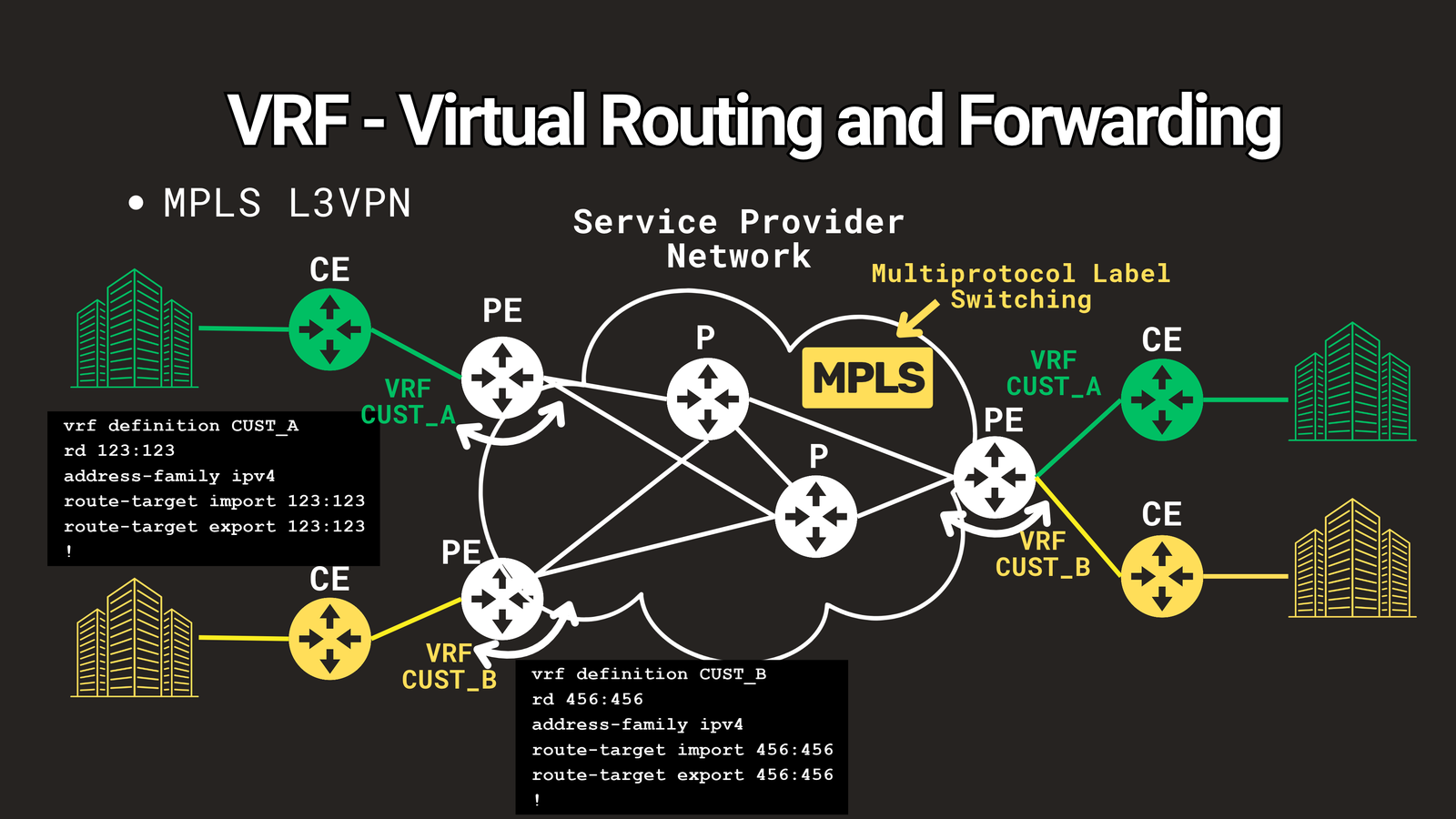
MPLS L3VPN is what service providers use to serve thousands of customers on a shared network. A typical provider network has these roles:
- Customer Edge (CE): the router facing the customer.
- Provider Edge (PE): connects the customer to the provider’s network.
- Provider (P): the core routers inside the backbone.
MPLS (Multiprotocol Label Switching) runs between these routers to exchange labels, which enables faster forwarding. In this design, VRFs are configured only on the PE routers. Each VRF’s routes are carried across the MPLS backbone with their own labels so that other PEs can use them.
Besides the route distinguisher, a second identifier controls how routes are shared between VRFs across the backbone: the route target (RT).
RD vs. RT: The Key Distinction
These two terms trip up many people learning MPLS, so here’s the simplest way to remember them:
The RD makes a route unique. The RT controls which VRFs are allowed to see it.
Where VRFs Fit in the Bigger Picture
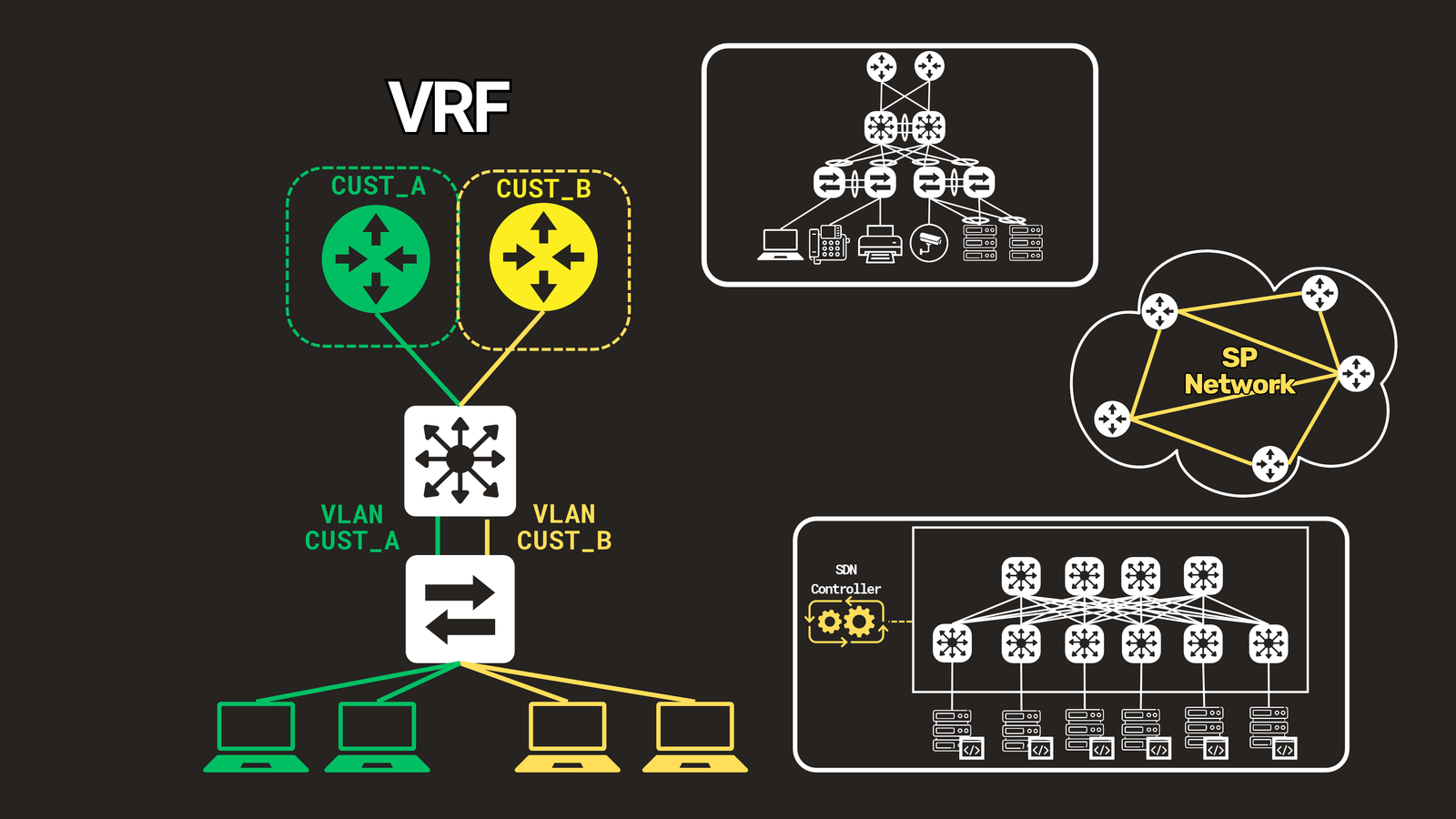
VRFs provide Layer 3 segmentation by isolating routing domains. Combine them with VLANs and you get isolation at both Layer 2 and Layer 3. You’ll find VRFs in campus networks, in service provider networks, and in large-scale data centers working alongside SDN.
If this all seems like a lot right now, don’t worry. VRFs make much more sense once you’ve configured a few in a lab.
Key Takeaways
- A VRF lets one router maintain multiple, independent routing tables.
- Each interface is assigned to a single VRF, so overlapping IP addresses don’t conflict.
- VRF-Lite is local segmentation without MPLS. MPLS L3VPN is how service providers deliver private networks at scale.
- RD makes routes unique. RT controls route sharing between VRFs.
Watch the Video
Prefer to watch? See the 3-minute walkthrough: https://youtu.be/VNetasKhHWs
Have a question or a VRF lab story? Leave a comment in the video, and subscribe so you don’t miss the next one